By Kislay, creator of Recordful. Last updated November 24, 2026.
Short answer: The best free screen recorder in 2026 is one that has no time limit, no cap on videos and a real editor, without asking for an account. Recordful does all of that: it records a tab, an area, a window, the whole screen or your camera, has no time limit, and exports up to 4K with auto-zoom on clicks, all free. OBS and ShareX are free and open source but don't include an editor. Loom's free plan stops at 5 minutes and 25 videos at 720p. The recorders built into Windows and macOS are free but record only.
What makes a screen recorder truly free?
A lot of "free" screen recorders are trials with a nicer name. Before you pick one, check five things:
- A time limit per recording. Some stop you at 5 minutes.
- A cap on videos. Some allow 10 or 25 videos and then ask you to pay.
- Export quality. Some free plans stop at 720p.
- A watermark you can't remove.
- An account. Some won't record until you sign up.
The table below lists these for each tool, taken from each vendor's own pages on November 24, 2026.
Free screen recorders compared
| Tool | Free plan limits | Runs on |
|---|---|---|
| Recordful | No time limit, no video cap, free editor, export up to 4K, no account for the extension | Chrome, Edge and Brave on Windows, macOS, ChromeOS and Linux; desktop app for Mac, Windows and Linux |
| OBS Studio | Free and open source | Windows 10 and 11, macOS 13+, Linux |
| ShareX | Free and open source | Windows |
| Screenity | Free extension; sharing and the editor are paid | Chrome |
| Loom Starter | 25 videos, 5 minutes per recording, up to 720p | Chrome extension and desktop app |
| Screencastify Free | Up to 10 videos, 30 minutes each, Castify watermark | Chrome |
| Zight Share | 5 minutes per recording, up to 720p, 1 GB of storage | Desktop app (trim and split there only) |
| Cap Free | Personal use only; 25 share links a month, up to 5 minutes each | Desktop app and Chrome |
| Snipping Tool | Built into Windows | Windows |
| Screenshot app | Built into macOS | macOS |
1. Recordful: the best free screen recorder overall
Recordful is a Chrome extension (also Edge and Brave) and a desktop app for macOS 14+, Windows 10 and 11, and Linux. The extension is open source under GPLv3, and it records with no account.
What you get for free:
- Record anything: a tab, an area, a window, the whole screen, or your camera only. No time limit and no cap on how many videos you make.
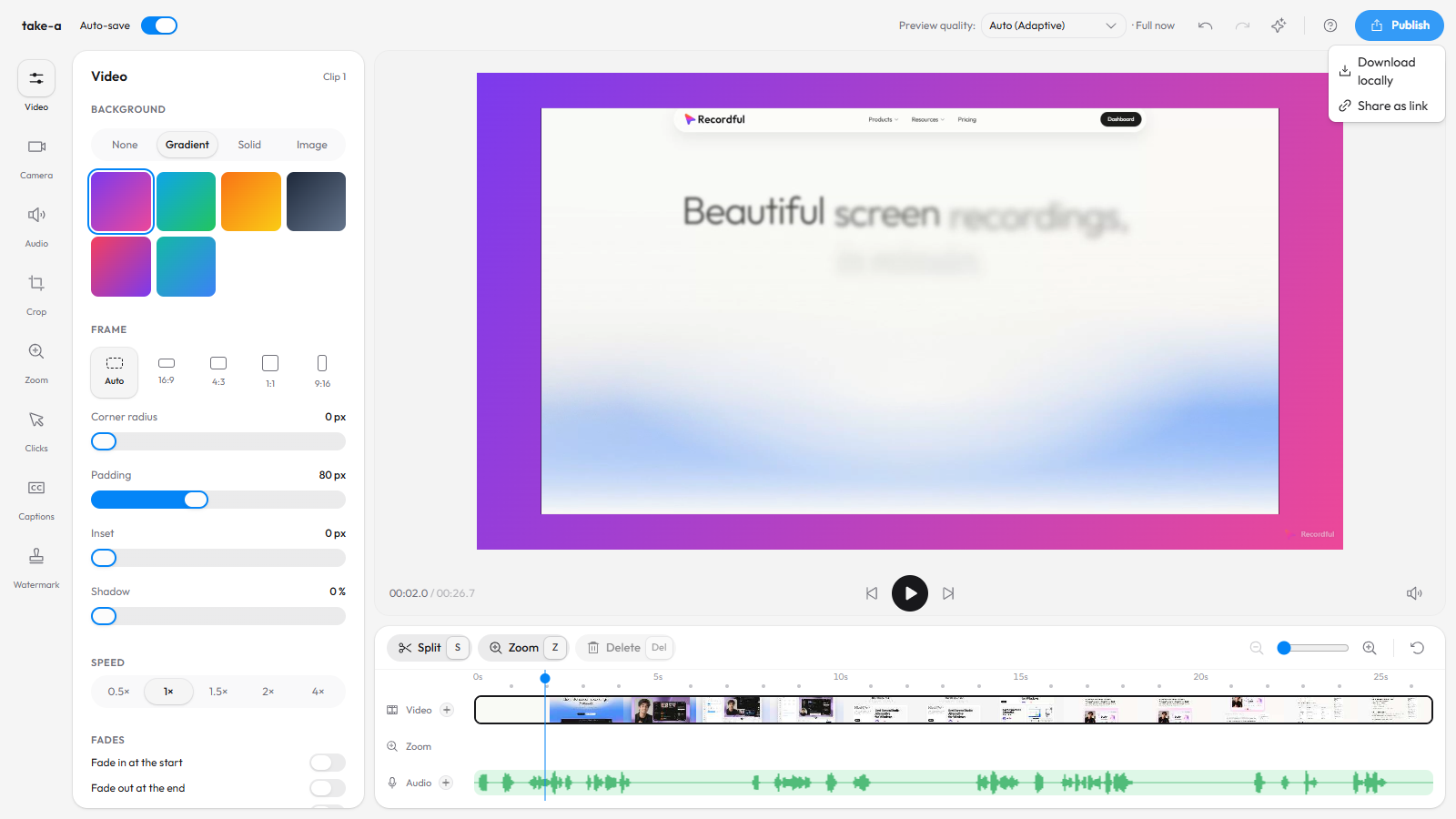
- A full editor: trim, cut, speed, auto-zoom on clicks plus manual zooms, click effects and click sounds, backgrounds, padding and camera layouts. Add clips, record a voiceover, and reorder your video. See the editor.
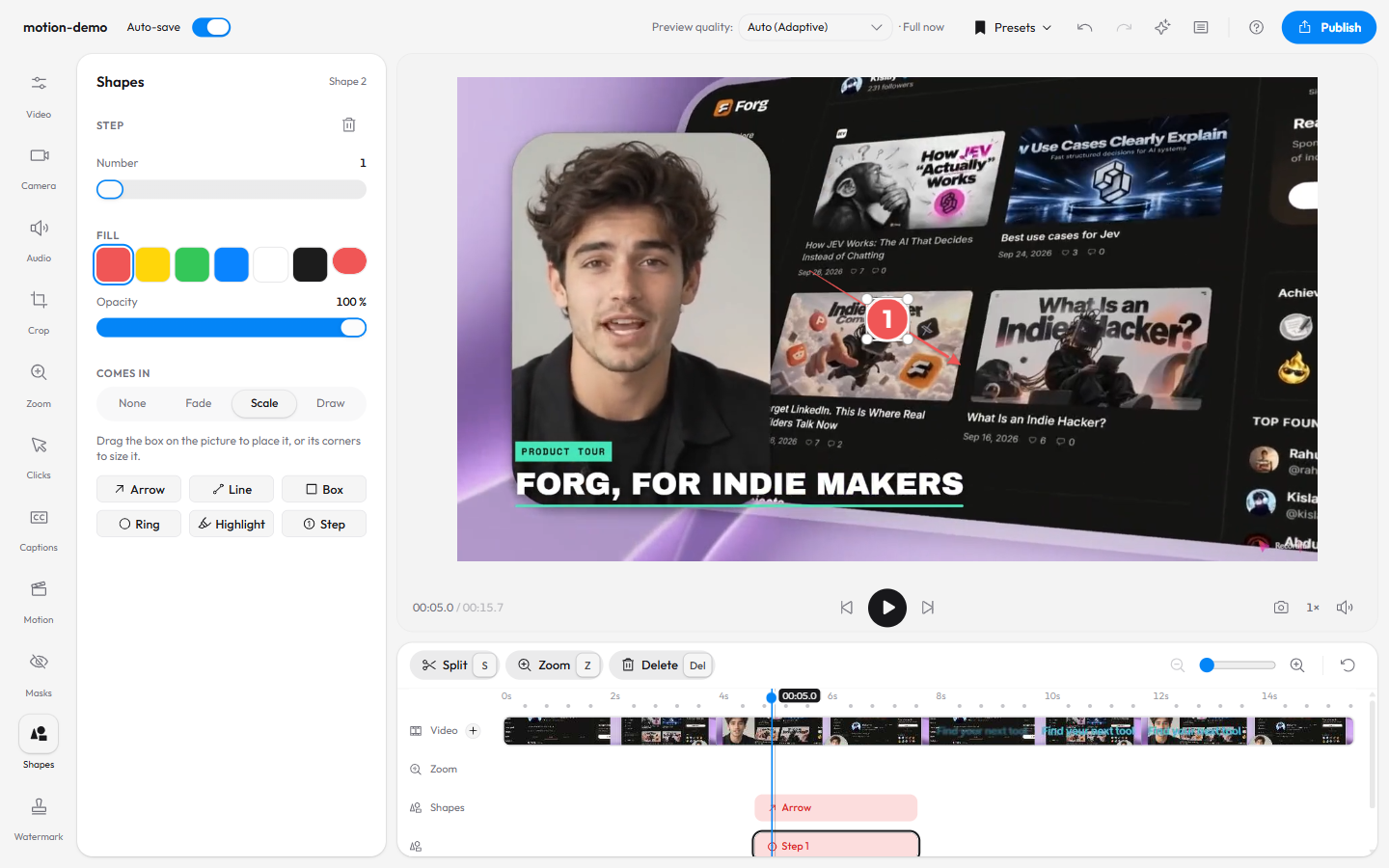
- Shapes, markers, transitions and style presets: arrows, boxes and numbered steps that draw themselves on, markers you drop while recording, crossfades between clips, and a saved look you apply in one click. All shipped free in Recordful 4.9.
- Recordful Motion: animated titles, lower thirds, callouts, and blur and spotlight masks.
- While you record: a teleprompter, drawing and blur.
- Export: MP4 or WebM up to 4K, saved on your computer. 4K recording needs a screen of at least 3840x2160 and 8 GB of RAM.
- Your own watermark: a Recordful mark is on by default, and you can turn off the Recordful mark for free or swap in your own logo. See how to watermark a screen recording.
- Crash recovery: if Chrome crashes mid-recording, Recordful offers the recording back.
- Screenshots: an area, the visible page, the full page or the screen, with an editor. See screen capture.
The extension records with no account. The desktop app asks you to sign in with a free account before you record.
If you later want share links, Recordful Pro is $19 a month, or $108 a year, for the whole workspace. It adds a watch page with a transcript, comments and view analytics, Instant Mode, 50 GB of storage, audio cleanup and captions. Recording, editing and export stay free.
2. OBS Studio
From obsproject.com on November 24, 2026, OBS Studio is "Free and open source software for video recording and live streaming." It supports Windows 10 and 11, macOS 13.0 or newer, and Linux.
OBS records with scenes and sources you set up yourself. Its site doesn't list a video editor, so trimming a take or adding zooms happens in a second app. If you want recording and editing in one place, see an easy OBS alternative with a built-in editor.
3. ShareX
From getsharex.com on November 24, 2026, ShareX is "a free and open source screenshot tool for Windows." Its feature list includes screen recording and GIF recording, scrolling capture, and text recognition after a capture.
ShareX is built around screenshots and uploads, and it runs on Windows. Its feature list doesn't include a video editor.
4. Screenity
From screenity.io/pricing on November 24, 2026: "The Chrome extension is free and stays free." It records your screen, camera and microphone, with drawing, blur, click highlights and push-to-talk, and recordings stay on your device with no account. Screenity's FAQ says sharing needs a paid account and calls the editor "the paid part". Screenity Pro is $10 a month, or $120 billed yearly.
Recordful began as a fork of Screenity and kept the free editor. More in Recordful vs Screenity.
5. Loom (free Starter plan)
From Loom's pricing page on November 24, 2026, the free Starter plan allows 25 videos, a 5-minute recording length per video, and video quality up to 720p. Business is $18 per user a month.
Loom's free plan suits short clips. Longer walkthroughs need a paid seat. See the free Loom alternative with no time limit and Recordful vs Loom.
6. Screencastify (free plan)
From Screencastify's pricing page on November 24, 2026, the free plan lets you "Create or upload up to 10 videos" and "Record up to 30 minutes", and free videos carry a Castify watermark. Starter is $7 per user a month billed yearly, or $18 billed monthly. See Recordful vs Screencastify.
7. The Snipping Tool on Windows
From Microsoft's Snipping Tool support page on November 24, 2026, Win + Shift + R opens the overlay for a video clip, and a recording can be saved as is or opened with Edit in Clipchamp. It's built into Windows, so there is nothing to install. Editing happens in a separate app.
8. The Screenshot app on macOS
From Apple's support page on November 24, 2026, Shift-Command-5 opens the Screenshot app, which can record the entire screen, a selected window (macOS Tahoe 26 or later) or a selected portion, with an optional microphone, a timer, and Show Mouse Clicks. Recordings are saved as .mov files.
It's free and already on your Mac. Apple's page covers recording, not editing, so zooms and backgrounds need another app. For a Mac recorder with an editor, see Recordful vs Screen Studio.
Which free screen recorder should you use?
- For a finished video without paying: Recordful. Record, zoom, cut and export up to 4K with no time limit.
- For a Chromebook: Recordful's extension works on ChromeOS. See how to screen record on a Chromebook.
- For Linux: Recordful's extension and AppImage. See Loom alternative for Linux.
- For a product demo: see how to record a product demo video and free screen recorder with auto zoom.
How to record your screen for free with Recordful
- Install Recordful from the Chrome Web Store, or download the desktop app.
- Click the Recordful icon and pick a tab, an area, a window, the whole screen or camera only.
- Record. There is no timer counting down.
- Stop. The editor opens with zooms already on your clicks.
- Trim, add shapes or a title, and pick a background.
- Click Publish, then Download locally for an MP4 or WebM up to 4K.
Frequently asked questions
What is the best free screen recorder in 2026? Recordful. It records a tab, an area, a window, the whole screen or your camera with no time limit and no video cap, and its free editor adds auto-zoom on clicks, shapes, titles and backgrounds before you export up to 4K.
Is there a free screen recorder with no time limit? Yes. Recordful has no time limit on recordings saved to your computer, and no cap on how many you make.
Is there a free screen recorder with no watermark? Recordful puts a small Recordful mark on by default, and you can turn off the Recordful mark for free in the editor or replace it with your own logo.
Do I need an account to record? Not with Recordful's Chrome extension. Install it and record. The desktop app asks for a free account.
Is OBS or Recordful easier? Recordful. You pick what to record and press record, and the editor opens with zooms on your clicks. OBS is built around scenes and sources you set up first.
What is Loom's free plan limit? From Loom's pricing page on November 24, 2026: 25 videos, 5 minutes per recording, and up to 720p.
Can I record my screen for free on a Mac? Yes. The built-in Screenshot app (Shift-Command-5) records, and Recordful's extension and desktop app record and edit for free on macOS.
Is Recordful open source? Yes. The Chrome extension is open source under GPLv3 on GitHub.
More: Recordful Screen Recorder, the editor, Recordful Motion, download the desktop app.