By Kislay, creator of Recordful. November 15, 2026.
Recordful 4.9 is a big one. It started with a simple question: where do people who record their screen still lose time, or lose work? The answer was a long list, and this release works through it: editing by words instead of by waveform, a voice that sounds better without a sound engineer, arrows and steps for tutorials, markers so you can find the good part, and the one that matters most: a recording that survives when your browser doesn't.
What's new
- Crash recovery. If Chrome crashes or the power cuts out mid-recording, Recordful offers the recording back. Learn more
- Edit by transcript. Delete words to cut them from the video, or find a phrase and remove every place you said it. Learn more
- Voice EQ. Five presets, Natural to Broadcast, or set the bands yourself. Learn more
- Shapes. Arrows, boxes, rings, highlights and numbered steps that draw themselves on. Learn more
- Markers. Flag a moment while you record and jump to it in the editor. Learn more
- Transitions, style presets, preview speed, save a frame as PNG and other time savers. Learn more
- Share pages that do more: a call to action, viewer invites by email, private by default, replace a video behind the same link, and editable AI summaries. Learn more
- A Loom importer to bring your library across. Learn more
- A hosted MCP connector so Claude and other AI apps can read your library with no install. Learn more
Never lose a recording again
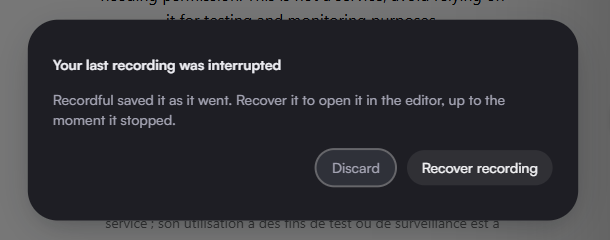
The worst moment in screen recording is the one where twenty minutes of work disappear because Chrome crashed. Recordful already saved your recording to your computer as it went. What was missing was the way back: if the recorder died before you pressed stop, nothing marked that recording as worth keeping, and the next recording cleared it away.
Now, when Recordful starts after a crash, a power cut or an extension update, it notices the recording that never finished, protects it, and asks the next time you open it. Recover recording opens it in the editor up to the moment it stopped. Discard lets it go. It works signed in or out, free or Pro, and it's first in this release on purpose.
Edit the video by editing its words
Click Transcript at the top of the editor and everything you said appears as text beside the preview. Select a sentence you fumbled, press Delete, and it is gone from the video. Click a struck-through word and it comes back.
The hard part is where to cut. A cut in the middle of a breath or the tail of a word sounds wrong, so Recordful looks at the sound between the words and cuts at the quietest point, leaving a few hundredths of a second around the words you keep. Long pauses are only shortened, never removed whole, so the video still breathes.
Find words goes further: type a phrase ("you know", a product name you said wrong) and Remove all cuts every place you said it. The Filler words switch now cuts the same way, so the ums it removed show struck through in the transcript, and cuts you make on the timeline show there too. Editing by transcript is part of Recordful Pro.
Voice EQ
Most laptop and headset microphones sound boomy, thin or muffled. The new Voice EQ in Audio fixes that with five presets:
| Preset | Good for |
|---|---|
| Natural | A light touch for a decent microphone |
| Clear | Cutting boom and mud so words carry |
| Warm | A fuller, closer voice |
| Bright | A dull or thin microphone |
| Broadcast | A deep, even, radio-style voice |
Move any band and the preset becomes Custom. You hear every change live in the preview, the export uses the same filters, and with Noise and echo on, the EQ works on the cleaned voice. Part of Pro.
Arrows, boxes and numbered steps
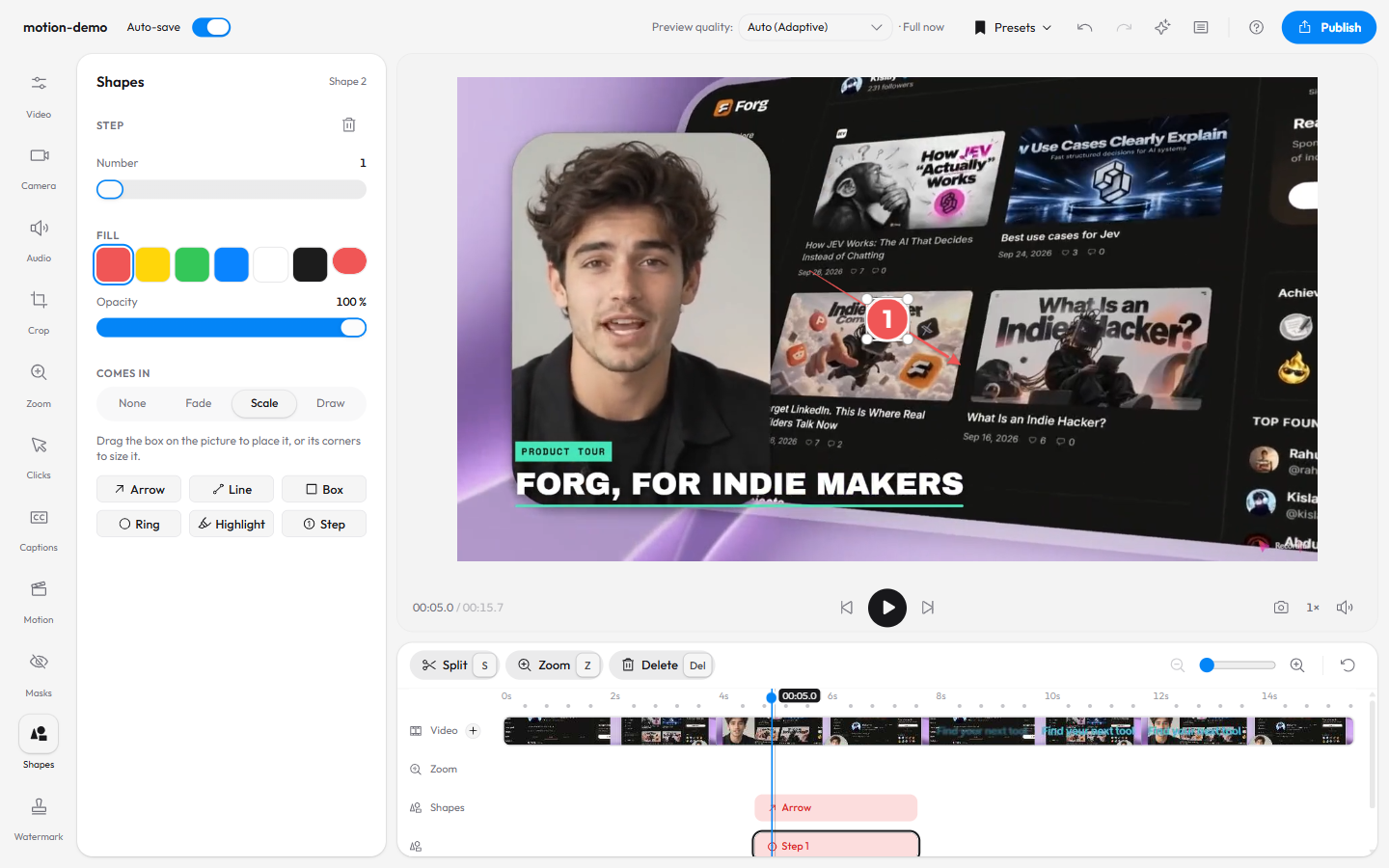
Tutorials need pointing. Shapes adds arrows, lines, boxes, rings, highlights and numbered steps, each on the timeline for exactly as long as you want. They can fade in, grow or draw themselves on, and they stay on their spot when the video zooms or is cropped. Steps number themselves 1, 2, 3 as you add them. Shapes are free.
Markers: find the good part
While recording, click the flag on the toolbar (or set a shortcut) to mark a moment: "the bug appears", "start here". In the editor your markers wait on the timeline. Click one to jump there, rename it, or delete it, and press Shift+M to add more. A marker follows its moment through every cut and speed change. Free.
Smaller things that save time
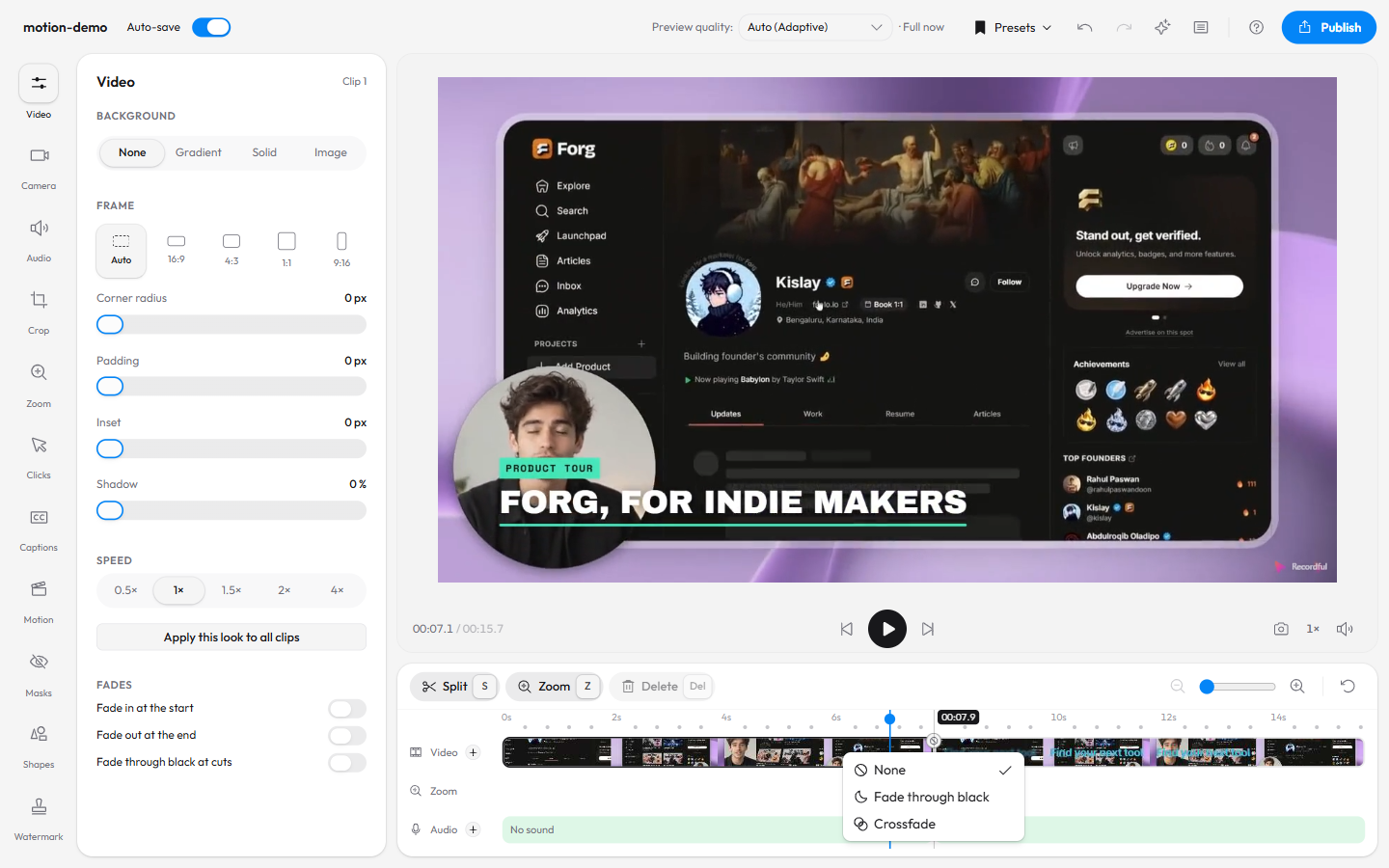
- Transitions: click the dot where two clips meet for a crossfade or a fade through black.
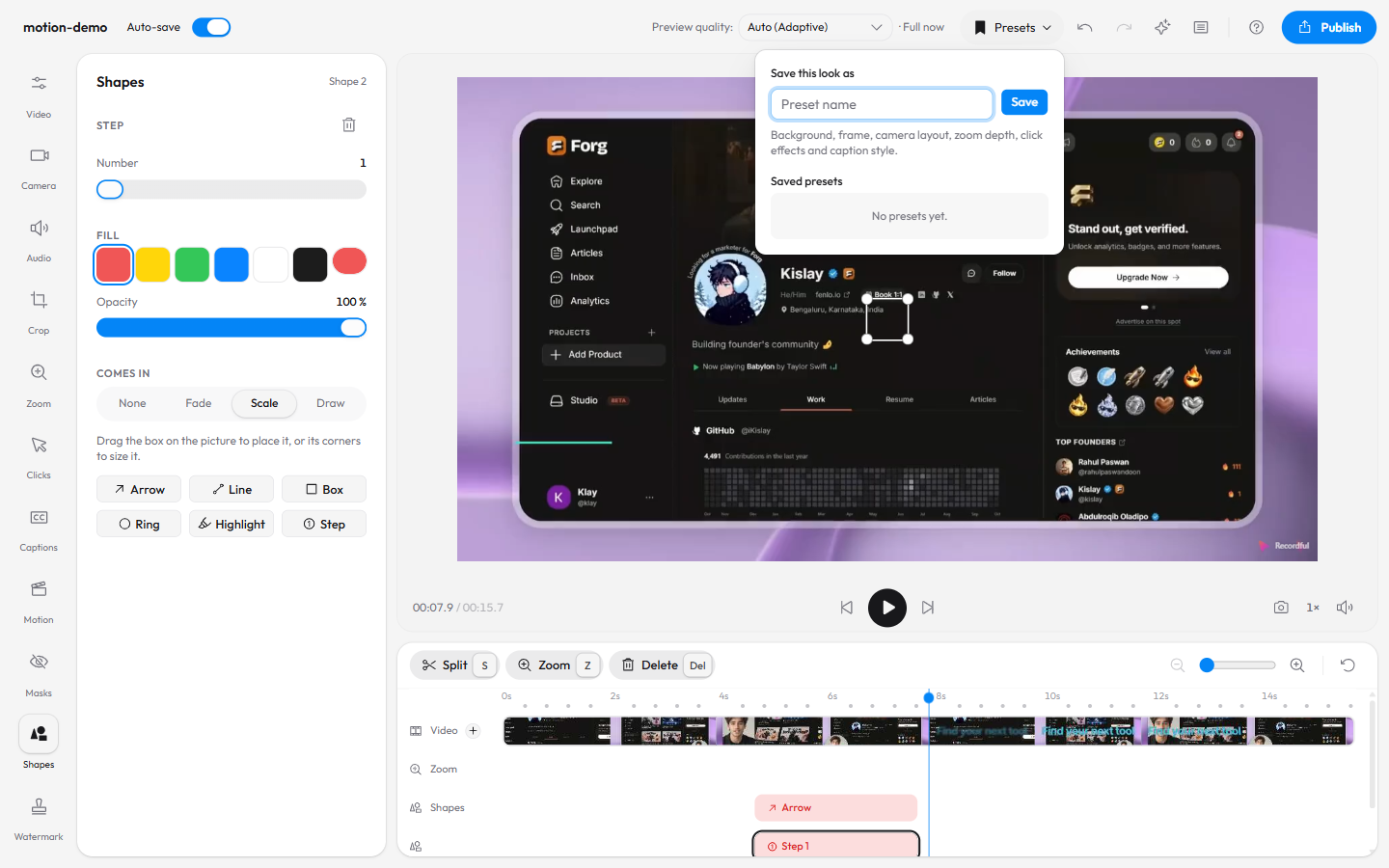
- Style presets: save your background, padding, camera layout, zoom depth, click effects and caption style, apply them to any video, and star one for every new recording.
- Preview speed from 0.5× to 3×, to watch your edit quicker.
- Save frame as PNG at full size, for a thumbnail or a doc.
- Delete other clips keeps just the clip you right-clicked.
- Auto-zoom settings: choose how long a zoom holds and how close clicks must be to share one.
Share pages that work for you
- Call to action: end a video with a button ("Book a demo", "Start free"), show a small card in the corner while it plays, or both. Your viewers need nothing. Part of Pro.
- Invite viewers by email, even outside your workspace, and see who has access.
- Private by default: owners and admins can make every new recording private.
- Replace a video you re-recorded without breaking the link you already sent.
- Edit the AI summary and chapters, or write your own; a late AI result never overwrites you.
?captions=offstarts a shared video with captions hidden, and viewers can still turn them on.
Bring your Loom videos
Switching from Loom? Open Import in the dashboard, paste your share links or upload Loom's CSV export, and each video is copied into your library with its title. One failure never stops the batch: retry it, or upload its MP4 if Loom won't share it. Part of Pro.
Your AI app, no install
Recordful already works with Claude Code, Cursor and other AI apps through a local MCP server that can record your browser. Now there's a second way, for reading: add https://recordful.app/mcp as a connector in Claude or any app that takes a remote MCP server, sign in, and ask "which of my videos got the most views this month?" or "what did I say about pricing last week?". It is read-only, and you can remove an app at any time in Settings → Connected AI apps.
Get it
The extension updates on its own from the Chrome Web Store. The web editor and share pages are already live at recordful.app. The full list is in the changelog.
Frequently asked questions
Is crash recovery free? Yes. It works on every plan, signed in or out.
Which features need Pro? Editing by transcript, the Voice EQ, calls to action, viewer invites, private by default, the Loom importer and the hosted connector. Shapes, markers, transitions, style presets, preview speed and save frame as PNG are free.
Does editing by transcript change my original recording? No. Every cut is part of the edit. Click a word to bring it back at any time.
Can I import private Loom videos? The importer copies videos you can open with their share link. For one Loom won't share, download it from Loom and use Upload MP4 on that row.