By Kislay, creator of Recordful. November 20, 2026.
Recordful Motion launched last week with lower thirds, titles and callouts. Motion 2 turns it into something closer to a motion designer: ask for a chart, a diagram or a title behind your head and the Recordful Agent builds it, timed to the words you say. Along with it, Recordful can now remove, blur or replace your camera background with no green screen, worked out on your own computer and free on every plan.
What's new
- Charts. Bar, line, area, pie and donut charts, numbers that count up, and progress bars. Each bar lands as you name it. Learn more
- Diagrams. Flowcharts, steps, timelines and comparisons. Each box draws in as you say its step.
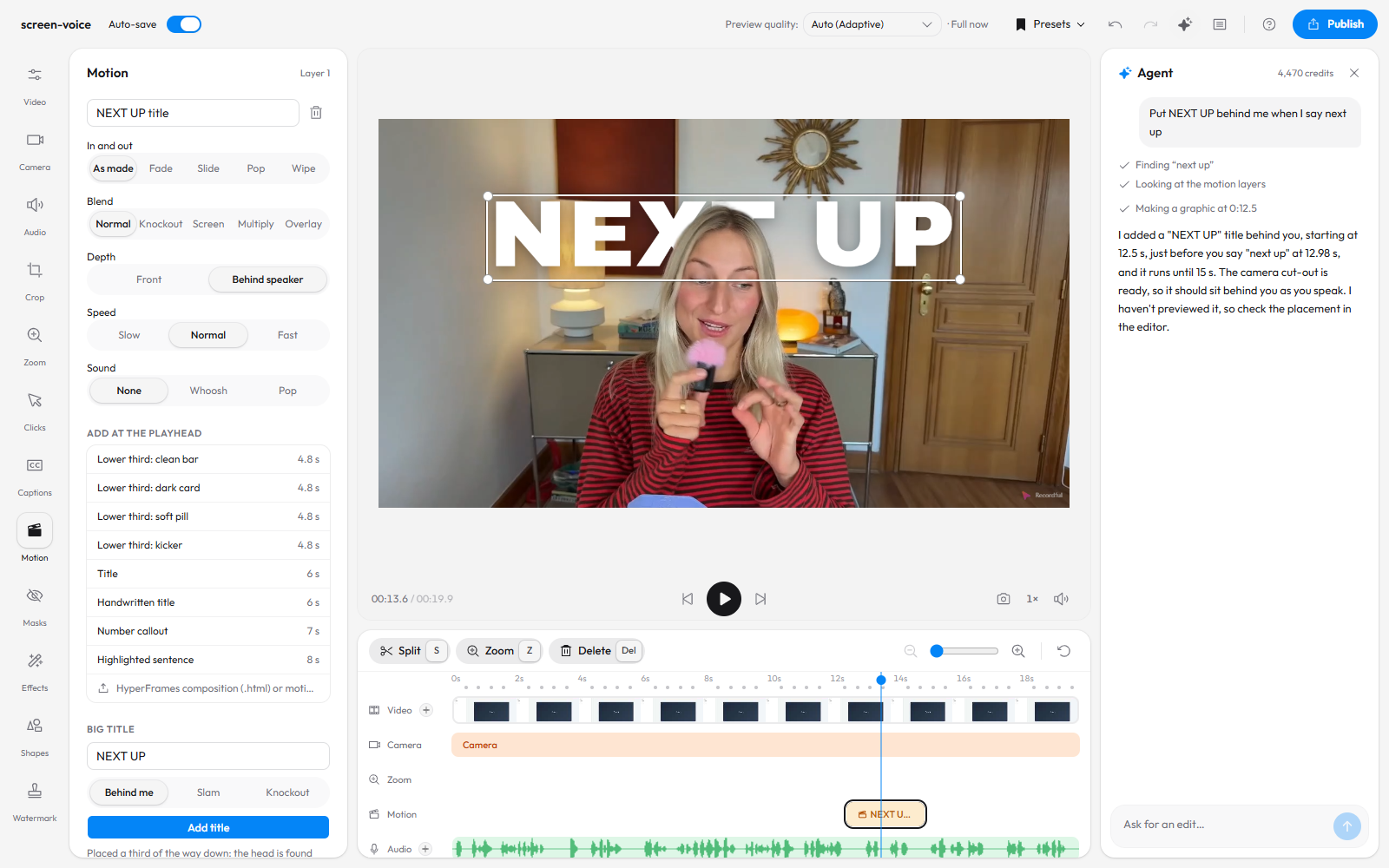
- Text behind you. A title that sits behind your head, like a magazine cover, while your room stays as it is.
- No green screen. Remove your background, blur it with a strength slider, or replace it with a colour or an image. Learn more
- Icons, arrows and logo intros. Over 1,800 icons that draw themselves on, arrows that point at something on screen, and your logo revealed before the video.
- Video effects. Twelve looks, from black and white to glitch, on the whole video, the screen or the camera.
- The Agent designs them. Describe the graphic and when it should appear. The Agent finds the moment in your transcript, looks at the video when it needs to, and changes the graphic when you ask. Part of the Agent beta in Recordful Pro. Learn more
- In the desktop app. All of it except the Agent, in desktop app 2.4 for macOS, Windows and Linux.
Ask for a chart
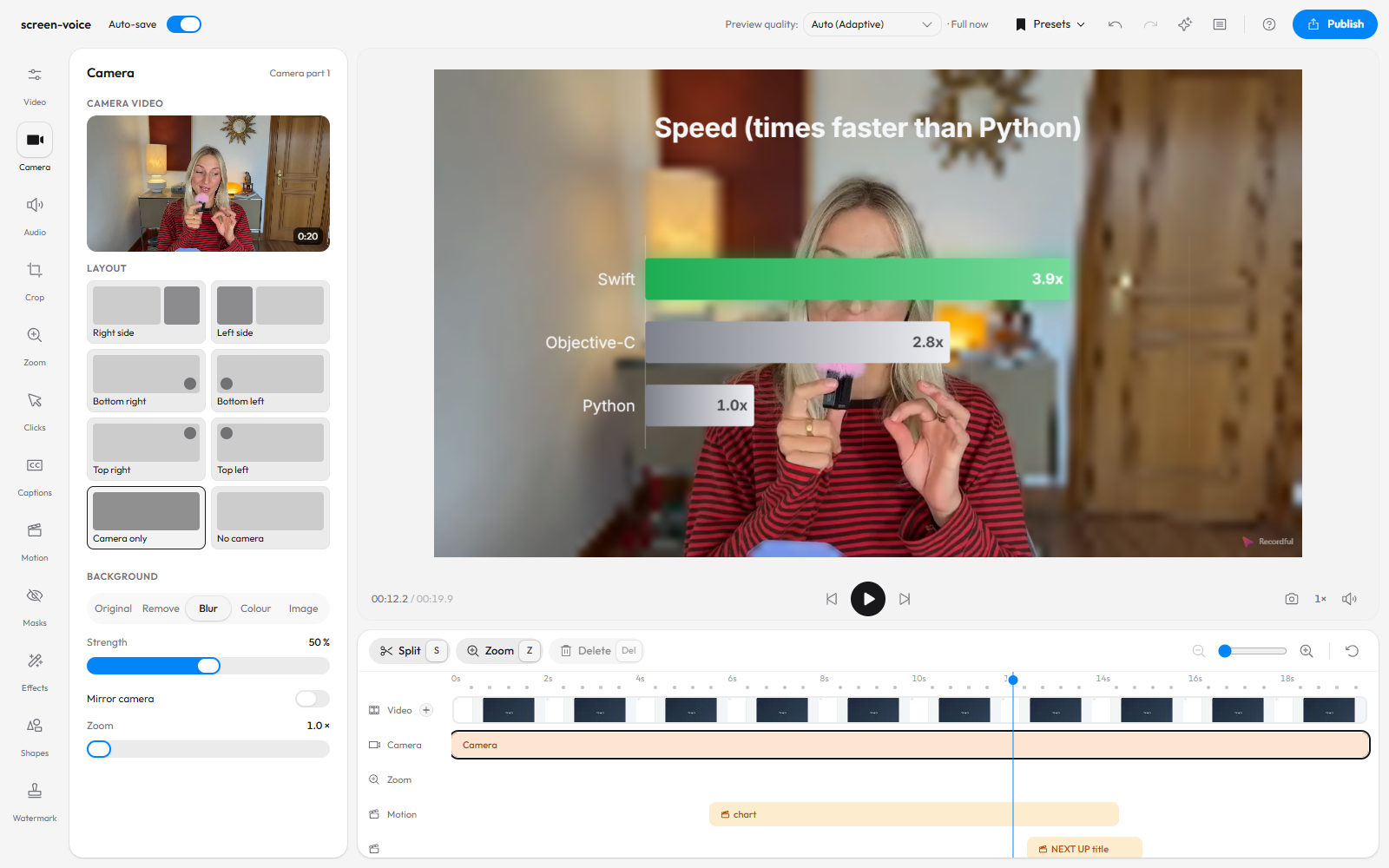
Say "show a bar chart of Swift, Objective-C and Python when I talk about speed" and the Agent finds where you talk about speed, builds the chart at your video's shape, and lands each bar on the word that names it. Ask "make the highlight green" and it changes that one setting and keeps the rest.
The same works for diagrams. "Show a flowchart of record, trim, share" draws each step as you say it. "Show the steps instead of me" puts them on a full-frame card that wipes in over your video, which is how you cut away to a diagram mid-sentence.
You don't need the Agent for any of this. In the editor, Motion has a Chart or diagram maker where you type the labels and numbers yourself.
Your background, gone, with no green screen
Open Camera in the editor and pick Remove, Blur, Colour or Image. Recordful works out where you are in every frame of your camera video and keeps only you.
It runs on your own computer's graphics chip, the same way Recordful already exports your video, using an open-source model (MODNet). Nothing is uploaded to do it, there's no wait in a queue, and it's free on every plan. On a typical laptop it takes a few seconds for every second of camera, once; after that, switching between the four looks is instant.
Text behind you
The same cut-out lets a title sit behind your head without removing your room: "Put NEXT UP behind me when I say next up." The words land round your head on the word, and you stay in front of them. It works when your camera fills the video; in the desktop app it also works with a camera card over a screen recording.
How it works
Every graphic is a small motion document: layers, keyframes and effects that Recordful turns into an animation and draws into each frame of your video, in the preview and in the export. Because the document is kept, the Agent can open a graphic again and change it instead of starting over. Nothing is rendered on a server.
Try it
Record a take with the Chrome extension or the desktop app, open it in the editor, and open Motion or Camera. To have the Agent do it, open the Agent and ask. See Recordful Motion for everything it can do.