

By Kislay, creator of Recordful. Last updated October 20, 2026.
Short answer: Screencastify's free plan lets you create 10 videos, records up to 30 minutes each, tops out at 1080p and adds a Castify watermark. Recordful's free plan has no video cap, no time limit and no account, exports up to 4K, and lets you turn off the Recordful mark for free. For paid plans, Screencastify charges per user ($7 to $10 a month billed yearly), while Recordful Pro is one price for the whole workspace: $19 a month, or $108 a year.
What is the difference between Recordful and Screencastify?
Both are Chrome extensions for recording your screen and camera, and both are popular on Chromebooks. Screencastify (whose company now trades as Castify) is built around an account: your videos live in its library, and the free plan is limited by how many videos that library holds.
Recordful keeps recording, editing and export free and on your computer. You only need an account when you want cloud share links, and that plan is priced per workspace, not per person. Recordful runs in Chrome 110 or newer, Edge and Brave, on ChromeOS, Windows, macOS and Linux. The extension is open source under GPLv3.
Is Screencastify free?
Yes, with limits. From Screencastify's pricing page on October 20, 2026, the Free plan includes:
- "Create or upload up to 10 videos"
- "Record up to 30 minutes" per video
- "Has Castify watermark"
- Video quality up to 1080p
- MP4, MP3 and GIF exports for 5 videos
Screencastify's FAQ says every new user gets "their first 10 videos for free", and you can earn 5 bonus videos for each person you invite, up to 20 bonus videos. Remove that person and you lose their bonus videos.
Recordful vs Screencastify: free plans compared
From Screencastify's pricing page on October 20, 2026, and Recordful's own plans:
| Screencastify Free | Recordful Free | |
|---|---|---|
| Price | $0 | $0 |
| Account needed | Yes | No |
| Number of videos | 10 (plus up to 20 bonus for invites) | No limit |
| Length per recording | 30 minutes | No limit |
| Quality | Up to 1080p | Export up to 4K |
| MP4 exports | 5 videos | Every video |
| Watermark | Castify watermark | Recordful mark, free to turn off |
| Where videos are kept | Screencastify's library | On your computer |
The 10-video cap is the limit most teachers run into first. A class's worth of lessons, or a term of feedback videos, goes past it quickly. On Recordful there's nothing to count, because recordings stay on your own computer. See the free screen recorder with no time limit for more on how that works.
How much does Screencastify cost in 2026?
From Screencastify's pricing page on October 20, 2026:
| Plan | Billed yearly | Billed monthly | How it's billed |
|---|---|---|---|
| Screencastify Free | $0 | $0 | |
| Screencastify Starter | $7 a month | $18 a month | Per user |
| Screencastify Pro | $10 a month | $24 a month | Per user |
| Enterprise & EDU | Custom quote | Custom quote | |
| Recordful Pro | $108 a year ($9 a month) | $19 a month | One price per workspace |
Starter adds unlimited videos, recordings up to 60 minutes and removes the watermark on new videos, but MP4 exports are still listed at 5 videos. Pro raises recordings to 180 minutes and adds unlimited exports.
Recordful Pro has a 14-day free trial and you can cancel anytime.
What does a team or a school department pay?
Billed yearly, from Screencastify's pricing page on October 20, 2026:
| People | Screencastify Starter | Screencastify Pro | Recordful Pro |
|---|---|---|---|
| 5 | $420 a year | $600 a year | $108 a year |
| 10 | $840 a year | $1,200 a year | $108 a year |
| 30 | $2,520 a year | $3,600 a year | $108 a year |
Recordful Pro covers the workspace, so you invite colleagues without adding seats. Paying monthly, a team of 5 pays $90 or $120 a month on Screencastify and $19 a month on Recordful Pro.
Which one has the better editor?
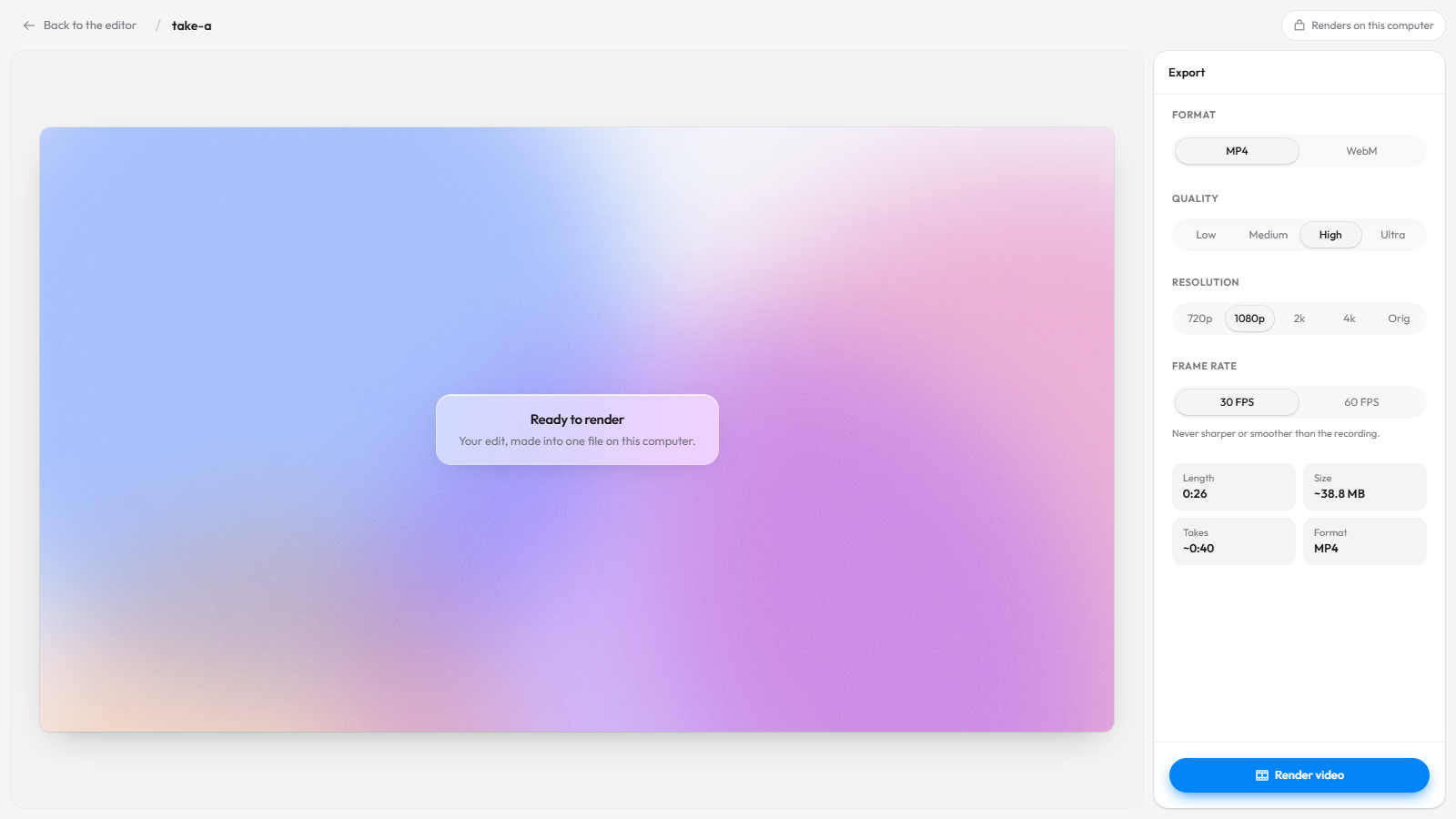
Recordful's editor is free, opens as soon as you stop recording, and runs in your browser on your own computer. It includes:
- Trim, cut, split and speed changes on a timeline
- Auto-zoom on your clicks, plus zooms you add and adjust yourself
- A smooth cursor, click effects and click sounds
- Backgrounds, padding, rounded corners and shadows
- Camera layouts: position, shape and size of your webcam
- Fades, music and volume per clip
- Export to MP4, WebM or GIF, up to 4K
See the editor and the free screen recorder with auto-zoom.
Is Recordful good for teachers and students?
For recording and handing in videos, yes:
- No account for students. Install the extension and record. There is nothing to sign up for and no library to fill up.
- Long lessons. No time limit on a recording, so a full lesson doesn't need to be split.
- Hand in a file. Export an MP4 and submit it through Google Drive or your school's learning system.
- Zoom in on the detail. Auto-zoom follows your clicks, so a small menu or a line of code is readable on a projector.
- Draw and blur while recording to point at things and hide names or grades on screen.
On school-managed Chromebooks, Recordful needs Chrome 110 or newer and permission to install extensions. If your school blocks extensions, ask your admin to allow it. More in screen recording on a Chromebook.
Can I share a Recordful video with a link?
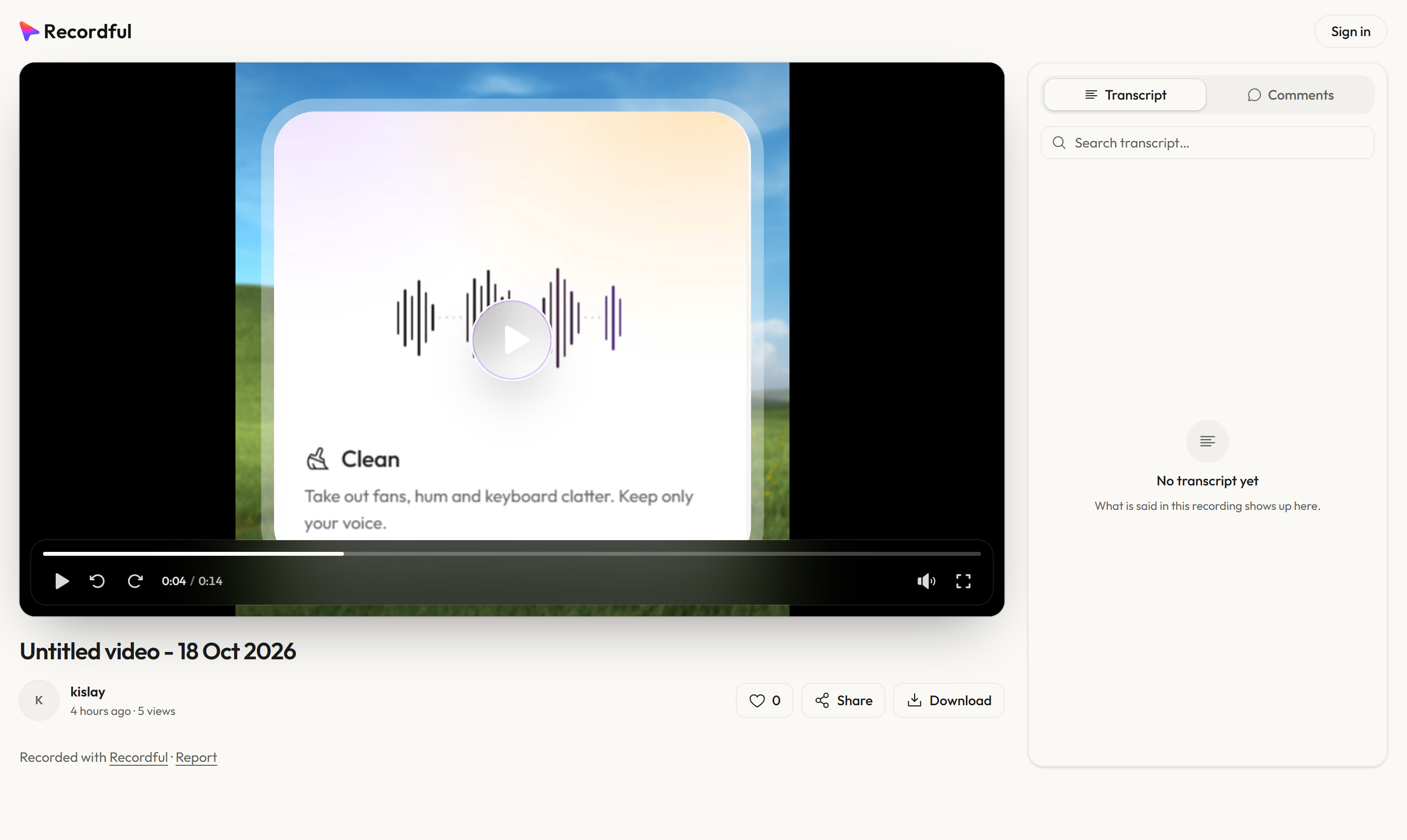
Yes, with Recordful Pro. Recordings upload while you record, and each one gets a watch page with:
- A transcript you can click and search
- Captions in 10 languages
- Comments and likes
- A view count
You choose whether a recording is private to your workspace or open to anyone with the link. Pro also adds audio cleanup (background noise, echo, mouth sounds, breaths, filler words and long pauses), 3D zoom perspective and 50 GB of storage. See how to share a screen recording with a link.
How to switch from Screencastify to Recordful
- Save copies of any Screencastify videos you want to keep.
- Install Recordful from the Chrome Web Store and pin its icon.
- Click the icon and pick a tab, your screen, a window or just your camera. Turn on your microphone and camera if you want them.
- Record. There's no 30-minute stop and no video count.
- Stop. The editor opens with your recording. Trim it and check the zooms.
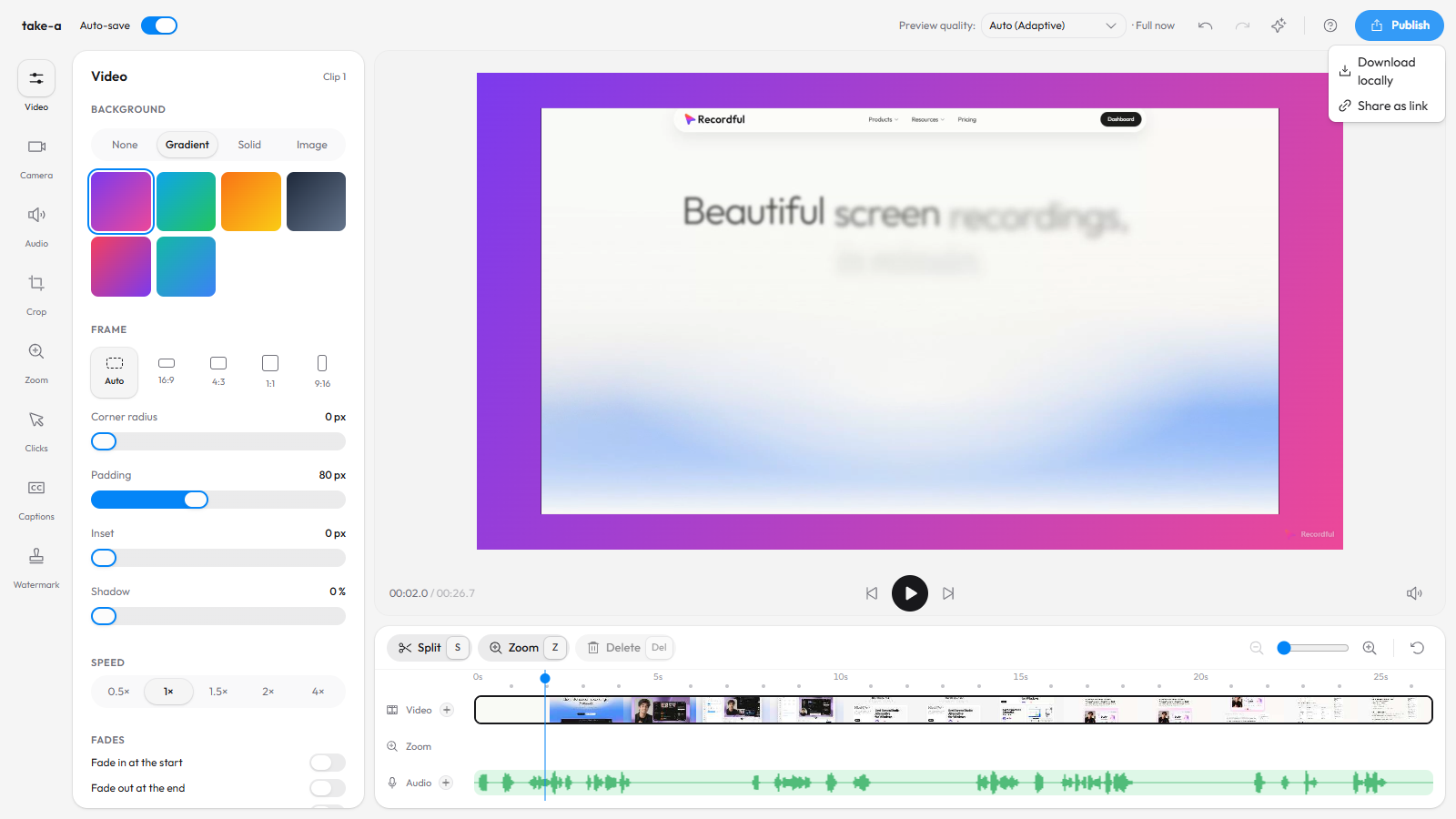
- Click Publish, then Download locally for an MP4, or, on Pro, Share as link.
Frequently asked questions
Is Recordful better than Screencastify? For free recording, yes: Recordful has no 10-video cap, no 30-minute limit and no account, exports up to 4K instead of 1080p, and lets you turn off its mark for free. For teams, Recordful Pro is one price for the workspace instead of a price per user.
What are Screencastify's free plan limits? From its pricing page on October 20, 2026: up to 10 videos, up to 30 minutes per recording, up to 1080p, a Castify watermark, and MP4, MP3 and GIF exports for 5 videos.
How much does Screencastify cost? From its pricing page on October 20, 2026: Starter is $7 per user a month billed yearly or $18 monthly, Pro is $10 per user a month billed yearly or $24 monthly, and Enterprise & EDU is a custom quote.
Is Recordful free? Yes. Recording, the editor and export up to 4K are free with no account. Recordful Pro ($19 a month or $108 a year) adds share links, cloud storage, transcripts, captions and audio cleanup.
Does Recordful have a watermark? New recordings show a small Recordful mark. You can turn it off for free in the editor.
Does Recordful work on a Chromebook? Yes. Recordful supports ChromeOS with Chrome 110 or newer, and the editor runs in Chrome too.
Can students use Recordful without an account? Yes. Recording, editing and exporting need no account. Videos are saved on the student's own computer.
Is Recordful open source? Yes. The Chrome extension is open source under GPLv3, on GitHub.
More comparisons: Loom alternative for Chromebook, Vidyard free plan alternative and Recordful vs Screenity.
See Recordful Screen Recorder and the editor.