

By Kislay, creator of Recordful. Last updated November 3, 2026.
Short answer: Recordful and Screenity are both open-source Chrome screen recorders under GPLv3, and they share roots. The difference is what you pay for. Screenity's recorder is free, and its editor is the paid part: auto-zoom, captions, share links and up to 1 hour per recording come with Screenity Pro at $10 a month or $120 a year. Recordful's editor is free, with auto-zoom on clicks, Recordful Motion and export up to 4K, no time limit and no account. Recordful Pro ($19 a month or $108 a year) adds cloud share links and covers your whole workspace. Recordful also has a desktop app for macOS, Windows and Linux, a screenshot tool, and an MCP server for AI agents.
What is the difference between Recordful and Screenity?
Both started from the same idea: a privacy-friendly recorder that lives in Chrome, records a tab, an area or your whole screen with your camera and mic, and lets you draw and blur while you record. Recordful's Chrome extension and Screenity share open-source lineage, and both extensions are licensed under GPLv3.
Where they split is the editor.
- Screenity keeps the recorder free and puts the editor in a paid web app. In Screenity's own words: "The editor is the paid part: scenes, auto-zoom, captions, layouts, overlays, share links, MP4 export, and unlimited renders."
- Recordful keeps recording, the editor and export free and on your computer. You pay only for cloud links and cloud features, and one plan covers the whole workspace.
Is Screenity free?
The Screenity Chrome extension is free. From Screenity's site on November 3, 2026, it records your screen, camera and mic, with drawing, blur, click highlight and push-to-talk, and your recording stays on your device. The editor, sharing and captions need Screenity Pro.
Recordful's free plan includes the recorder and the editor:
- Recording a tab, an area, a window, the full screen or camera only, with no time limit and no cap on videos
- Trim, cut and speed changes
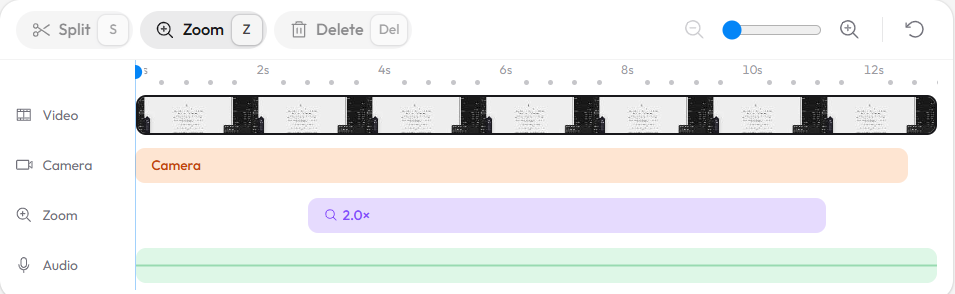
- Auto-zoom on clicks, plus manual zooms
- Click effects and click sounds
- Backgrounds, padding and camera layouts
- Add clips and record a voiceover
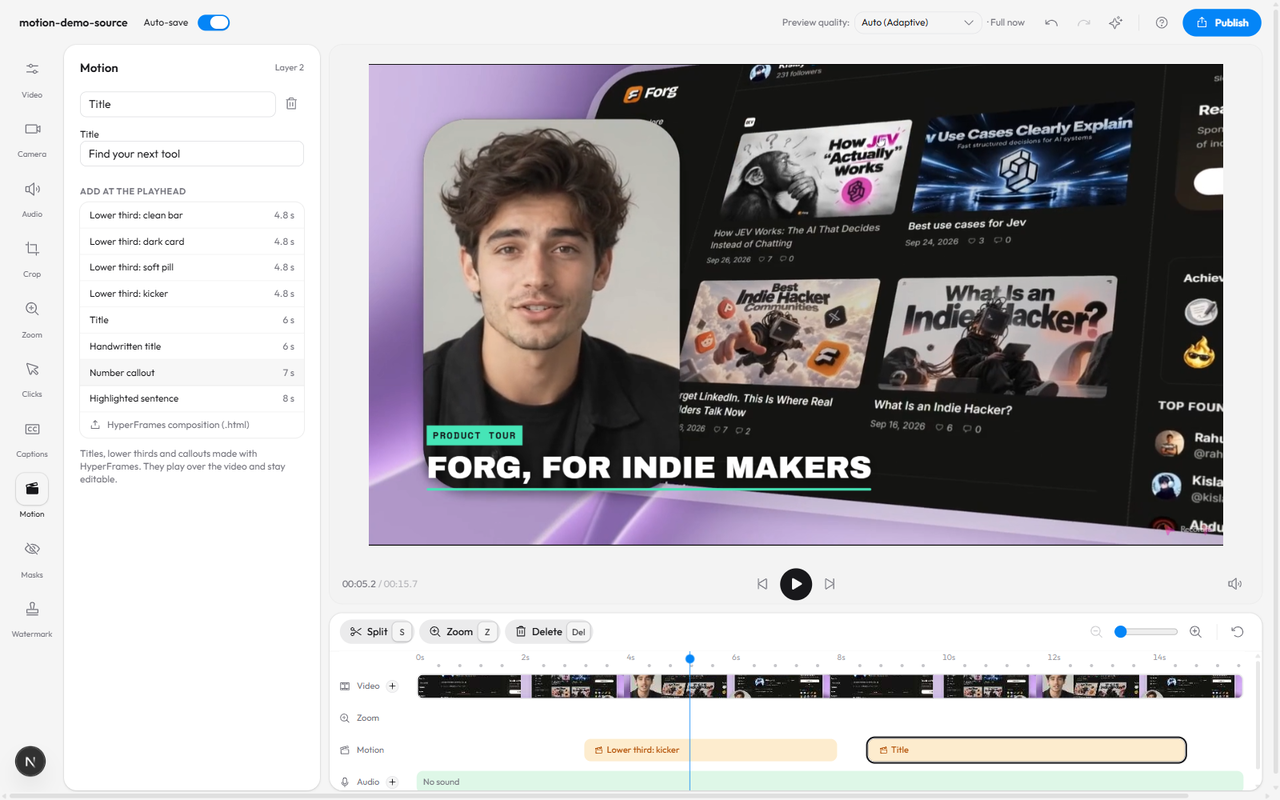
- Recordful Motion: animated titles, lower thirds, callouts, blur and spotlight masks
- Your own watermark, or turn off the Recordful mark for free
- Export to MP4, WebM or GIF up to 4K
No account is needed for any of it. See the editor and free screen recorder with auto-zoom for Chrome.
What does Screenity Pro charge for, and is it free in Recordful?
From Screenity's pricing page on November 3, 2026, Screenity Pro lists these features. Here is where each one sits in Recordful:
| Feature | Screenity | Recordful |
|---|---|---|
| Auto-zoom from clicks | Pro (zooms are added in the paid editor) | Free |
| Animated callouts and overlays | Pro | Free, with Recordful Motion |
| Backgrounds | Pro editor | Free |
| Recording length | "Up to 1 hour per recording" on Pro | No time limit, free |
| Share with a link | Pro | Pro |
| Transcription and captions | Pro, English only ("English today, more on the way") | Pro, captions in 10 languages |
Recordful exports MP4, WebM or GIF up to 4K for free. 4K needs a screen of at least 3840x2160 and 8 GB of RAM; the extension records at 1080p by default.
How much does Screenity cost compared with Recordful?
From Screenity's pricing page on November 3, 2026:
| Plan | Monthly | Yearly | Free trial |
|---|---|---|---|
| Screenity Pro | $10 a month | $120 a year | 7 days |
| Recordful Pro | $19 a month | $108 a year ($9 a month) | 14 days |
Screenity's pricing page lists one plan and doesn't mention teams or shared workspaces. Recordful Pro is one price per workspace: invite your team and the price stays the same. Billed yearly, a whole team pays $108 a year on Recordful.
Recordful Pro includes:
- Cloud share links with a watch page: searchable transcript, captions, comments, likes, AI summary and chapters, view analytics
- Privacy per link (only you, your workspace, or anyone with the link), plus a password and an expiry date
- Instant Mode: uploads while you record and copies the link when you stop
- 50 GB of storage
- Audio cleanup: background noise, echo, mouth sounds, breaths, filler words and long pauses
- Captions in 10 languages
- 3D zoom perspective
- The Recordful Agent, which edits your video from a chat, with 4,500 credits per workspace
See pricing and how to share a screen recording with a link.
Does Screenity have a desktop app?
Screenity's site and help center describe a Chrome extension and a web editor. They don't list a desktop app.
Recordful has both. The desktop app records any display or window natively, so it works with every app on your computer, not only the browser:
- macOS 14 or later, Apple silicon and Intel
- Windows 10 and 11
- Linux as an AppImage
It is free to download and use with a free Recordful account. More in the Screenity alternative with a desktop app.
Can Recordful take screenshots?
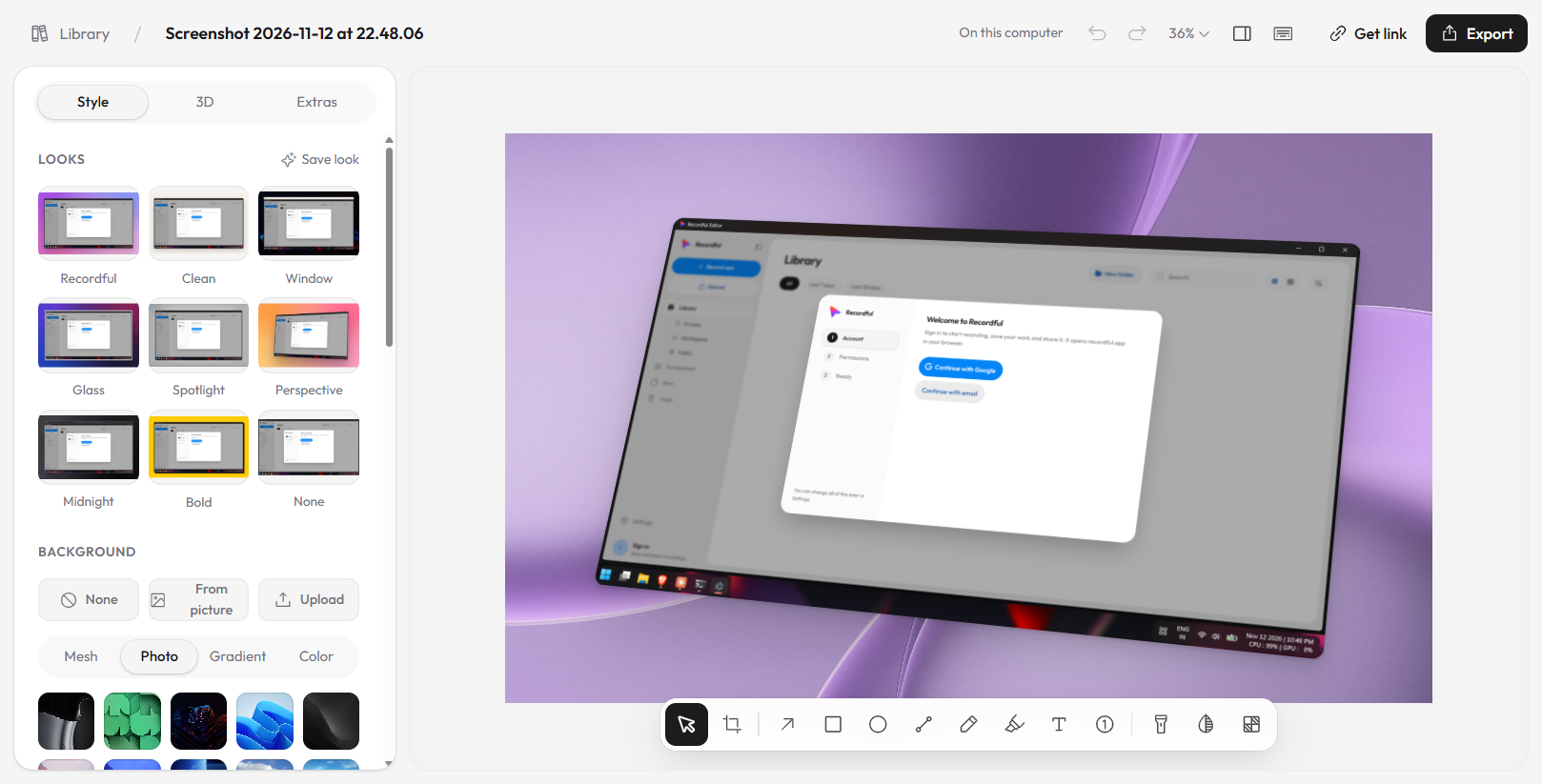
Yes. The Chrome extension captures an area, the visible page, the full page or the screen. The desktop app adds a shortcut that works from anywhere: Ctrl+Alt+S (⌘⌥S on a Mac). Each screenshot opens in an editor with arrows, blur, numbered steps, a 3D tilt and a wallpaper picked to match its colours. See screen capture.
What is Recordful Motion?
Recordful Motion puts animated titles, lower thirds, callouts, and blur and spotlight masks on top of your recording. They play over the video and stay editable, and they are part of the free editor. See Recordful Motion.
Can AI agents record with Recordful?
Yes. Recordful ships an MCP server, so Claude Code, Cursor, Codex, VS Code, Windsurf and Gemini CLI can record browser demos and take screenshots for you. The agent opens the page, clicks and types at a human pace while Recordful records, and the video opens in the editor when it stops. See Recordful Agents and record a browser demo with Claude Code, Cursor or Codex.
How to switch from Screenity to Recordful
- Install Recordful from the Chrome Web Store, or download the desktop app.
- Click the Recordful icon and pick a tab, an area, a window, the whole screen or camera only. Drawing and blur work while you record, as you're used to.
- Stop. The editor opens with your recording, free and with no account.
- Auto-zoom is already on your clicks. Trim, add a title with Motion, or change the background.
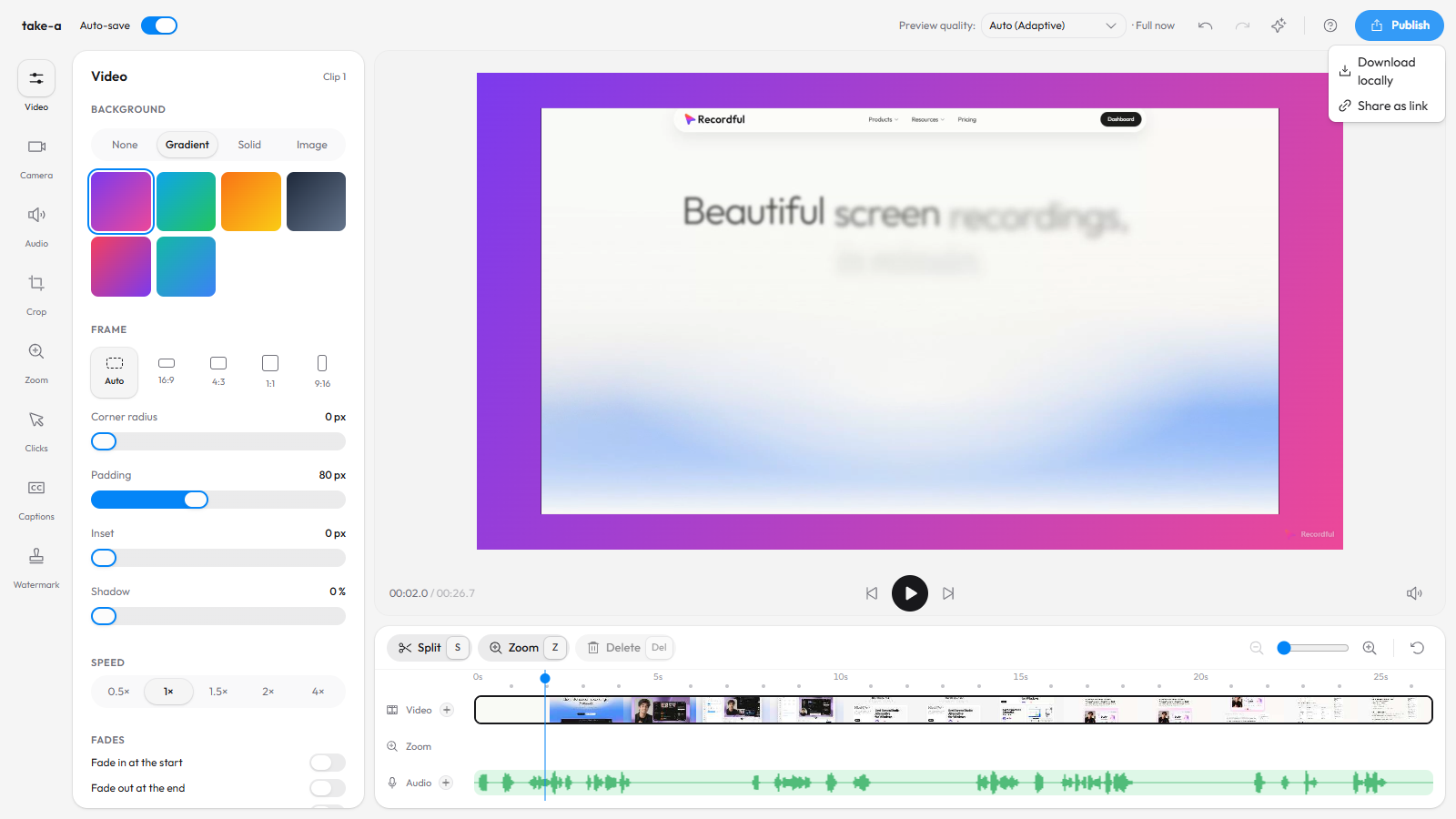
- Click Publish and choose Download locally for an MP4, WebM or GIF up to 4K.
- For a share link with captions and a transcript, start the 14-day Pro trial and invite your team to the workspace.
Frequently asked questions
Is Recordful better than Screenity? If you want a free editor, Recordful gives you auto-zoom on clicks, Motion, backgrounds and export up to 4K without paying or signing in. On Screenity those editor features are part of Screenity Pro. Recordful also has a desktop app for macOS, Windows and Linux.
Is Screenity free? The Screenity Chrome extension is free. From Screenity's site on November 3, 2026, the editor, auto-zoom, captions and share links are part of Screenity Pro.
How much does Screenity Pro cost? From Screenity's pricing page on November 3, 2026: $10 a month, or $120 a year, with a 7-day free trial.
How much does Recordful Pro cost? $19 a month, or $108 a year ($9 a month), for the whole workspace, with a 14-day free trial. Recording, editing and export are free without it.
Does Screenity have auto-zoom for free? Screenity's extension records your clicks, and the zooms are added in the editor, which Screenity lists under Pro. Recordful's auto-zoom on clicks is free.
Is Recordful open source like Screenity? Yes. Recordful's Chrome extension is open source under GPLv3, the same licence as Screenity's recorder. The code is on GitHub.
Does Recordful have a time limit? No. Recording has no time limit and no cap on how many videos you make. Screenity's pricing page lists "Up to 1 hour per recording" on Pro.
Does Recordful work outside Chrome? Yes. The extension also runs in Edge and Brave, and the desktop app runs on macOS 14+, Windows 10 and 11, and Linux.
See Recordful Screen Recorder, the open source Loom alternative and Recordful vs Loom for more.