By Kislay, creator of Recordful. Last updated November 15, 2026.
Short answer: Recordful and Loom both record your screen and camera and give you a link to share. Recordful's free plan has no time limit, no cap on how many videos you make, no account, a full editor and exports up to 4K on your computer. Loom's free Starter plan stops at 5 minutes per screen recording, 25 videos per person and 720p. For share links, Recordful Pro is $19 a month or $108 a year for the whole workspace, while Loom Business is $18 per user a month. A team of 10 pays $19 on Recordful and $180 on Loom.
What is the difference between Recordful and Loom?
Both are async video tools: you record a walkthrough, a bug report or a demo and send it instead of booking a meeting. The difference is where the limits sit.
- Loom puts recording, editing and sharing behind one account, and the free plan is a trial of that: short videos, a small library, 720p.
- Recordful keeps recording, editing and export free and local. You pay only when you want cloud links, and you pay once for the workspace, not once per person.
Recordful runs as a Chrome extension (also Edge and Brave) and as a desktop app for macOS, Windows and Linux. The extension is open source under GPLv3.
Recordful vs Loom: free plans compared
From Loom's pricing page on November 15, 2026, and Recordful's own plans:
| Loom Starter (free) | Recordful Free | |
|---|---|---|
| Price | $0 | $0 |
| Account needed | Yes | No |
| Length per screen recording | 5 minutes | No limit |
| Number of videos | Up to 25 per person | No limit |
| Quality | Up to 720p | Export up to 4K (MP4, WebM, GIF) |
| Download your video | Upload and download is listed on Business plans | Yes, it's saved on your computer |
| Remove Loom branding | Business plans | No branding to remove; add your own logo watermark |
| Password-protected videos | Business plans | Pro (password and expiry on links) |
If your videos run longer than five minutes, or you need more than 25 of them, Loom's free plan stops working. Recordful's doesn't. See the free Loom alternative with no time limit for the details.
Recordful vs Loom pricing for paid plans
From Loom's pricing page on November 15, 2026:
| Plan | Price | How it's billed |
|---|---|---|
| Loom Business | $18 a month | Per user |
| Loom Business + AI | $24 a month | Per user |
| Loom Enterprise | Contact sales | Per user |
| Recordful Pro | $19 a month, or $108 a year ($9 a month) | One price per workspace |
Loom says annual billing saves up to 17%. Recordful Pro has a 14-day free trial and you can cancel anytime.
What that means for a team, paying monthly:
| Team size | Loom Business | Loom Business + AI | Recordful Pro |
|---|---|---|---|
| 1 person | $18 | $24 | $19 |
| 5 people | $90 | $120 | $19 |
| 10 people | $180 | $240 | $19 |
| 25 people | $450 | $600 | $19 |
Billed yearly, Recordful Pro is $108 a year for the whole team. The full breakdown, including what changed in Loom's seats in 2026, is in Loom pricing explained and a cheaper option for teams.
Which one has the better editor?
Recordful's editor is free and works on your computer, so editing never waits on an upload. It includes:
- Trim, cut and speed changes
- Auto-zoom on clicks, plus manual zooms
- Click effects and click sounds, cursor settings
- Backgrounds, padding and camera layouts
- Add clips and record a voiceover
- Recordful Motion: animated titles, lower thirds, callouts, blur and spotlight masks
- Your own watermark (logo or text)
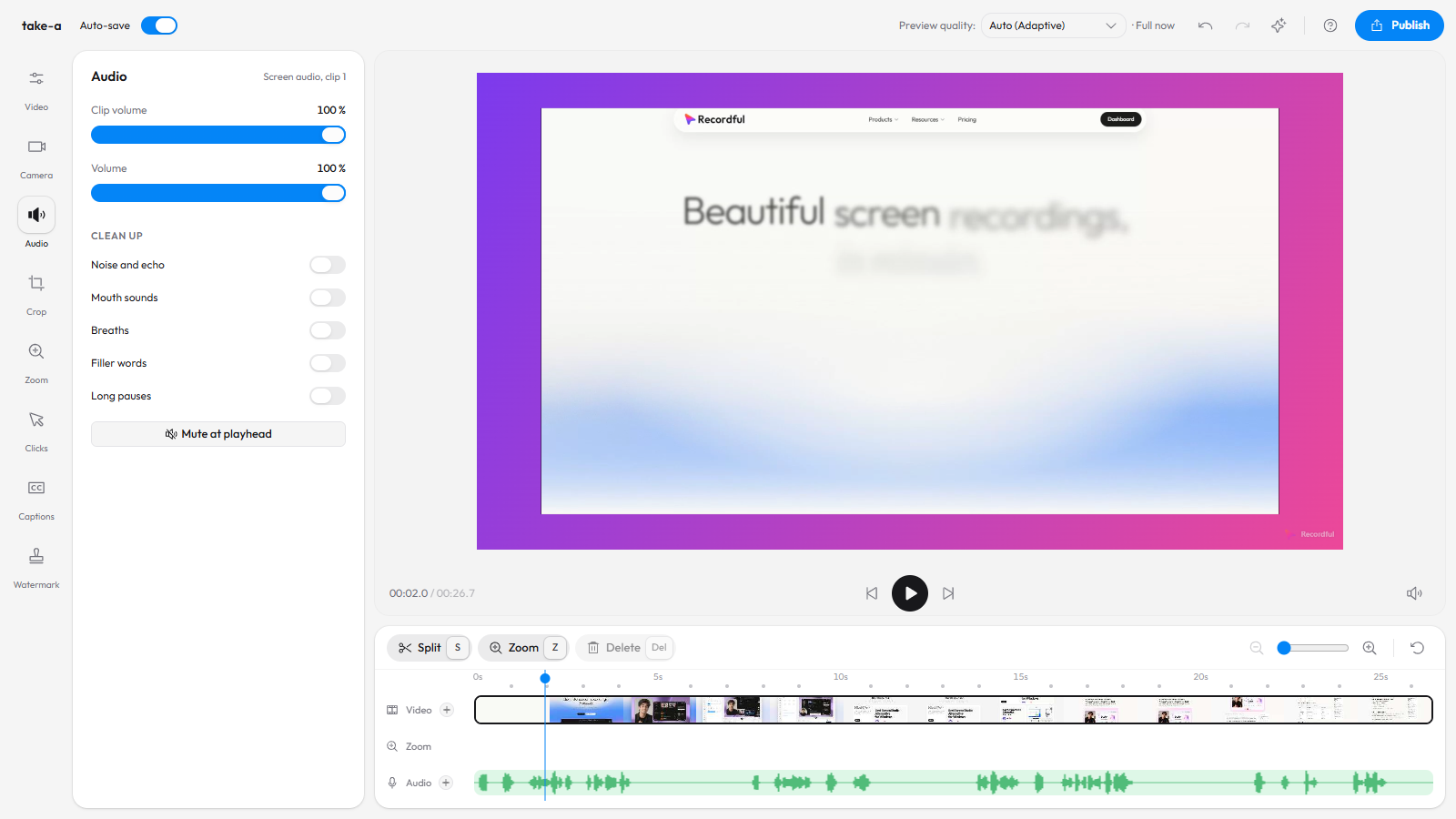
On Pro you also get audio cleanup that removes background noise, echo, mouth sounds, breaths, filler words and long pauses, captions in 10 languages, and the Recordful Agent, which edits your video when you tell it what to change in a chat. See the editor and how to remove filler words.
Does Recordful have Loom-style share links?
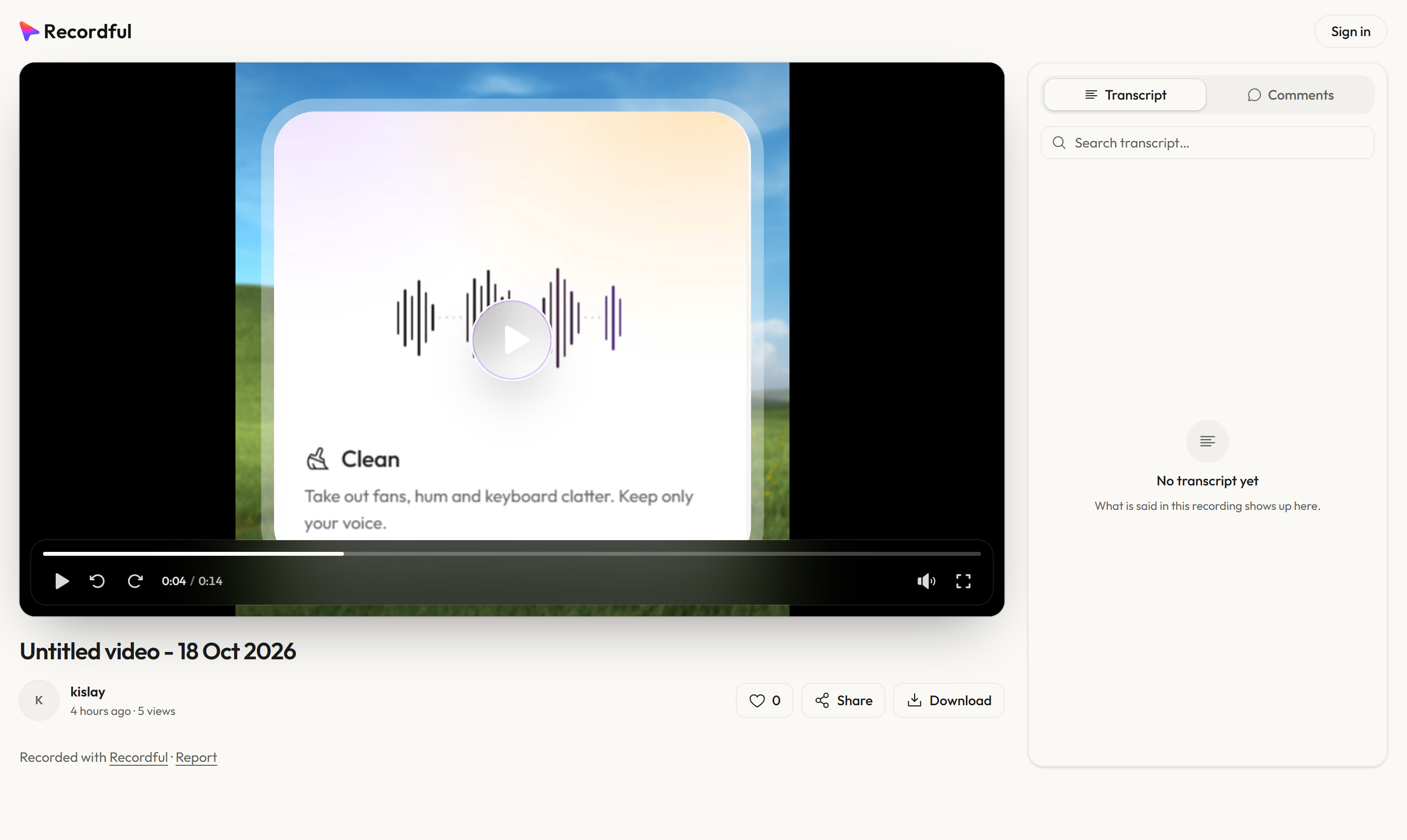
Yes, on Recordful Pro. A link opens a watch page with:
- A clickable transcript you can search
- Captions, comments and likes
- An AI summary and chapters
- View analytics, so you see who watched
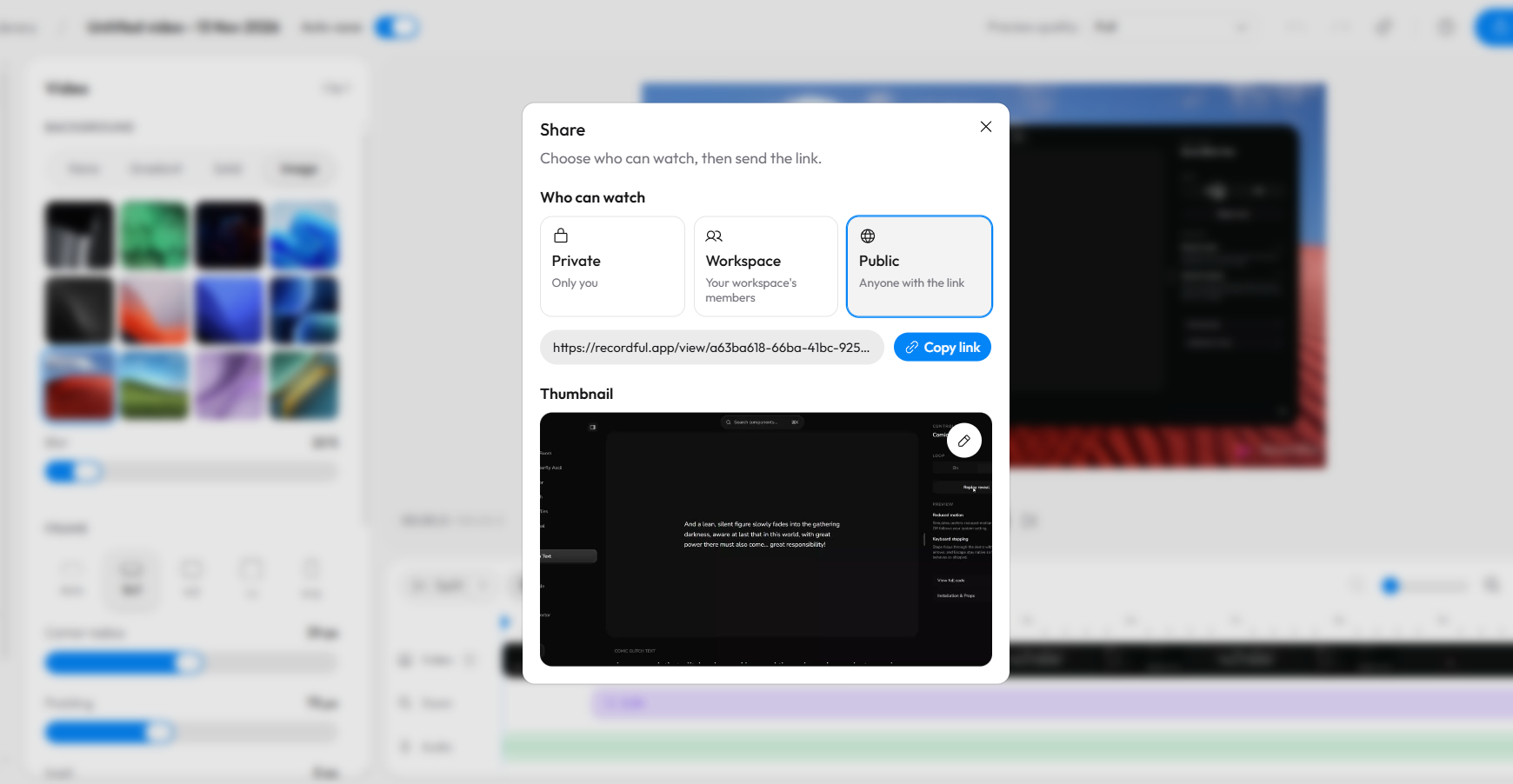
You choose who can watch: only you, your workspace, or anyone with the link. You can add a password and an expiry date. Viewers watch in the browser without an account.
Instant Mode works like Loom: it uploads while you record and copies the link the moment you stop, so you can paste it into Slack or a ticket right away. See how to share a screen recording with a link and Instant Mode.
Which works on more computers?
From Loom's help article "The Loom recording platforms" on November 15, 2026, Loom's desktop app runs on Mac and Windows and is not compatible with Linux or ChromeOS. Its Chrome extension records in Chrome.
Recordful runs on:
- Chrome extension: Chrome 110+ and Chromium browsers like Edge and Brave, on Windows, macOS, ChromeOS and Linux
- Desktop app: macOS 14+ (Apple silicon and Intel), Windows 10 and 11, and Linux as an AppImage
So if part of your team is on Linux, Recordful covers them. More in Loom alternative for Linux and Loom alternative for Chromebook.
What can Recordful do that Loom can't?
- Record with no account. Install and record. See Loom alternative with no sign-up.
- Keep recordings on your computer. On the free plan nothing is uploaded unless you choose to.
- Export up to 4K for free. See free 4K screen recorder.
- Teleprompter, drawing and blur while you record, so you can read a script and hide private details live.
- Open source. The extension's code is on GitHub. See open source Loom alternative.
- Screenshots of an area, the visible page, the full page or the screen, with an editor. See screen capture.
- AI agents that record for you. Claude Code, Cursor, Codex, VS Code, Windsurf and Gemini CLI can record browser demos and take screenshots through Recordful's MCP server. See Recordful Agents and record a browser demo with Claude Code.
How to switch from Loom to Recordful
- Install Recordful from the Chrome Web Store, or download the desktop app.
- Click the Recordful icon and pick a tab, area, window, the whole screen or camera only.
- Record. There's no timer counting down to five minutes.
- Stop. The editor opens with your recording. Trim it, add zooms or captions.
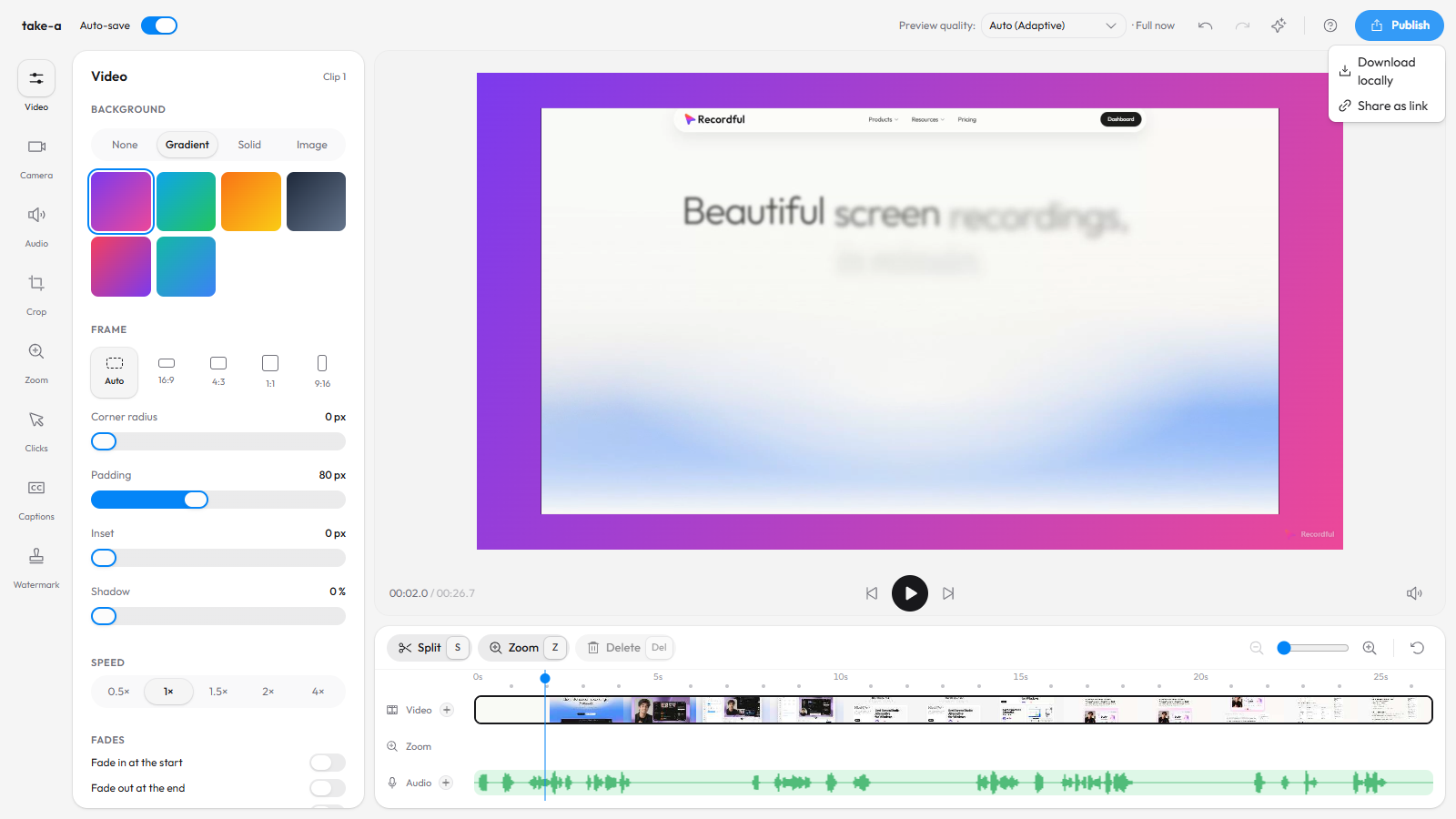
- Click Publish. Choose Download locally for a file, or, on Pro, Share as link to get a watch page link.
- To copy a link the moment you stop, like Loom, turn on Instant Mode (Pro), then invite your team to the workspace at no extra cost per person.
Frequently asked questions
Is Recordful better than Loom? For recording, editing and exporting, Recordful's free plan has no time limit, no video cap and 4K export, where Loom's free plan stops at 5 minutes, 25 videos and 720p. For teams, Recordful Pro is one price for the workspace instead of a price per user.
Is Recordful free? Yes. Recording, the editor and export up to 4K are free with no account. Recordful Pro ($19 a month or $108 a year) adds cloud share links, Instant Mode, 50 GB of storage, audio cleanup, captions and AI.
How much does Loom cost in 2026? From Loom's pricing page on November 15, 2026: Starter is free, Business is $18 per user a month, Business + AI is $24 per user a month, and Enterprise is priced by sales. Annual billing saves up to 17%.
What is Loom's free plan limit? 5 minutes per screen recording, up to 25 videos per person, and up to 720p.
Can I share a Recordful video like a Loom link? Yes, with Recordful Pro. Viewers open the link in their browser without an account and see the video, a transcript, captions and comments.
Does Recordful work on Linux? Yes. The Chrome extension works on Linux, and the desktop app ships as a Linux AppImage. Loom's desktop app is Mac and Windows only.
Can my whole team use one Recordful plan? Yes. Recordful Pro is priced per workspace. Invite your teammates and the price stays $19 a month, or $9 a month billed yearly.
Is Recordful open source? Yes. Recordful's Chrome extension is open source under GPLv3.
See Recordful Screen Recorder, the editor, Instant Mode and Studio Cut for more.