By Kislay, creator of Recordful. Last updated November 15, 2026.
Short answer: Cap's free plan is for personal use only. To use Cap for work you need a paid plan: a Desktop License at $29 a year or $58 once, or Cap Pro at $12 per user a month. Recordful is free for work. Its terms have no personal-use clause, so you can record, edit and export up to 4K for your job, your clients or your company, with no account and no license key.
Is Cap free for commercial use?
No. From Cap's pricing page on November 15, 2026, the FAQ says:
"The free version is for personal use only."
and
"Any paid plan (Desktop License or Cap Pro) includes full commercial usage rights."
Cap's commercial license page, checked the same day, says "Cap Desktop is free to use, but requires a commercial license to be used for commercial purposes." It defines commercial use as "any use of Cap Desktop for recording or editing content that will be used as part of revenue-generating activities," and gives two examples:
- "Producing content for promotion or demonstration of your employer's product or service"
- "Producing content for communication between team members of a company"
The second example covers most work recordings: a bug report for a teammate, a code review walkthrough, a status update. If you record those with the free Cap app, Cap's own definition says you need a license.
The same page notes that the license "does not apply to versions of the app you build yourself from our source code."
What Cap costs for work use
From Cap's pricing page on November 15, 2026:
| Cap plan | Price | Commercial use | Share links |
|---|---|---|---|
| Free | $0 | No, "personal use" | 25 a month, up to 5 minutes each |
| Desktop License | $29 per license, per year, or $58 once | Yes, "Commercial usage rights" | 25 cloud links a month, up to 5 minutes each |
| Cap Pro | $12 per user a month, or $8.16 a month billed annually | Yes | Unlimited |
So the cheapest way to use Cap at work is $29 a year per license, and the cheapest way to get unlimited share links is Cap Pro, priced per user.
What Recordful allows for free
Recordful's free plan has no personal-use limit. The Terms of Service list what you can't do (break the law, share content you have no right to share, attack the service, resell it), and that's it. Nothing restricts recording for your job. The terms also say: "Your recordings are yours."
The Chrome extension is open source under GPLv3, and the terms say "the license governs your right to use, copy and modify the extension's code." GPLv3 puts no limit on commercial use.
Free, for work or anything else, with no account:
- Record a tab, an area, a window, the whole screen or just your camera, from Chrome or the desktop app for Mac, Windows and Linux.
- No time limit on a recording, and no cap on how many you make.
- Draw on the screen, blur sensitive parts and read from a teleprompter while you record.
- Edit: trim, cut, change speed, auto-zoom on clicks, click effects and sounds, backgrounds, camera layouts, a logo or text watermark, extra clips and voiceover, and Recordful Motion titles and callouts.
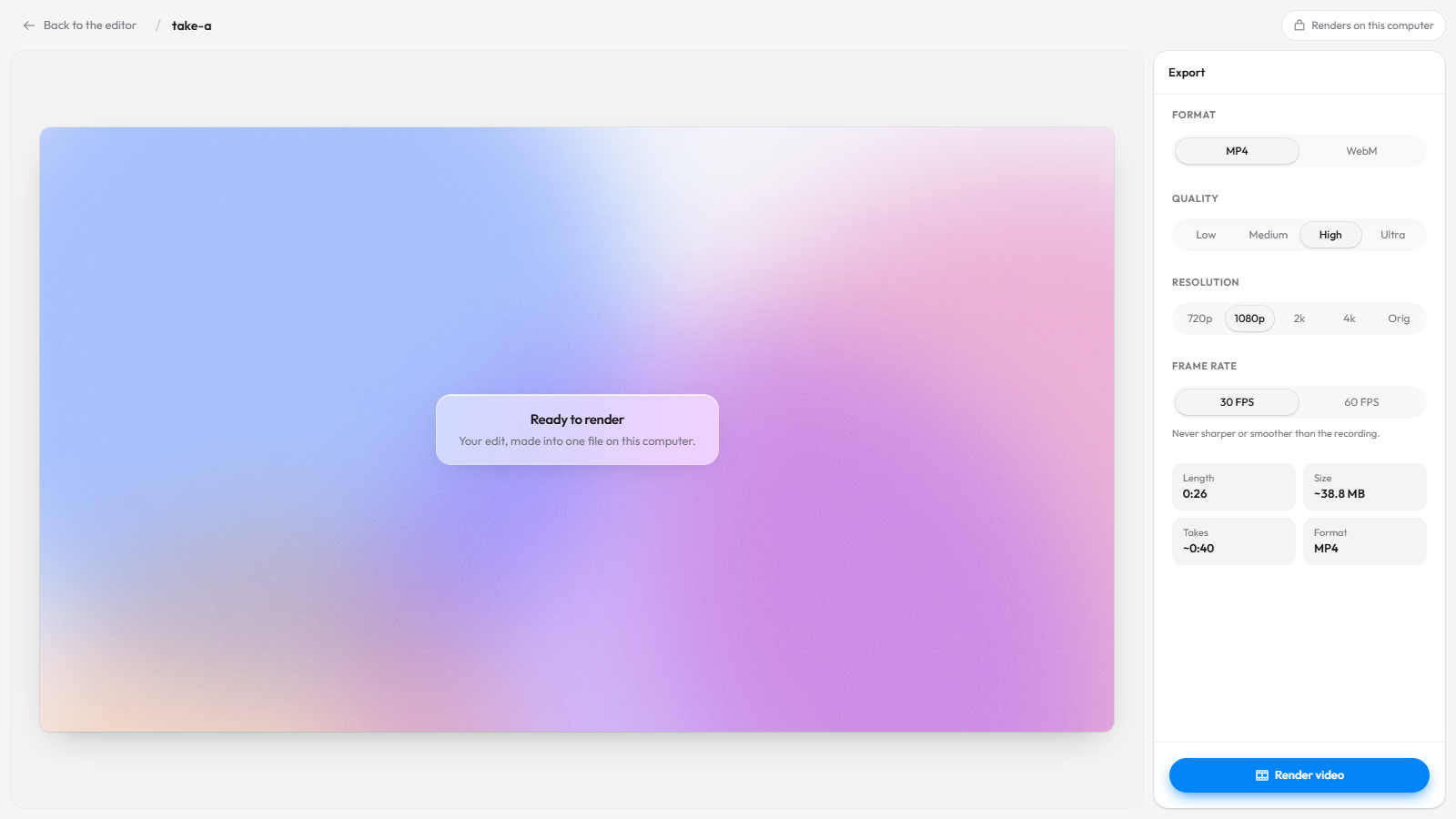
- Export MP4 or WebM up to 4K, or a GIF, on your computer. Nothing is uploaded.
- Take screenshots of an area, the visible page, the full page or the screen, and edit them.
Cap vs Recordful for work recordings
Prices from cap.so/pricing and Recordful's pricing, November 15, 2026:
| Cap Free | Cap Desktop License | Recordful Free | Recordful Pro | |
|---|---|---|---|---|
| Price | $0 | $29/yr or $58 once | $0 | $19/mo or $108/yr |
| Use at work | No | Yes | Yes | Yes |
| Share links | 25 a month, up to 5 min | 25 a month, up to 5 min | No (export a file) | Yes |
| Editor inside a Chrome extension | No, editing is in the desktop app | No, editing is in the desktop app | Yes | Yes |
| Team pricing | n/a | Per license | Free | One price per workspace |
If your team needs share links
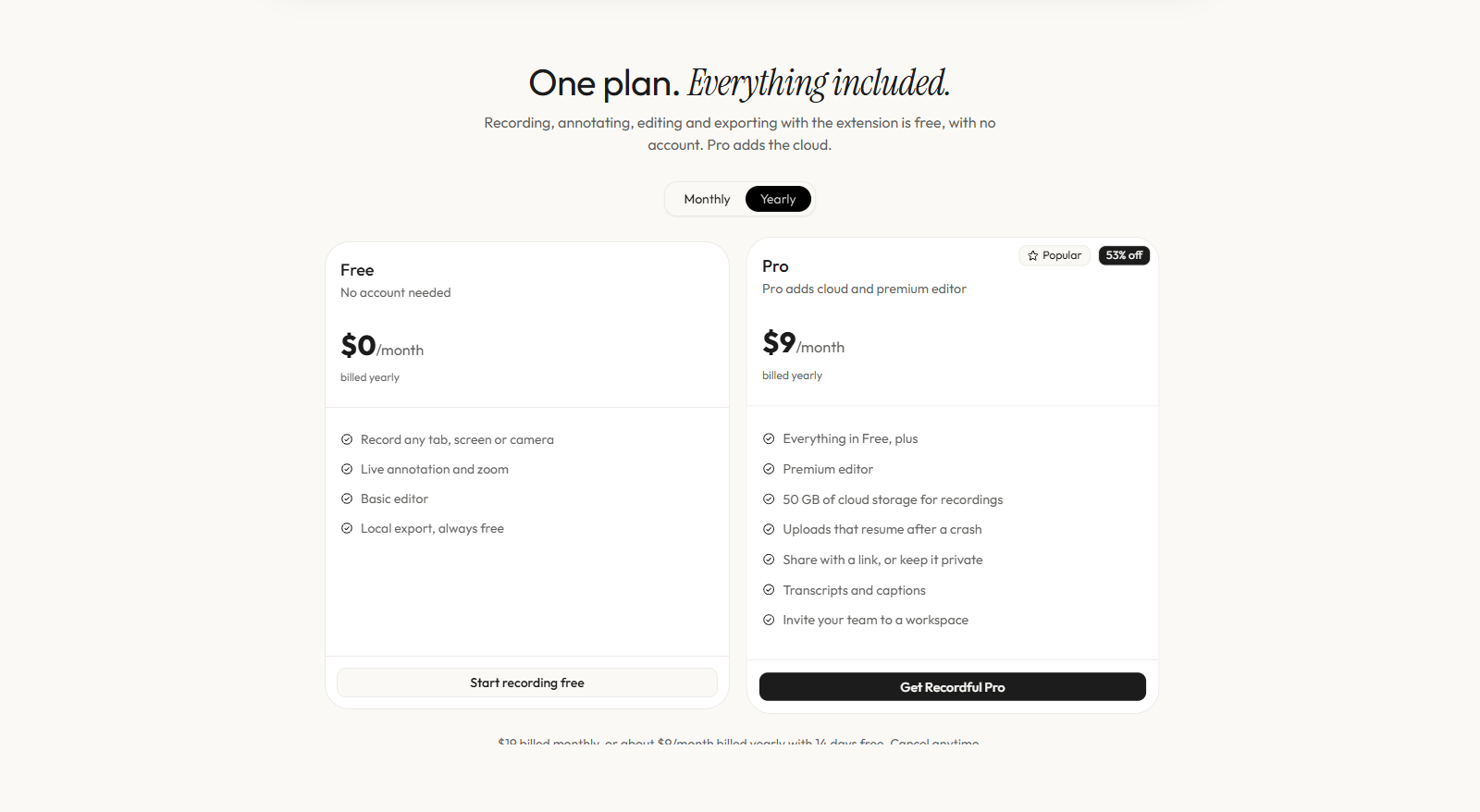
When exporting a file isn't enough and you want Loom-style links, Recordful Pro is $19 a month or $108 a year ($9 a month), with a 14-day free trial. It is one price for the whole workspace: invite your team and you don't pay per seat.
Pro adds share links with a watch page (clickable transcript, captions, comments, AI summary and chapters), Instant Mode (it uploads while you record and copies the link when you stop), 50 GB of cloud storage, link passwords and expiry, view analytics, audio cleanup, and captions in 10 languages.
What a team of five pays, from each vendor's pricing page on November 15, 2026:
| Monthly | Billed yearly | |
|---|---|---|
| Cap Pro (5 × $12) | $60 a month | $40.80 a month (5 × $8.16) |
| Recordful Pro (one workspace) | $19 a month | $9 a month |
See how to share a screen recording instantly with a link for the link flow.
How to start recording for work with Recordful
- Install Recordful from the Chrome Web Store, or get the desktop app.
- Click the Recordful icon and choose a tab, area, window, screen or camera. No account, no license key.
- Record. Draw or blur as you go if you need to.
- Stop. The editor opens. Trim, add auto-zoom, a background and your company logo as a watermark.
- Click Publish → Download locally and pick MP4 or WebM up to 4K. Send the file, or upload it wherever your team keeps videos.
Frequently asked questions
Can I use Cap for free at work? Not under Cap's terms. Cap's pricing page says "The free version is for personal use only," and its commercial license page counts "communication between team members of a company" as commercial use. As of November 15, 2026, work use needs a Desktop License ($29 a year or $58 once) or Cap Pro.
How much is a Cap commercial license? $29 per license, per year, or $58 once for a license that never renews, from cap.so/pricing on November 15, 2026. Cap Pro, which also includes commercial rights, is $12 per user a month or $8.16 a month billed annually.
Is Recordful free for commercial use? Yes. Recordful's terms have no personal-use restriction. You can record, edit and export videos for work for free, with no account.
Do I need an account to use Recordful for work? No. Recording, editing and exporting are free with no account. You only sign in for Recordful Pro, which adds cloud share links.
Can I export in 4K for free? Yes. Recordful exports MP4 or WebM up to 4K on your computer for free.
Is Recordful open source like Cap? The Recordful Chrome extension is open source under GPLv3 at github.com/ikislay/recordful.
What's the cheapest way for a team to share recordings? Recordful Pro is one price per workspace: $19 a month or $9 a month billed yearly, for the whole team.
Related
- Recordful vs Cap
- A Cap alternative as a Chrome extension with a full editor
- Open source Loom alternative
- Free Loom alternative with no time limit
- Free 4K screen recorder
- How to record a product demo video
See Recordful Screen Recorder, the editor and Instant Mode for more.