By Kislay, creator of Recordful. Last updated November 15, 2026.
Short answer: Cap's Chrome extension records your tab, screen, window or camera and uploads it to your Cap library while you record. Cap's editing (Studio Mode, backgrounds, exports) is in its desktop app. Recordful is a Chrome extension that records and then opens a full editor right in the browser: auto-zoom, click effects, backgrounds, camera layouts, Recordful Motion, cuts and 4K export. It's free, needs no account and nothing to install beyond Chrome, so it works on Chromebooks and on work laptops where you can add an extension but not an app.
What Cap's Chrome extension does
From Cap's Chrome Web Store listing ("Cap - Screen Recorder & Screen Capture", version 1.0.4, updated October 30, 2026) and Cap's extension changelog, both checked on November 15, 2026:
- Record the current tab, the full screen, a single window, or camera only.
- Microphone and system audio, a webcam overlay, pause and resume, drawing on the page.
- "Recordings upload to your Cap library as you record, so the link is live the second you stop."
- Since version 1.0.2, "The extension now connects to cap.so, so you can start browser recordings directly from the Cap dashboard."
For editing, the listing points to Cap's native desktop apps, which offer "Studio Mode, editing, custom backgrounds, exports, and more." None of the extension's changelog entries mention editing.
Cap's desktop app is available for macOS, Windows and Linux. From cap.so/download on November 15, 2026: "macOS 13.1+ recommended," and "Linux downloads require glibc 2.39 or newer, such as Ubuntu 24.04 or newer."
So with Cap, the extension is the quick, Loom-style path, and the polished editing happens after you install the desktop app.
What Recordful's Chrome extension does
Recordful puts the recorder and the editor in the same extension. When you stop, the editor opens in a Chrome tab.
Record (free, no account):
- A tab, an area, a window, the whole screen, or camera only.
- No time limit and no cap on the number of recordings.
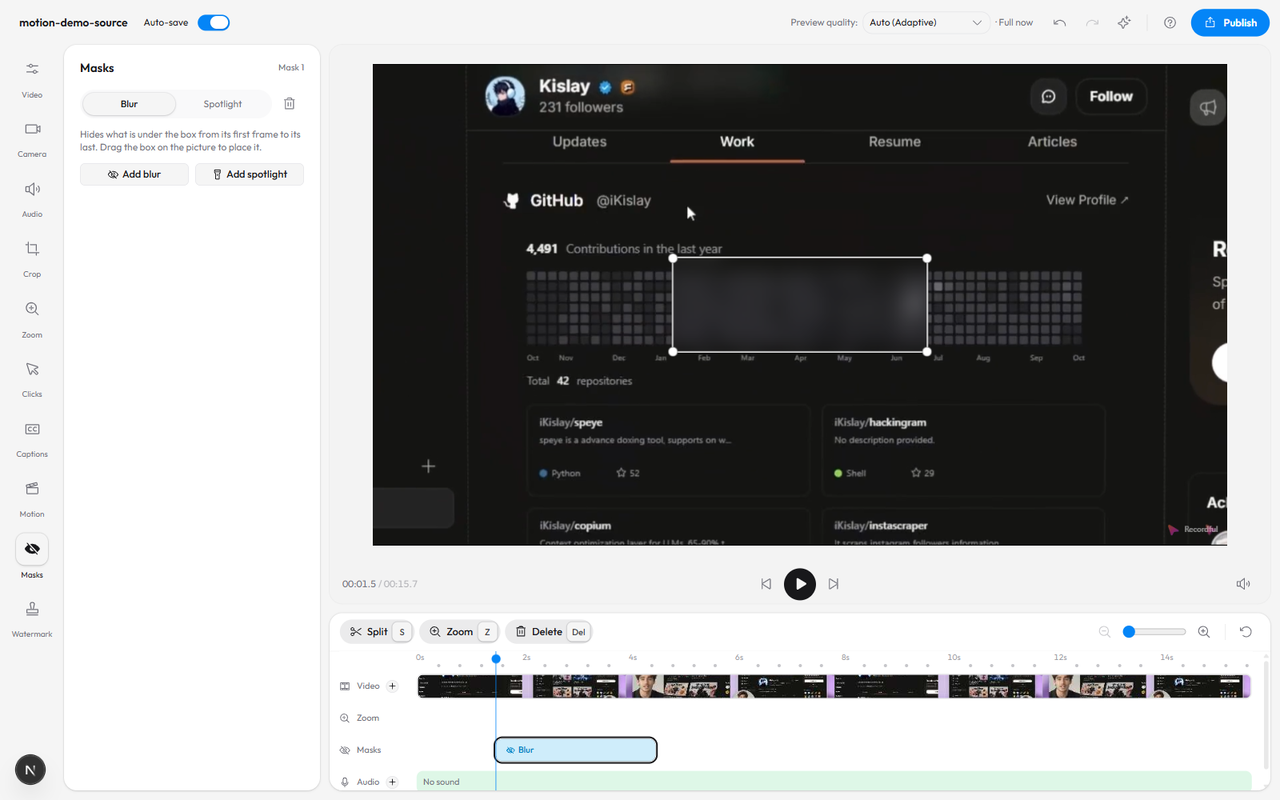
- Draw on the screen, blur sensitive parts, and read from a teleprompter while you record.
Edit in the browser (free):
- Trim, cut, split and change speed.
- Auto-zoom on clicks, plus manual zooms you place on the timeline.
- Click effects and click sounds, cursor settings.
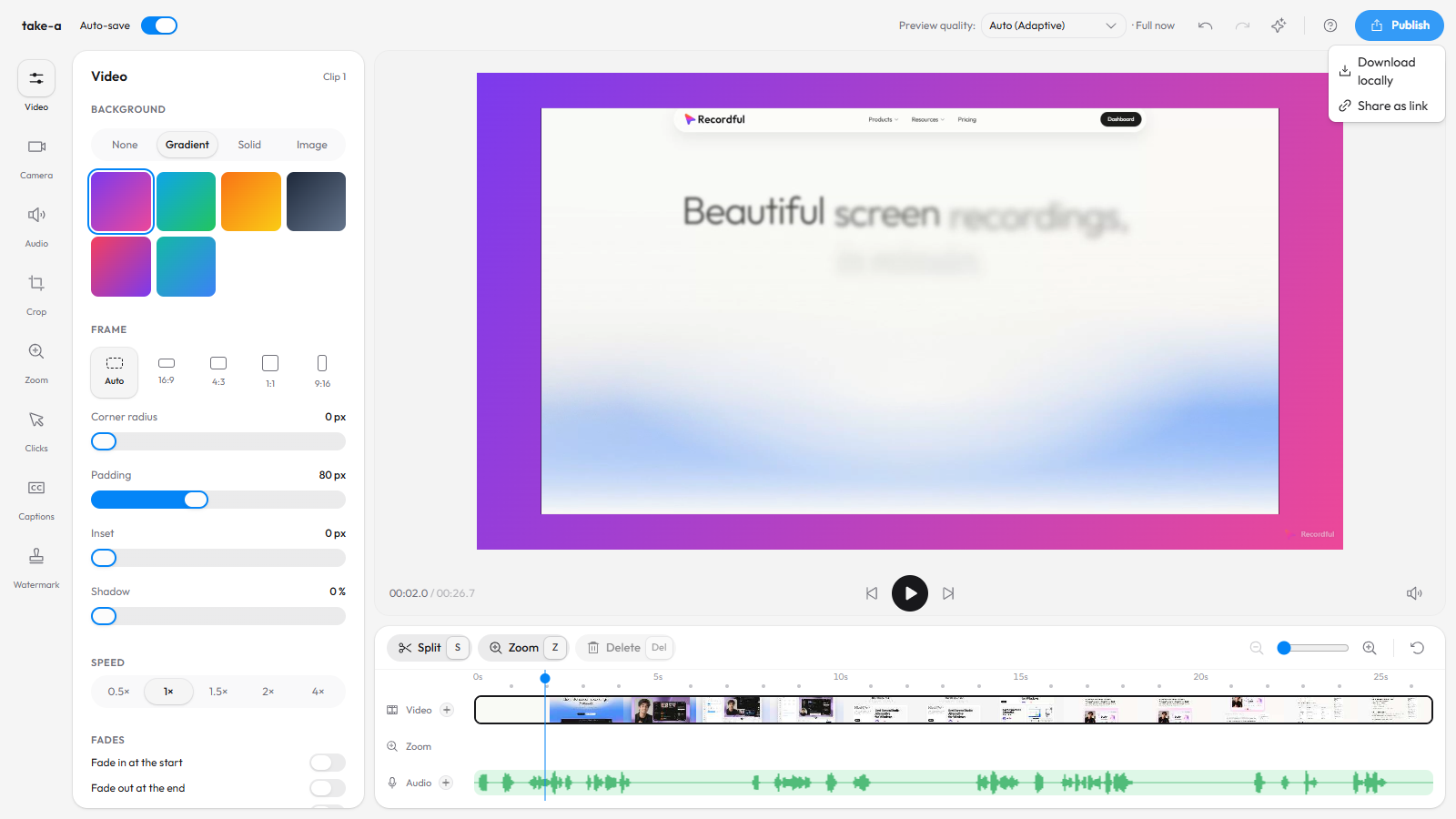
- Backgrounds and camera layouts.
- A logo or text watermark.
- Add more clips and record a voiceover.
- Recordful Motion: animated titles, lower thirds, callouts, and blur and spotlight masks.
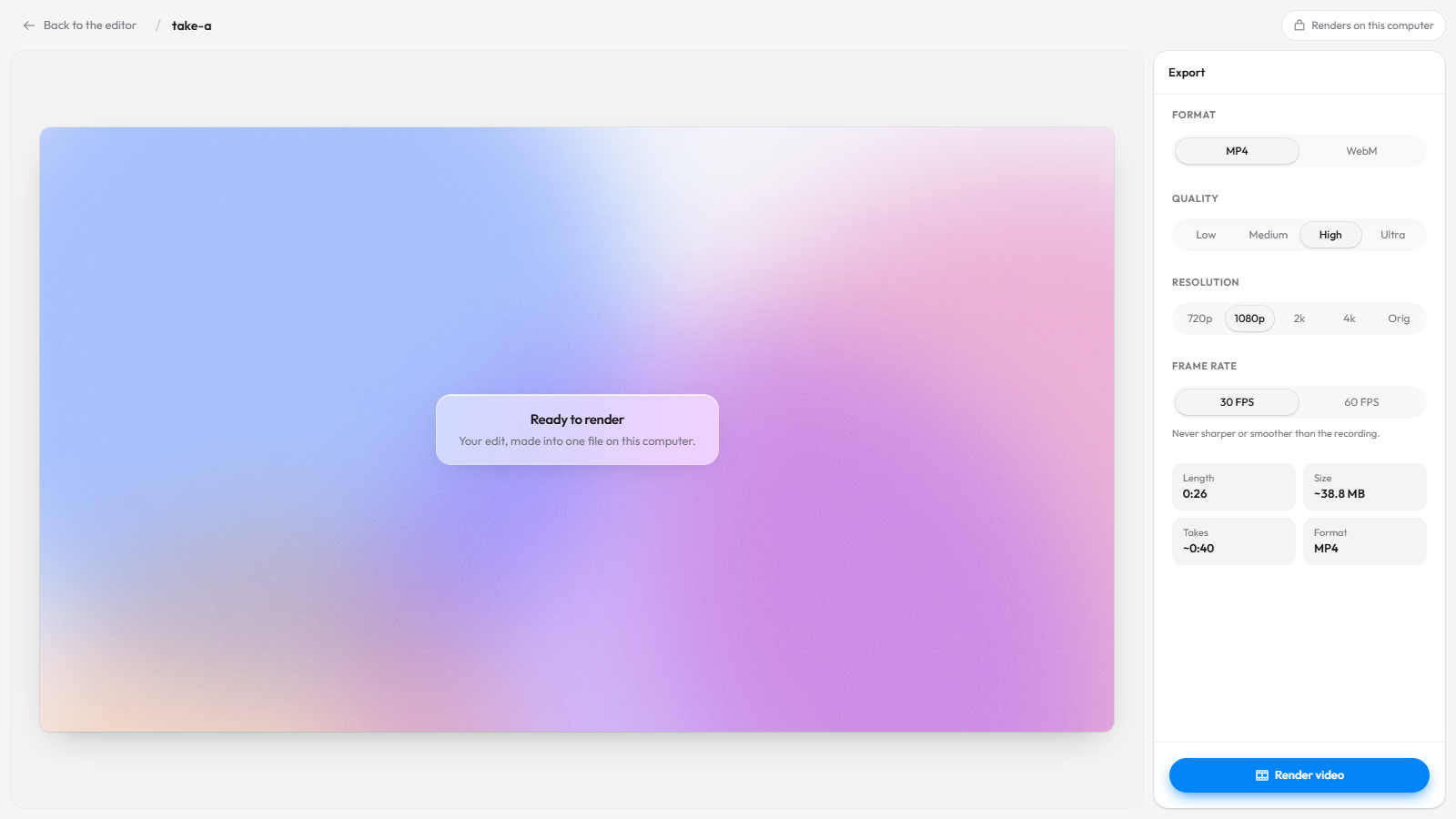
Export (free): MP4 or WebM up to 4K, or a GIF, rendered on your computer. Nothing is uploaded.
Cap extension vs Recordful extension
From each product's own pages, November 15, 2026:
| Cap Chrome extension | Recordful Chrome extension | |
|---|---|---|
| Record tab, screen, window, camera | Yes | Yes, plus a custom area |
| Where the recording goes | Your Cap library, uploaded while recording | Your computer (free) or a share link (Pro) |
| Editor | In the desktop app, per the listing | In the browser, inside the extension |
| Auto-zoom, backgrounds | Desktop app (Studio Mode) | Yes, in the browser |
| Export | Desktop app, per the listing | MP4, WebM, GIF, up to 4K in the browser |
| Open source | Yes | Yes, GPLv3 |
| Free for work use | Cap's free plan is "for personal use only" | Yes |
Cap's pricing page, also checked November 15, 2026, says "The free version is for personal use only," and lists a Desktop License at $29 a year or $58 once for commercial use. More on that in free Cap alternative you can use for work.
Why an editor in the browser matters
Chromebooks. Recordful runs in Chrome 110 or newer on ChromeOS, Windows, macOS and Linux. On a Chromebook you get the whole thing, recording to 4K export, without setting up anything else. See the Chromebook guide.
Locked-down work laptops. Many company laptops block installing apps but allow Chrome extensions. If you can add an extension, you can record, edit and export with Recordful.
Other Chromium browsers. The extension also works in Edge and Brave.
One place for the whole job. Record, polish and export without moving files between apps. If you do want a desktop app later, Recordful has a free one for Mac, Windows and Linux with the same kind of editor.
Sharing links without paying per user
If you want the Loom-style flow, Recordful Pro adds share links with a watch page (clickable transcript, captions, comments, AI summary and chapters) and Instant Mode: it uploads while you record and copies the link when you stop. Pro also adds 50 GB of cloud storage, link passwords and expiry, view analytics, audio cleanup, and captions in 10 languages.
Pro is $19 a month, or $108 a year ($9 a month), with a 14-day free trial. It is one price per workspace: invite your team and nobody is billed per seat. Viewers watch in the browser without an account. See how to share a screen recording instantly with a link.
How to record and edit in Chrome with Recordful
- Install Recordful from the Chrome Web Store.
- Click the Recordful icon and choose a tab, area, window, screen or camera. No account needed.
- Record. Draw, blur or use the teleprompter as you go.
- Stop. The editor opens in a new tab.
- Cut the mistakes, turn on auto-zoom and click effects, pick a background and a camera layout, add a Motion title.
- Click Publish → Download locally for an MP4 or WebM up to 4K, or Share as link on Pro.
Frequently asked questions
Does Cap have a Chrome extension? Yes. "Cap - Screen Recorder & Screen Capture" records your tab, screen, window or camera and uploads to your Cap library while you record. Its listing points to Cap's desktop apps for Studio Mode, editing, custom backgrounds and exports.
Can I edit a screen recording in Chrome without a desktop app? Yes, with Recordful. Its editor runs in a Chrome tab: cuts, auto-zoom, click effects, backgrounds, camera layouts, Motion titles and 4K export.
Is there a screen recorder with auto-zoom that works on a Chromebook? Recordful does. It runs in Chrome 110+ on ChromeOS and adds auto-zoom on clicks in its free editor. See free screen recorder with auto-zoom for Chrome.
Is Recordful's Chrome extension free? Yes. Recording, editing and exporting up to 4K are free with no account and no time limit. Pro adds cloud share links.
Do my recordings get uploaded? Not on the free plan. Recordings stay on your device and export on your computer. With Pro you choose when to upload, or use Instant Mode.
Does it work in Edge or Brave? Yes. Recordful works in Chrome and Chromium browsers like Edge and Brave.
Related
- Recordful vs Cap
- Free Cap alternative you can use for work
- Loom alternative for Chromebook
- Free Screen Studio alternative: open source vs browser-based
- Recordful Motion
- Make a screen recording look professional
See the editor, Studio Cut, Recordful Motion and Instant Mode for more.