By Kislay, creator of Recordful. Last updated October 24, 2026.
Short answer: No, Screen Studio is not free. It has no free tier, and as of October 2026 it costs $29 a month, or about $9 a month billed yearly. The best free alternatives fall into two groups: open source desktop apps such as Recordly, OpenScreen, Cap and OBS Studio, and browser based tools such as Recordful, Screen Awesome, Cursorful and Screenity.
I built Recordful, so it is on this list. I have said what each option costs you in time or features.
Is Screen Studio free?
No. Screen Studio is a paid macOS app with no free plan. As of October 2026 the published prices are $29 a month, or about $9 a month on yearly billing (around $108 a year). Some older sources mention a one time license, but public summaries say it is no longer sold to new buyers. Check screen.studio for the current price.
If you are on Windows or Linux, read Screen Studio alternative for Windows too.
Two kinds of free Screen Studio alternatives
| Category | Install | Platforms | Examples | Best for |
|---|---|---|---|---|
| Open source desktop apps | Download and install an app | Varies by app. Many cover Windows, Mac and Linux | Recordly, OpenScreen, Cap, OBS Studio | People who want a native app |
| Browser based tools | Add a Chrome extension | Any computer that runs Chrome | Recordful, Screen Awesome, Cursorful, Screenity | People who want to start recording in under a minute |
Free and open source Screen Studio alternatives
Recordly. Free and open source, for Windows, macOS and Linux. It adds auto zoom and smooth cursor animations, timeline trimming, speed changes and frame styling, and exports MPMPG and GIF? It exports MP4 and GIF. It aims to match Screen Studio's zoom style.
OpenScreen. Free and MIT licensed. It has automatic and manual zoom, custom backgrounds, motion blur, annotations and speed control, and commercial use is allowed. The project says it is a simpler tool, not a clone of Screen Studio. On macOS it needs version 13 or later, and on Linux it needs PipeWire.
Cap. Open source and cross platform, with instant sharing, no signup and self hosting options. It is closer to a Loom replacement than a Screen Studio one, and it has paid plans on top of the free tier.
OBS Studio. Free and open source, with no recording limits. It has no built in zoom effects, so you add them later in an editor.
Recordful. The Recordful extension is open source under the GPLv3 license (version 3.0.0 and higher), and the code is on GitHub. The cloud backend is private, so cloud features only work in the official Chrome Web Store build. Self hosted builds run in local only mode, with no sign in and no uploads. Recordings open in the web editor at recordful.app/editor, and the recording is passed to the editor inside your browser rather than uploaded.
Free browser based Screen Studio alternatives
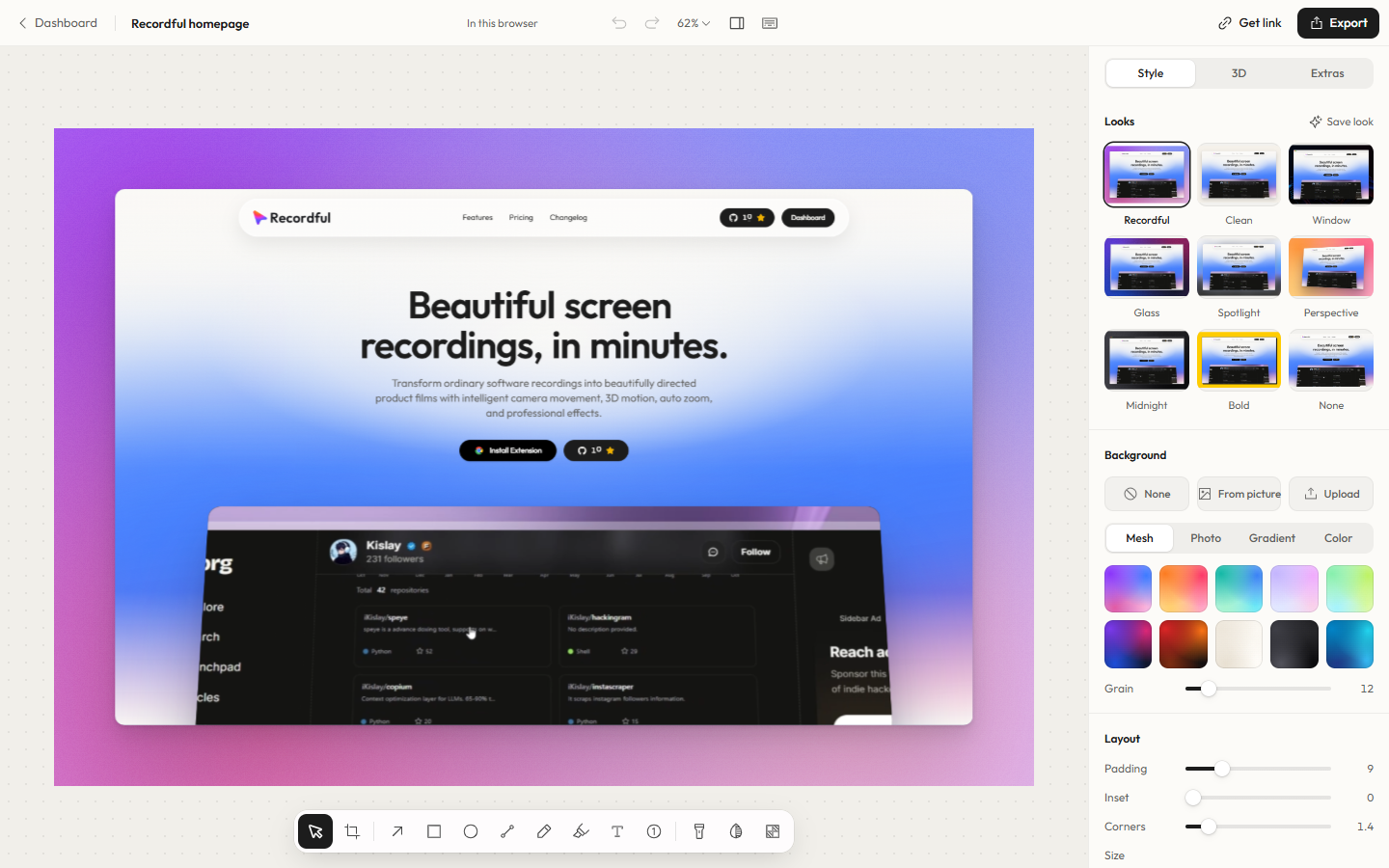
Recordful. A Chrome extension that records a tab, area, desktop, application window or camera, with microphone and system audio. You can zoom smoothly while you record, draw live annotations, trim and crop in the editor, and export MP4, GIF or WebM. Recording is free and needs no account.
Screen Awesome. A free Chrome extension built around auto zoom that follows your clicks, with annotations. Its launch page says it needs no account and adds no watermark.
Cursorful. A Chrome extension focused on auto zoom for browser recordings. Check its site for current limits.
Screenity. An open source recorder for Chromium browsers. It supports screen, tab and camera capture, local storage, cursor and click highlights, blur and zoom.
How the cost compares
| Option | Price (October 2026) |
|---|---|
| Screen Studio | $29 a month, or about $108 a year on yearly billing |
| Recordful | Free to record and export. Pro is $30 a year ($2.49 a month) or $3.99 on monthly billing |
| Recordly, OpenScreen, OBS Studio | Free |
| Cap | Free tier, with paid plans |
| FocuSee | Paid, with a lifetime option reported |
Recordful Pro costs about 28% of Screen Studio's yearly price. The tools are not feature for feature the same, so compare the features you actually need.
What you give up with a free alternative
- Presets and polish. Free tools can have fewer presets and fewer cursor and motion effects.
- Support. You rely on docs, issues and community instead of a company support team.
- Platform quirks. OpenScreen on Linux needs PipeWire, and open source apps can break between releases.
- Sharing. Many free tools leave hosting to you. Recordful Pro and Cap include sharing links.
- Setup time. Open source desktop apps can take longer to install and configure than an extension.
Which free Screen Studio alternative should you choose?
- You want to start in under a minute: Recordful or Screen Awesome in Chrome.
- You want a free native app with a Screen Studio look: Recordly or OpenScreen.
- You want to share links: Cap, or Recordful Pro.
- You want to read and modify the code: Recordly, OpenScreen, Cap or the Recordful extension on GitHub.
- You want full control and will edit yourself: OBS Studio.
On Mac, Recordly and OpenScreen both work, and Tight Studio is a free Mac only option.
To see zoom in action, read free screen recorder with auto zoom for Chrome.
Frequently asked questions
Is Screen Studio free? No. Screen Studio has no free plan. As of October 2026 it costs $29 a month or about $9 a month on yearly billing.
Is there an open source alternative to Screen Studio? Yes. Recordly, OpenScreen, Cap and OBS Studio are open source. The Recordful extension is open source under GPLv3.
Is there a free Screen Studio alternative on GitHub? Yes. Recordly, OpenScreen, Cap and the Recordful extension all have public code on GitHub.
Is there a Screen Studio alternative as a Chrome extension? Yes. Recordful, Screen Awesome, Cursorful and Screenity are Chrome extensions.
What is the best free Screen Studio alternative for Mac? Recordly and OpenScreen are free and run on Mac. Tight Studio is a free Mac only option. Recordful works in Chrome on Mac.
Is there a cheaper alternative if I am happy to pay? Recordful Pro is $30 a year. FocuSee has been reported to offer a lifetime license.
Sources: Screen Studio pricing from screen.studio and public pricing summaries, October 2026. Other tool details from each project's public page or listing, October 2026.