By Kislay, creator of Recordful. Last updated November 15, 2026.
Short answer: Loom's free Starter plan records at up to 720p, and 4K is only on its paid Business plans. Recordful is a free screen recorder for Chrome and for Mac, Windows and Linux that exports MP4 or WebM at 720p, 1080p, 2K or 4K, at 30 or 60 FPS, rendered on your own computer. No account and no time limit. Auto-zoom on clicks keeps small text readable even when the video is watched on a phone.
What resolution does Loom's free plan record at?
From Loom's pricing page on November 15, 2026:
| Loom plan | Price | Video quality |
|---|---|---|
| Starter | Free | Up to 720p, 5-minute screen recordings, 25 videos |
| Business | $18 per user a month | High-def up to 4K |
| Business + AI | $24 per user a month | High-def up to 4K |
| Enterprise | Contact sales | High-def up to 4K |
Loom's help article "Manage your video recording quality" (checked November 15, 2026) adds the detail: Starter users "can choose their recording resolution up to 720p", and on paid plans the Chrome extension "can record up to 1080p", while 4K recording is in Loom's desktop app for Mac and Windows.
So with Loom, a free 4K screen recording isn't available, and a 4K recording from the Chrome extension isn't either.
Recordful's free plan: 4K export on your computer
Everything below is free and needs no account:
- Record a tab, an area, a window, the whole screen or just your camera, from the Chrome extension or the desktop app.
- No time limit and no cap on how many recordings you make. Recordings stay on your device.
- Edit in the full editor: trim, cut, speed, auto-zoom on clicks, manual zooms, click effects, cursor, backgrounds, camera layouts and watermark.
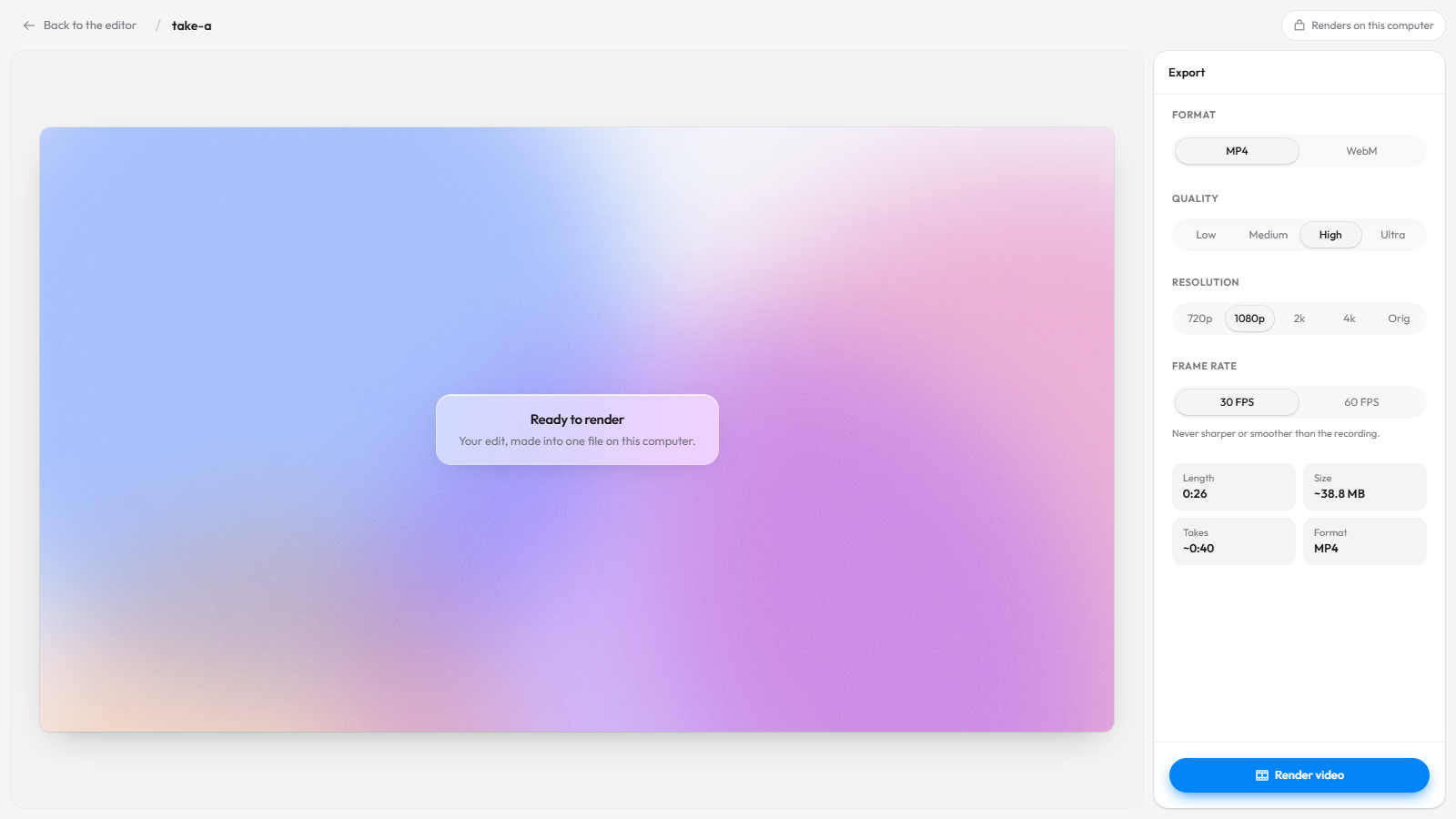
- Export MP4 or WebM at 720p, 1080p, 2K, 4K or the original size, at 30 or 60 FPS, in four quality levels (Low, Medium, High, Ultra). The desktop app exports GIFs too.
Nothing is uploaded when you export. The file is rendered in your browser or the desktop app and saved to your disk.
Loom free vs Recordful free
| Loom Starter (free) | Recordful Free | |
|---|---|---|
| Highest quality | 720p | Up to 4K export |
| Frame rate choice | Not listed on the pricing page | 30 or 60 FPS |
| Length per recording | 5 minutes | No limit |
| Number of videos | 25 per person | No limit |
| Account needed | Yes | No |
| Download your video | Listed on Business plans | Yes, MP4 or WebM |
| Editor | Basic | Full editor with auto-zoom |
Loom figures are from loom.com/pricing and Loom's help center on November 15, 2026.
Why resolution matters for screen recordings
A talking-head video still looks fine at 720p. A screen recording often doesn't, because most of what you show is small text.
- Code and terminals. A 13 or 14 px monospace font in an editor is just a few pixels tall once a 1440p or 4K screen is scaled down to 720p. Brackets, dots and underscores blur together, and viewers can't tell
lfrom1. - Dashboards and spreadsheets. Numbers in a table cell are what the viewer came to read. Downscaling turns them into grey smudges.
- Retina and high-DPI screens. A MacBook or a 4K monitor draws text with two or more physical pixels per point. Recording that sharp text and throwing most of the pixels away makes it look softer than it did on your screen.
- Viewers zoom and go full screen. Someone watching your bug report on a large monitor sees every compression artefact. A 1080p or 4K file holds up; a 720p one gets stretched.
Higher resolution isn't the only fix. Zooming in is often better, because a viewer on a phone still can't read a full 4K frame. That's why Recordful has auto-zoom.
How auto-zoom keeps text sharp
Recordful records where you click. In the editor, it zooms in on each click automatically, and you can add your own zooms on the timeline (press Z). The zoom is applied when the video is rendered, so a 2× zoom on a 4K recording is still a 1080p-sharp close-up of the button or the line of code you are talking about.
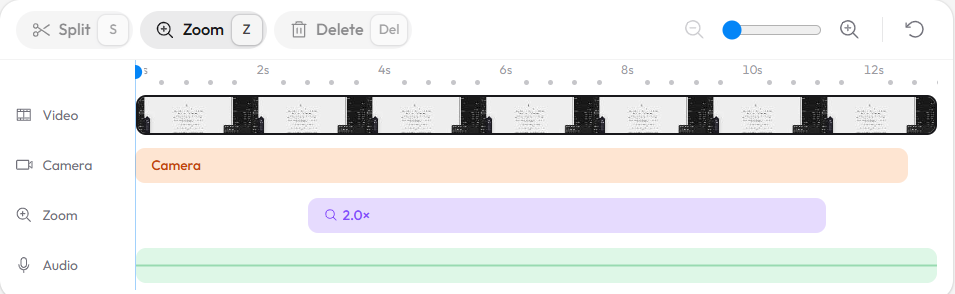
Auto-zoom, click effects, the cursor and backgrounds are all free. See free screen recorder with auto zoom for Chrome for the full walk-through.
Settings for the sharpest screen recording
- Pick the highest recording resolution. In the Recordful popup, open the gear menu and set Max resolution. The 4K option turns on when your screen is at least 3840 × 2160 physical pixels and your computer has 8 GB of memory or more; otherwise pick the highest option it offers.
- Pick the frame rate. In the same menu, Max FPS is 30 or 60. Use 60 for scrolling, animations and cursor-heavy demos; 30 is plenty for slides and talking.
- Make text bigger before you record. Zoom the browser to 110 to 125% or raise your code editor's font size. It costs nothing and helps every viewer.
- Record a tab or an area instead of the whole screen when you only need one app. Fewer pixels to cover means each one is sharper.
- Use auto-zoom in the editor for the moments that matter. It does more for a phone viewer than any resolution.
- Export at the size you recorded. On the export page, choose 4k, 2k or Orig, then High or Ultra quality. Recordful never makes a video sharper or smoother than the recording, so exporting 4K from a 1080p take keeps it at 1080p. The page shows the expected file size before you render.
- Choose MP4 for sharing (it plays almost everywhere) and WebM if you're putting the file on a web page.
Do you need Recordful Pro for 4K?
No. 4K export is free. Recordful Pro ($19 a month, or $108 a year, which is $9 a month) is for when you want a Loom-style share link instead of a file: cloud recordings with a watch page, a clickable transcript, captions, comments, AI summary and chapters, Instant Mode that copies the link when you stop, 50 GB of storage, and audio cleanup. It's one price for your whole workspace, not per person. There's a 14-day free trial.
If you're comparing team prices, see Loom pricing: a cheaper alternative for teams.
How to record and export a 4K screen recording for free
- Install Recordful from the Chrome Web Store, or download the desktop app for Mac, Windows or Linux.
- Click the Recordful icon. In the gear menu, set Max resolution and Max FPS.
- Choose a tab, area, window or the whole screen, and record. No account needed.
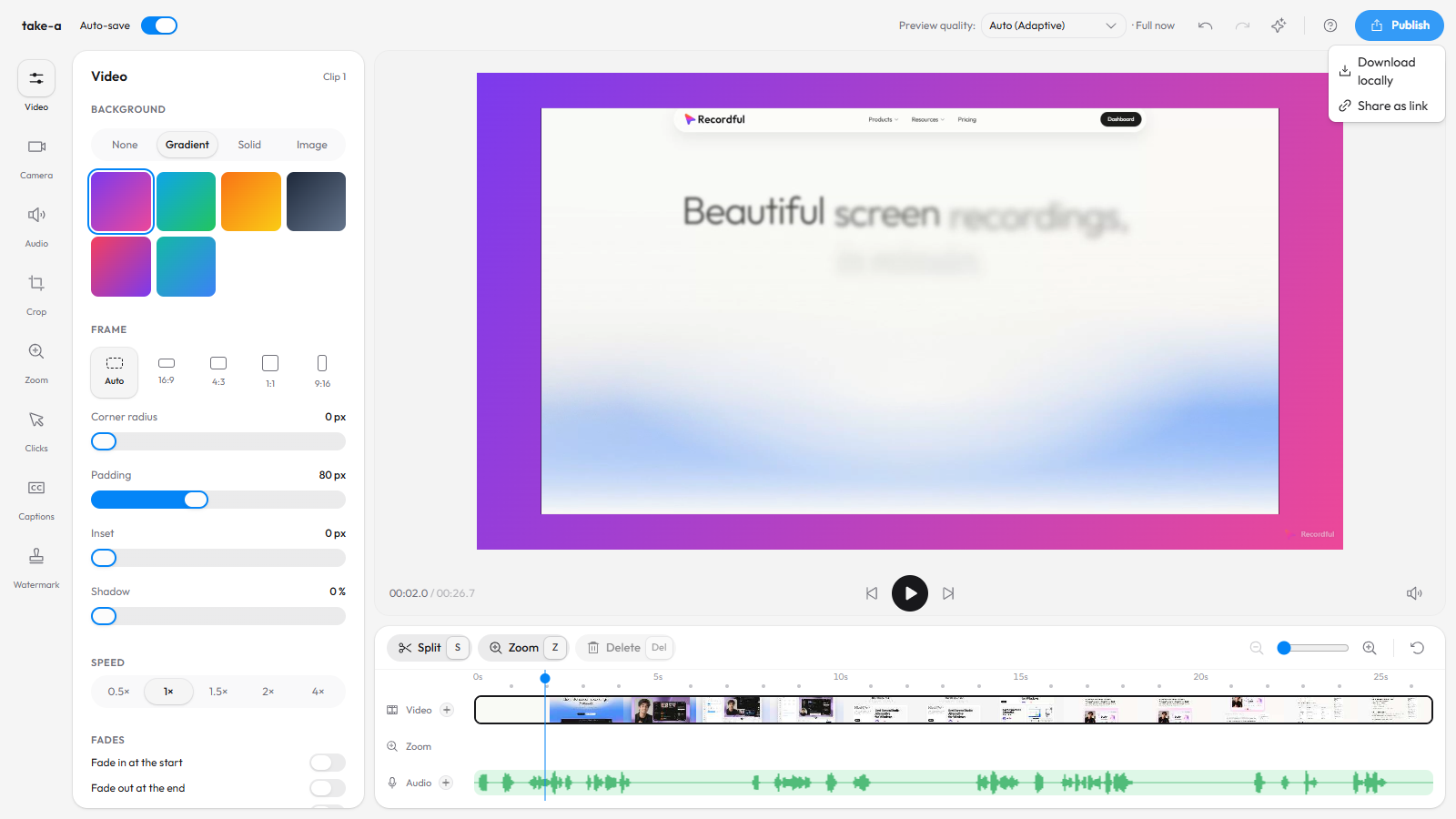
- Stop. The editor opens. Trim, check the auto-zooms and add a background if you want.
- Click Publish → Download locally.
- Choose MP4, Ultra, 4k and 60 FPS, then Render video. The file is saved on your computer.
Frequently asked questions
Is there a free Loom alternative that exports in 4K? Yes. Recordful exports MP4 or WebM up to 4K, at 30 or 60 FPS, for free and without an account. The video is rendered on your computer.
What resolution is Loom's free plan? Up to 720p, according to Loom's pricing page and help center on November 15, 2026. 4K is listed on Loom Business, Business + AI and Enterprise.
Can Loom's Chrome extension record in 4K? Loom's help center says the Chrome extension records up to 1080p on paid plans and up to 720p on Starter; 4K is in Loom's desktop app. Recordful's Chrome extension can record and export up to 4K.
Why does my screen recording look blurry? Usually because a high-resolution screen was recorded or exported at a lower size, or because text was small to begin with. Record at your screen's full resolution, raise the font size, export at the same size you recorded, and zoom in on the details.
Is 4K worth it for a screen recording? For code, dashboards and anything with small text on a 4K or Retina screen, yes. For a talking-head update, 1080p is enough and makes a smaller file.
Can I remove the watermark for free? Yes. A small Recordful mark is on by default, and you can turn it off or replace it with your own logo or text in the editor's Watermark panel, all for free. See how to add your logo as a watermark.
Does Recordful work on Linux and Chromebook? Yes. The extension runs in Chrome on Windows, macOS, ChromeOS and Linux, and the desktop app has a Linux AppImage. See Loom alternative for Linux and Loom alternative for Chromebook.
More comparisons: Recordful vs Loom, free Loom alternative with no time limit, Loom alternative with no sign-up, open source Loom alternative and how to make a screen recording look professional.
See the editor, Studio Cut and the screen recorder for more.