By Kislay, creator of Recordful. Last updated November 15, 2026.
Short answer: Recordful is a free, open source alternative to Loom. The Chrome extension is licensed under GPLv3 and its full source is on GitHub, so anyone can read it, build it and check what it does. You record without an account, the recording stays on your computer, and you export MP4 or WebM up to 4K with no time limit. Share links are optional, on Recordful Pro.
Why do people look for an open source Loom alternative?
Loom is a cloud product. From Loom's own screen recorder page on November 15, 2026, the first setup step is "Sign in to your Loom account, or sign up to use the free screen recorder", and a desktop recording's "finished file will automatically upload to your Loom account."
That model works for many teams. The people who search for an open source option usually want one of three things:
- Privacy. They record screens that show customer data, internal dashboards or unreleased work, and they would rather that file never leave their machine unless they decide to share it.
- No lock-in. They want their videos as normal files they own, not a library that only exists inside one service.
- Something they can check. Security reviews and IT teams ask "what does this extension send, and where?" With open source code, you can answer that by reading it.
What does "open source" mean for Recordful?
| Recordful | |
|---|---|
| License | GPLv3 |
| Source code | github.com/ikislay/recordful |
| Price to record, edit and export | Free |
| Account needed to record | No |
| Where recordings are saved | On your computer |
| Time limit per recording | None |
| Cap on number of recordings | None |
| Export | MP4 or WebM up to 4K, plus GIF |
GPLv3 means you can read the code, build the extension yourself, change it, and share your changes under the same license. You don't have to trust a privacy page: the code that records, saves and exports is in the repository.
Do my recordings stay private?
Yes, by default. When you record with Recordful without signing in, the video is saved on your computer. The editor runs on your computer too, and so does the export: the export page says "Renders on this computer", and the finished MP4 or WebM is written to your disk. Nothing is uploaded.
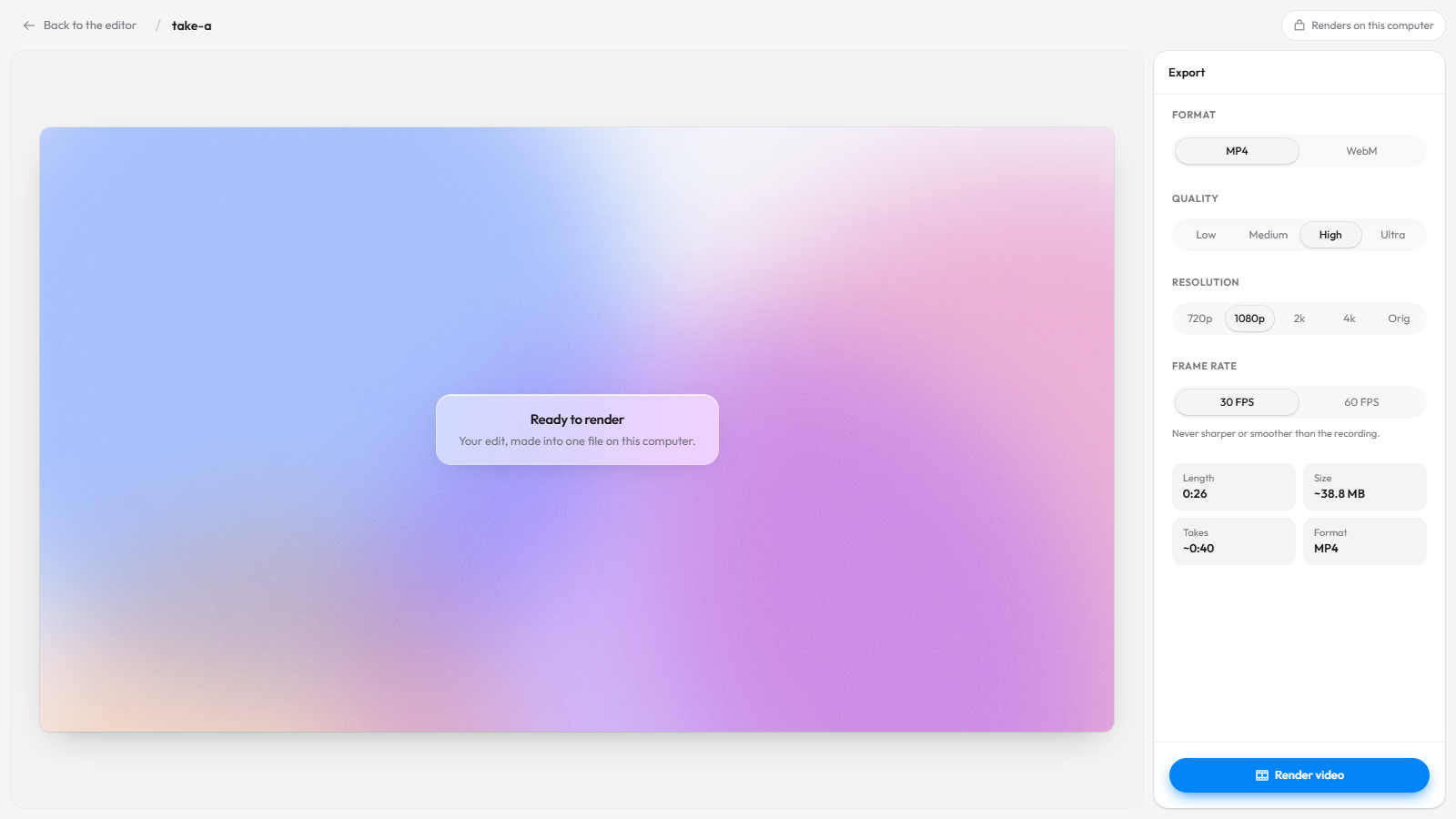
Uploading only happens when you choose it: on Recordful Pro you can pick Share as link, or turn on Instant Mode, and the video goes to your workspace's cloud storage with private, workspace or public access, plus optional password and expiry.
While you record you can also blur parts of the page, so an email address or an API key never ends up in the video at all.
How does open source help with lock-in?
Lock-in is about where your videos live and whether you can take them with you. From Loom's pricing page on November 15, 2026, "Upload and download videos" is listed as a Business plan feature ($18 per user a month), and the free Starter plan allows up to 25 videos per person at 5 minutes each.
With Recordful, the free path always ends in a file:
- Every free recording is a video file on your computer from the start.
- You export standard MP4 or WebM, which plays anywhere and uploads to any platform: YouTube, Google Drive, Notion, Slack or your own server.
- If you stop using Recordful, your files are still yours. Nothing has to be "exported out" of a service.
- And because the code is GPLv3, the recorder itself can't disappear: the source stays public and anyone can build it.
What do you get for free?
Everything to make a finished video, with no account:
- Record a tab, an area, a window, the whole screen or just your camera, in Chrome, Edge or Brave on Windows, macOS, ChromeOS and Linux, or with the free desktop app for macOS, Windows and Linux.
- While recording: drawing and annotation, blur, and a teleprompter for your script.
- Edit: trim, cut, speed, auto-zoom on clicks, manual zooms, click effects and sounds, backgrounds, camera layouts, a logo or text watermark, extra clips and voiceover. See the editor.
- Motion graphics: animated titles, lower thirds, callouts, blur and spotlight masks with Recordful Motion.
- Export MP4, WebM or GIF up to 4K.
Loom vs Recordful for privacy and ownership
From Loom's pricing and screen recorder pages, checked November 15, 2026:
| Loom Starter (free) | Recordful Free | |
|---|---|---|
| Source code public | No | Yes, GPLv3 |
| Account needed to record | Yes | No |
| Where the recording goes | Uploads to your Loom account | Stays on your computer |
| Length per recording | 5 minutes | No limit |
| Number of videos | 25 per person | No limit |
| Quality | Up to 720p | Up to 4K export |
| Download your video | Listed on Business plans | Always, it's a local file |
What if I need share links like Loom?
Recordful Pro adds them when you want them, and the free local workflow keeps working the same. Pro is $19 a month, or $108 a year ($9 a month), with a 14-day free trial, and it's one price for your whole workspace, not per seat.
Pro adds share links with a watch page (clickable transcript, captions, comments, AI summary and chapters), Instant Mode that uploads while you record and copies the link when you stop, 50 GB of storage, link passwords and expiry, view analytics and audio cleanup. Viewers watch in the browser without an account. More in how to share a screen recording with a link.
How to switch from Loom to an open source recorder
- Install Recordful from the Chrome Web Store. To build it yourself instead, clone the repository and follow its README.
- Click the Recordful icon, pick a tab, area, window or screen, and record. No sign-in.
- Stop. The editor opens with your recording, saved on your computer.
- Trim, zoom and add effects if you want.
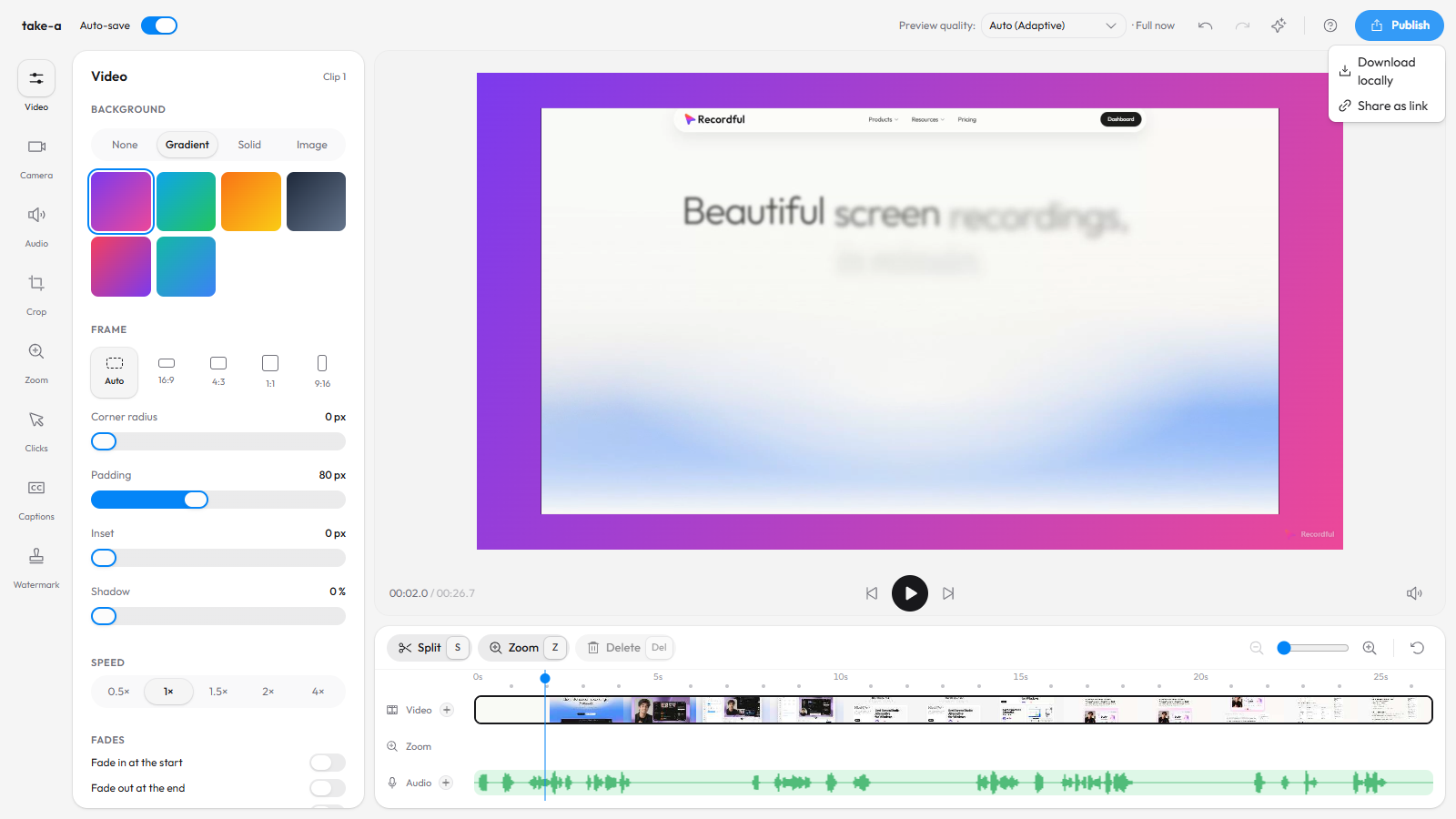
- Click Publish → Download locally to export an MP4 or WebM. Share the file however you like.
Frequently asked questions
Is there an open source Loom alternative? Yes. Recordful's Chrome extension is open source under GPLv3, with the code on GitHub. It records, edits and exports for free with no account.
Is Recordful really free? Recording, editing and exporting are free with no time limit, no cap on the number of videos and no account. Only cloud features like share links are paid, on Recordful Pro.
Where are my recordings stored? On your computer. Free recordings are not uploaded. Only if you choose Share as link or Instant Mode on Pro does a video go to the cloud.
Can I check what the extension sends? Yes. The source is public on GitHub under GPLv3, so you or your security team can read it, or build the extension from source.
Does Recordful work on Linux? Yes. The extension runs in Chrome on Linux, and the desktop app comes as a Linux AppImage. See Loom alternative for Linux.
Do I need an account to record? No. See Loom alternative with no sign-up.
Can I export in 4K for free? Yes, MP4 or WebM up to 4K. See free 4K Loom alternative.
More reading: Recordful vs Loom, free Loom alternative with no 5-minute limit, Loom pricing for teams and Screen Studio alternatives: open source vs browser-based. Features: Screen Recorder, Editor, Screenshots.