By Kislay, creator of Recordful. Last updated November 15, 2026.
Short answer: On a Chromebook you can't install Loom's desktop app; Loom's help page lists it as "Not compatible with Linux or Chromebook OS." Recordful is a free Chrome extension that officially supports ChromeOS. You record in Chrome, edit in the browser at recordful.app, and export up to 4K. There is no time limit, no cap on videos and no account needed, which makes it a good fit for students and teachers.
Can you use Loom's desktop app on a Chromebook?
No. From Loom's help page "The Loom recording platforms", checked on November 15, 2026, the Loom desktop app is:
Not compatible with Linux or Chromebook OS (Available on Mac and Windows only).
On a Chromebook, everything happens in Chrome. So the question is which Chrome recorder gives you the most for free.
From Loom's pricing page on November 15, 2026:
| Loom plan | Price | Limits |
|---|---|---|
| Starter | Free | 25 videos per person, 5 minutes per screen recording, up to 720p |
| Business | $18 per user a month | Unlimited videos, up to 4K |
| Business + AI | $24 per user a month | Adds AI features, up to 4K |
| Enterprise | Contact sales |
For schools: Loom's education support page says "The legacy "Free Education Plan" is no longer available to new applicants." Verified users get up to 50% off for general academic use or 75% off for classroom use on premium plans (checked November 15, 2026).
What Recordful does on a Chromebook
Recordful's requirements list Chrome 110 or newer on ChromeOS, next to Windows, macOS and Linux. The editor runs in Chrome too, so nothing needs a desktop app.
Free, with no account:
- Record a tab, an area, a window, the whole screen or just your camera.
- No time limit on a recording and no cap on how many you make.
- Your microphone and camera, if you want them. Screen-only recording needs neither.
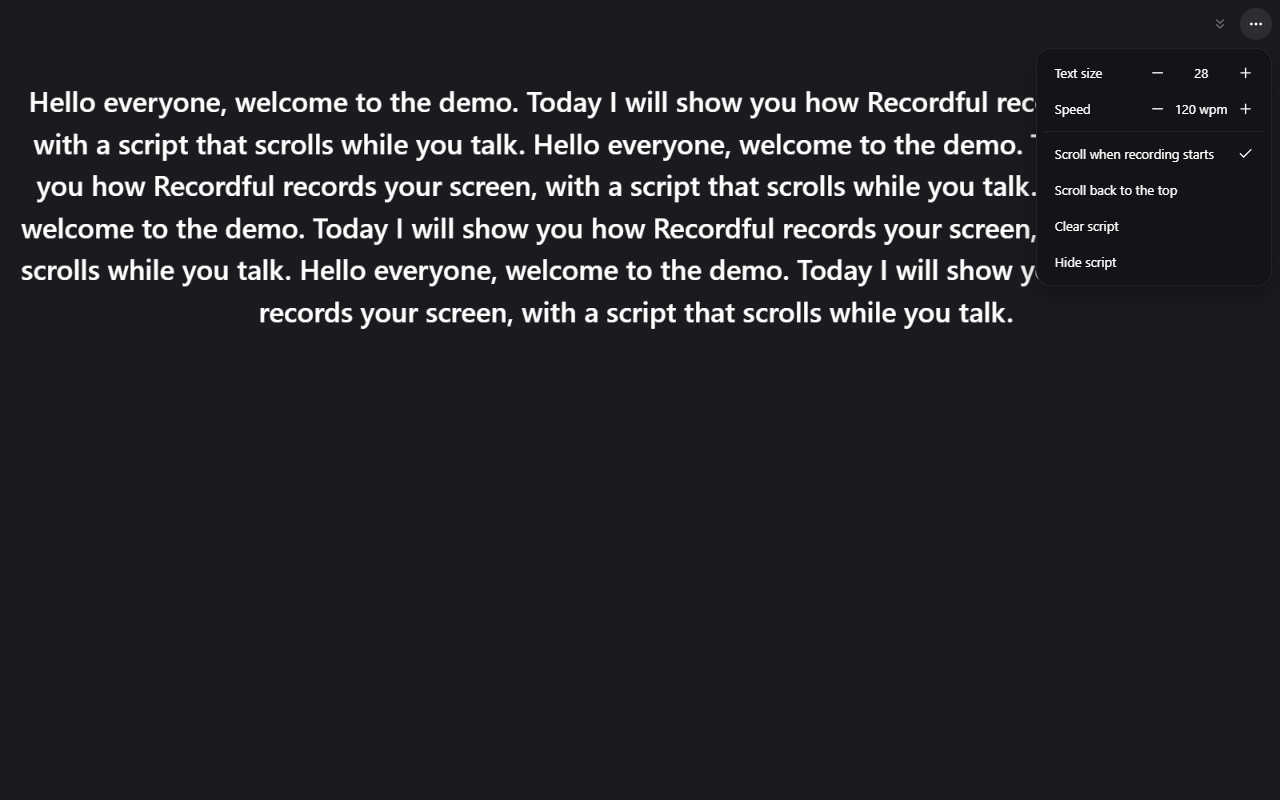
- Draw on the screen, blur private details, and read from a teleprompter while you record.
- Recordings stay on your Chromebook. Nothing is uploaded unless you choose to share a link.
The editor, free in the browser:
- Trim, cut, change speed, zoom (automatic zoom on clicks, or your own).
- Click effects, cursor, backgrounds, camera layouts and a watermark.
- Add more clips or record a voiceover.
- Recordful Motion: animated titles, lower thirds, callouts, blur and spotlight masks.
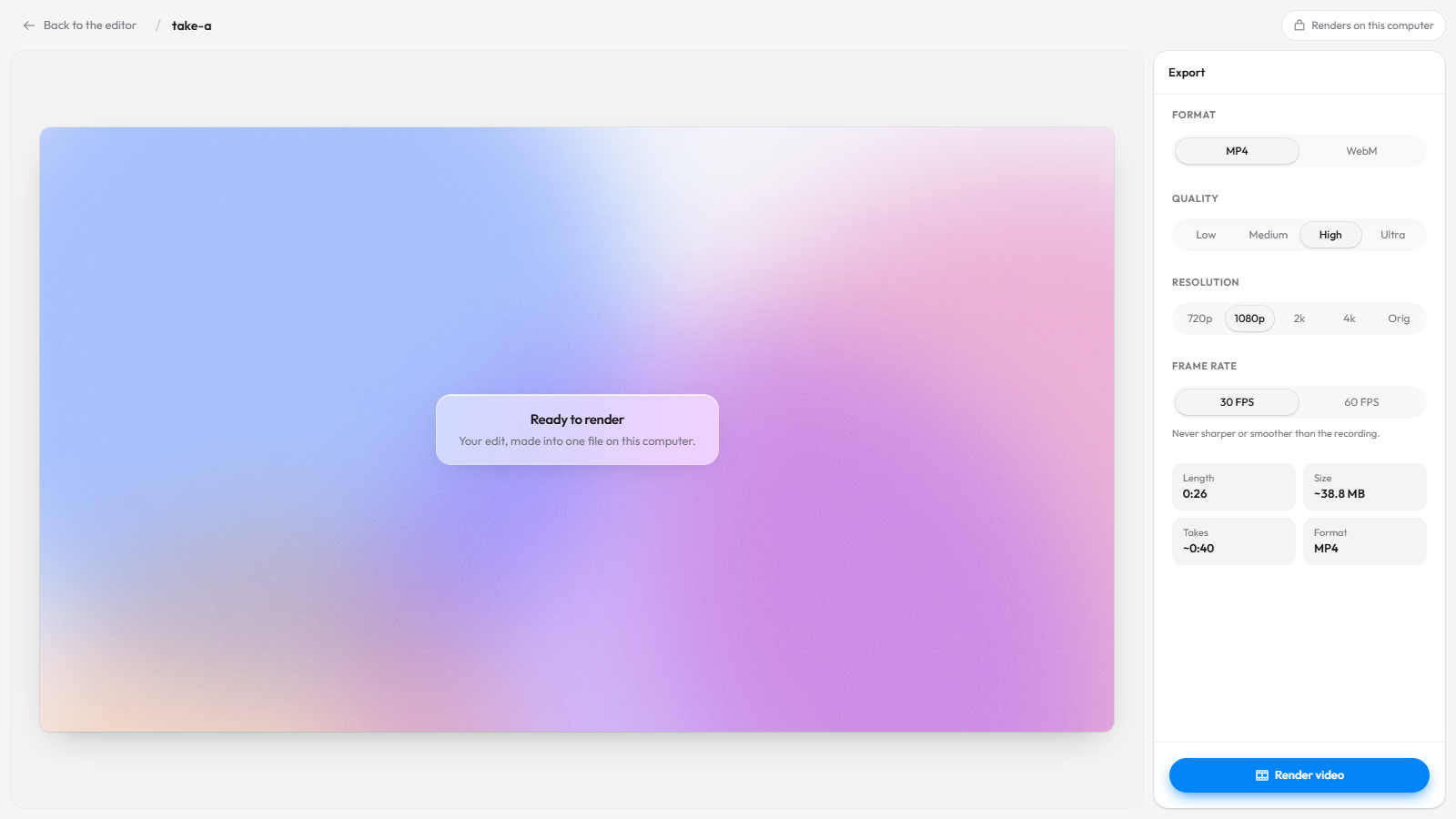
- Export MP4 or WebM up to 4K, or a GIF, made on your Chromebook.
Loom vs Recordful on a Chromebook
Checked November 15, 2026.
| Loom Starter (free) | Recordful Free | |
|---|---|---|
| Desktop app on ChromeOS | No | Not needed, everything runs in Chrome |
| Length per recording | 5 minutes | No limit |
| Number of videos | 25 per person | No limit |
| Quality | Up to 720p | Export up to 4K |
| Account needed | Yes | No |
| Download your video | Business plans | Yes |
| Share links | Yes | Recordful Pro |
How to record your screen on a Chromebook with Recordful
- Open the Recordful page on the Chrome Web Store and click Add to Chrome.
- Pin the Recordful icon next to the address bar.
- Open the tab you want to record, click the icon, and pick tab, area, window, screen or camera.
- Turn on your microphone or camera if you want them, then record. No sign-in needed.
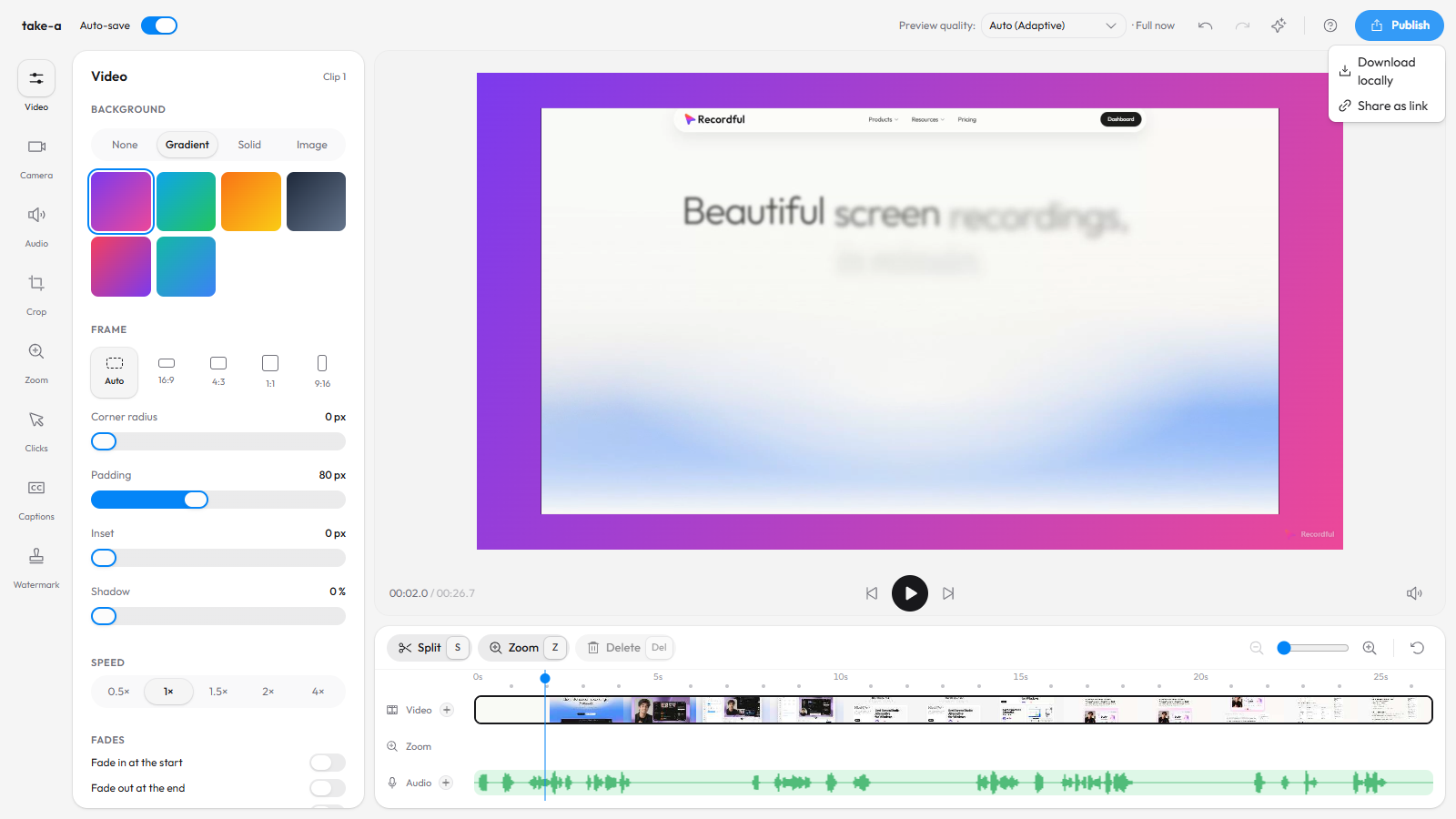
- Stop. The editor opens. Trim, zoom and add a title.
- Click Publish → Download locally to save an MP4 to your Chromebook, or, on Pro, Share as link.
Tip: keep at least 1 GB free on the Chromebook before a long recording. Recordings stream to disk, so free space matters more than memory.
Is Recordful good for students and teachers?
For most classroom videos, yes:
- Lessons and explainers often run longer than 5 minutes. Recordful has no time limit.
- Students don't need accounts to record and export, so there is nothing to sign up for.
- Assignments as files: export an MP4 and hand it in through Google Drive or your school's learning system.
- Teachers recording a script can use the teleprompter, and draw on screen to point things out.
- Feedback on student work: record a tab, zoom into the part you're talking about, and export.
How do I share a link instead of a file?
Recordful Pro adds share links with a watch page: a clickable transcript, captions in 10 languages, comments, and an AI summary and chapters. Viewers watch in the browser with no account. Instant Mode uploads while you record and copies the link when you stop, like Loom.
Pro is $19 a month, or $108 a year ($9 a month), with a 14-day free trial. One price covers the whole workspace, so a teacher or a department can invite people without paying per seat. See how to share a screen recording instantly with a link.
Frequently asked questions
Does Loom's desktop app work on a Chromebook? No. Loom's help page says the desktop app is "Not compatible with Linux or Chromebook OS (Available on Mac and Windows only)", as of November 15, 2026.
What is the best free Loom alternative for Chromebook? Recordful runs as a Chrome extension on ChromeOS, records with no time limit, needs no account, and exports up to 4K for free with a full editor in the browser.
Does Recordful need a desktop app on ChromeOS? No. Recording happens in the extension and editing happens in Chrome at recordful.app.
Is Loom still free for teachers? Loom's support page says the legacy Free Education Plan is no longer available to new applicants. Verified users get up to 50% or 75% off premium plans. Recordful's free plan has no time limit for anyone.
Can I record my webcam on a Chromebook? Yes. Record the screen with your camera in a corner, or the camera on its own.
Can I record longer than 5 minutes on a Chromebook for free? Yes, with Recordful there is no time limit on a recording you save to your Chromebook.
Does Recordful work on school-managed Chromebooks? It needs Chrome 110 or newer and permission to install extensions. If your school blocks extensions, ask your admin to allow Recordful.
Is Recordful open source? The Chrome extension is open source under GPLv3, on GitHub.
More comparisons: Recordful vs Loom, Loom alternative for Linux, free Loom alternative with no time limit, Loom alternative with no sign-up and Loom alternative with free 4K.
See Recordful Screen Recorder, the editor and Instant Mode.