By Kislay, creator of Recordful. Last updated November 13, 2026.
Short answer: Open the recording in Recordful's editor, go to Audio → Clean up, and turn on Filler words, Long pauses and Noise and echo. Every um, uh and empty "like" is cut with the silence around it, every pause longer than a second is shortened to a natural gap, and the voice is cleaned of background noise and room echo. Each cut shows on the timeline, and turning a switch off puts everything back.
Before and after
The same 26-second take, before and after three switches. It went from 26 to 17 seconds without a single cut made by hand.
Before
After
Why filler words and pauses matter in a screen recording
Nobody talks in clean sentences while clicking through an app. You say "um" while you look for the button, and you pause while a page loads. On a call nobody notices. In a recorded demo it reads as hesitation, and viewers drop off during dead air.
Cutting them by hand means scrubbing the timeline, finding each one and making two cuts around it. A two-minute take can have thirty of them.
Step 1: Open the recording in the editor
Stop a Recordful recording and the editor opens with it. To clean up a video you made elsewhere, open recordful.app/editor and drop in an MP4, WebM or MOV file.
Step 2: Open Audio → Clean up
Click Audio in the left toolbar. Under Clean up there are five switches:
| Switch | What it does |
|---|---|
| Noise and echo | Takes out background hum, fans and keyboard noise, and the echo of a bare room |
| Mouth sounds | Finds lip smacks and tongue clicks and takes them out, keeping the voice around them |
| Breaths | Makes breaths between words much quieter, without cutting them so hard it sounds odd |
| Filler words | Cuts every um, uh and "like" that says nothing, with the silence around it |
| Long pauses | Shortens every pause over a second to a short, natural gap, and trims dead air at the start and end |
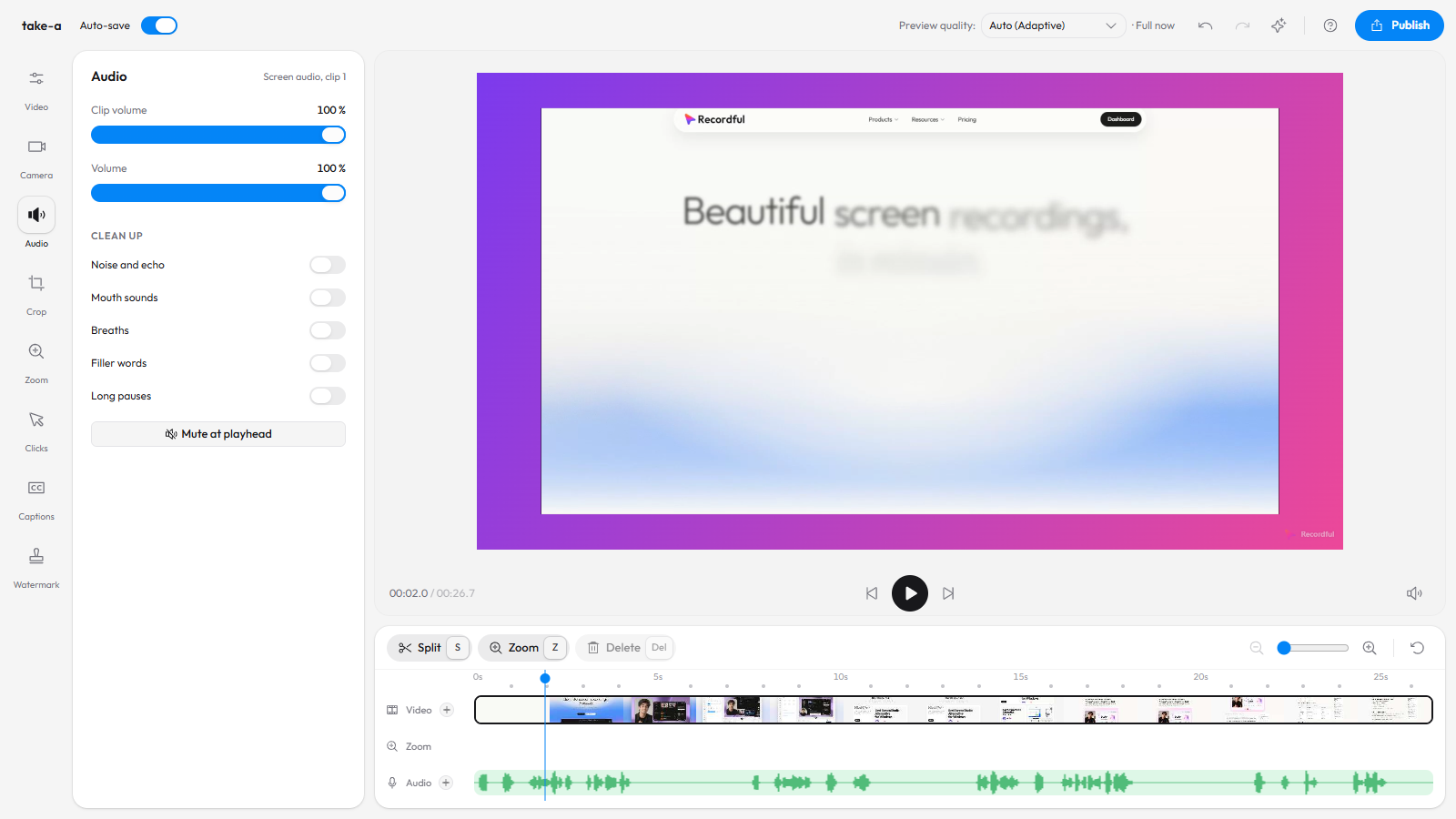
Step 3: Turn on Filler words
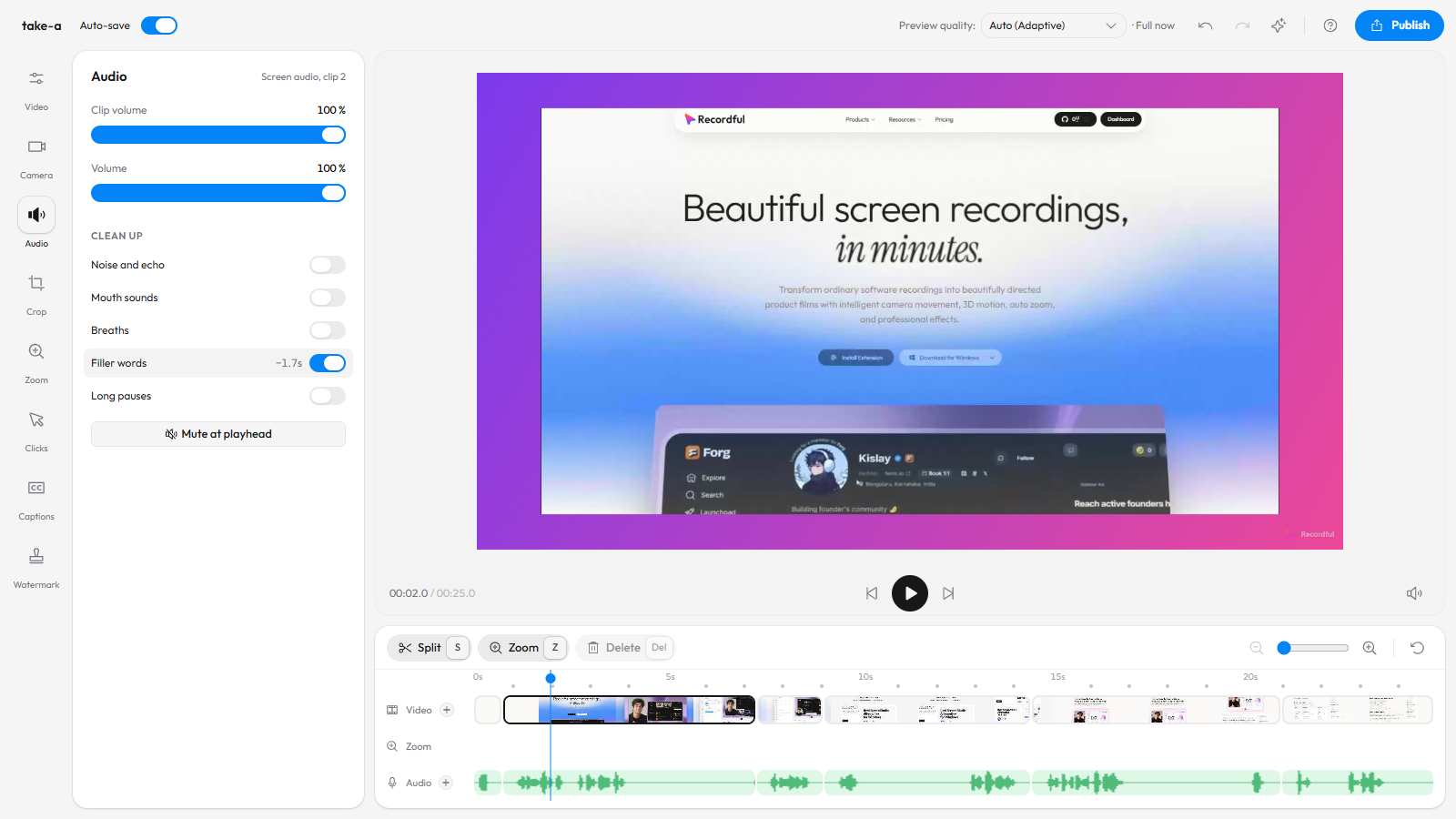
The editor finds the filler words and cuts them. The switch shows how much time it saved, here 1.7 seconds from five fillers, and each cut appears on the timeline like any cut you make yourself.
It is careful with "like": "it was, like, fine" loses it, but "it looks like a chart" keeps it.
Step 4: Turn on Long pauses
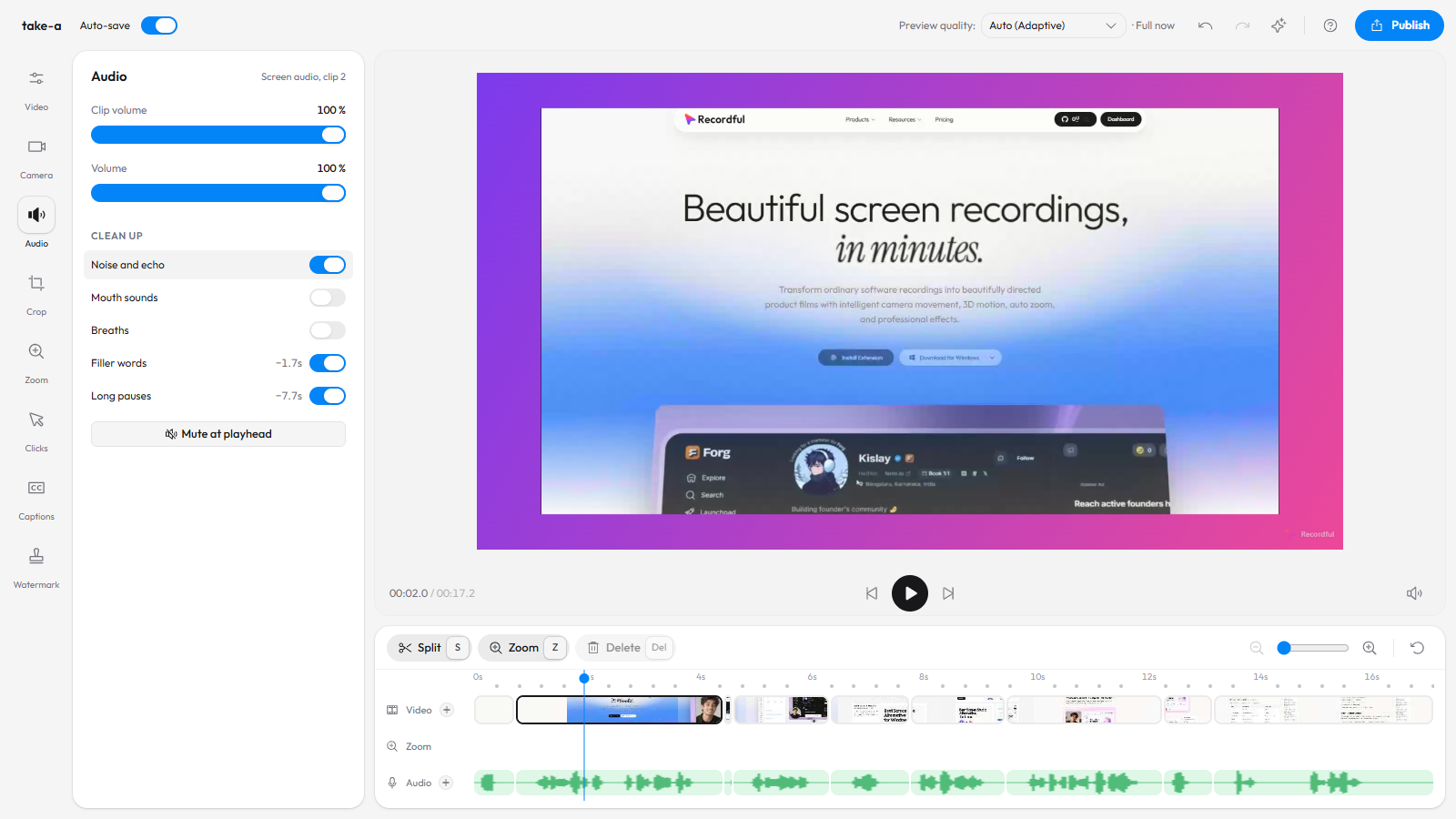
Every silence longer than a second is cut down to a short gap, so the talk flows on. In this take that saved another 7.7 seconds. These cuts play straight through, even with Fade through black at cuts on, and the export smooths each one so it doesn't click.
Step 5: Clean the voice
Turn on Noise and echo for a laptop microphone in a normal room. Add Mouth sounds and Breaths if you are close to the mic. Each takes a few seconds to apply, and the preview plays the cleaned sound as soon as it's ready, so you can hear it before you export.
Step 6: Check, then export
Play it through. If the cleanup took something you wanted, press Ctrl+Z or turn that switch off. Then export from Publish → Download locally as MP4 or WebM, up to 4K.
Or ask the AI to do it
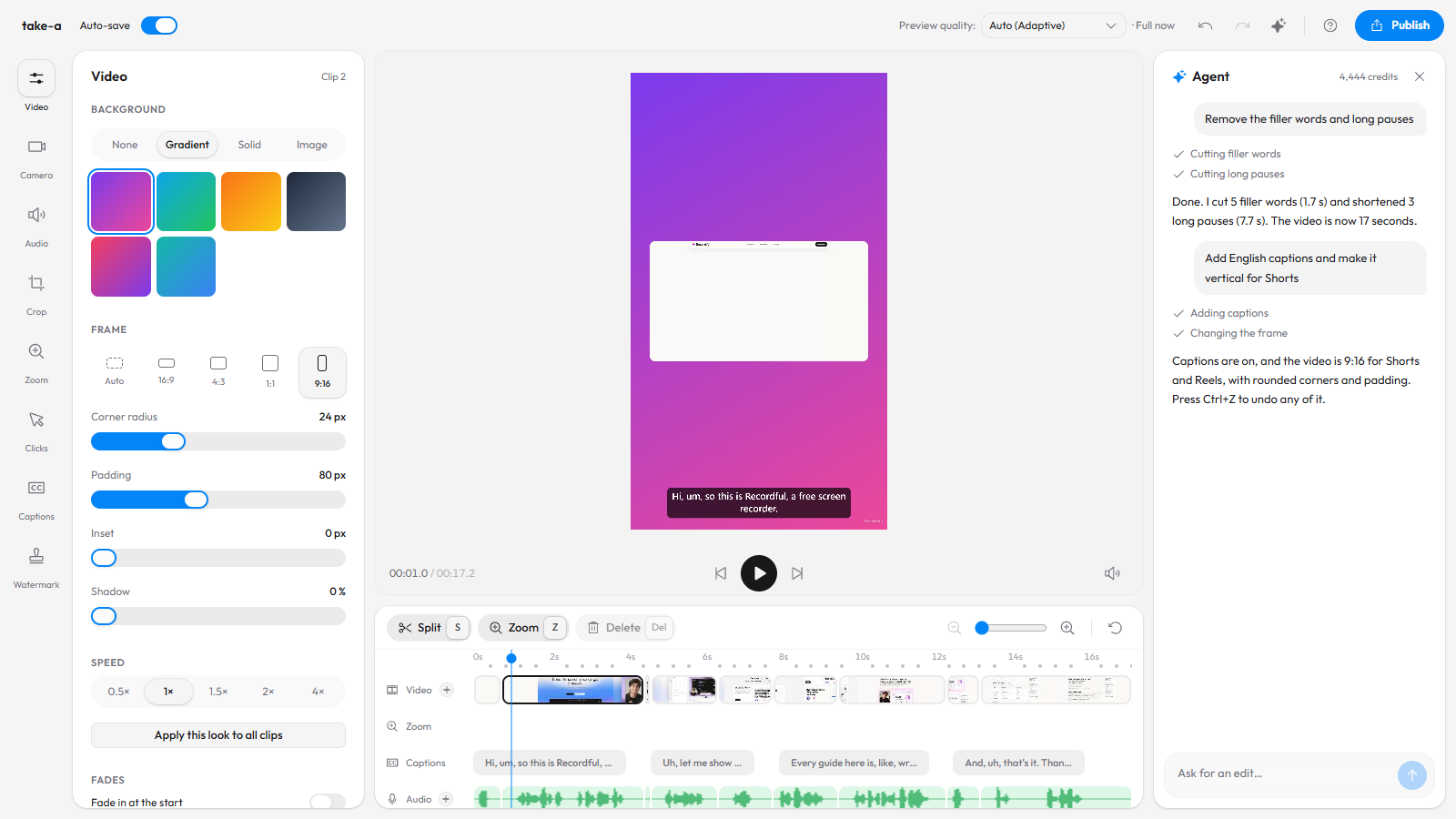
With the Recordful Agent open (Shift+S), type "remove the filler words and long pauses". It turns on the same switches and tells you what it cut. See AI screen recording editor.
What stays on your computer
Pauses, mouth sounds and breaths are found on your computer, and that audio is never uploaded. To find filler words, the editor sends a compressed copy of the sound to be transcribed, the same as for captions, and nothing is kept.
Tips for fewer fillers in the first place
- Use the teleprompter in the Recordful extension for the parts you'd otherwise improvise.
- Pause the recording while you look for the next thing instead of talking through it.
- Speak a little slower. Fillers come from rushing to the next thought.
- Record in a small, soft room. Curtains and a rug do more for echo than any filter.
Frequently asked questions
How do I remove "um" and "uh" from a video automatically? Open the video in Recordful's editor, go to Audio → Clean up and turn on Filler words. Every um, uh and empty "like" is cut along with the silence around it.
Can I remove silence from a screen recording? Yes. Turn on Long pauses. Every pause over a second is shortened to a short, natural gap, and dead air at the start and end is cut.
Can I undo the cuts? Yes. Turn the switch off and everything it cut comes back, or press Ctrl+Z.
Does it remove background noise? Yes. Noise and echo cleans background noise and room echo from the microphone. Mouth sounds and Breaths work on their own or on top of it.
Is it free? Recording, editing and exporting are free. The Clean up switches are part of Recordful Pro, at $19 a month or $108 a year with a 14-day free trial.
Does it work on videos not recorded with Recordful? Yes. Drop any MP4, WebM or MOV into recordful.app/editor.
See the Recordful Editor for everything else the editor does.