By Kislay, creator of Recordful. Last updated November 25, 2026.
Short answer: To record a bug report video, reproduce the bug once so you know the steps, then record the tab while you do them again and say what you expected and what happened. Blur anything private, drop a marker the moment it breaks, and keep the video under two minutes. Send it as a link in the ticket, or attach the MP4. Recordful records, blurs and marks for free in Chrome; with Recordful Pro the link is on your clipboard the second you press stop.
Why record a bug instead of writing it down?
"The button doesn't work" can mean ten things. A short video shows the exact steps, the page, the data and what the screen did, so the developer doesn't have to guess or ask you to repeat it. It also catches things you didn't think to write down: a flicker, a slow load, a message that appeared for half a second.
The written ticket still matters. The video shows the bug; the ticket says what it is.
Step 1: Reproduce the bug first
Before you record, make the bug happen once on purpose. Write down:
- The page or URL where you start
- Each step, in order
- What you expected
- What happened instead
If you can't make it happen again, record anyway, but say so in the ticket.
Step 2: Get the page ready
- Start from a clean state: the page before the first step, not halfway through.
- Use test data where you can.
- If the console matters, open Chrome's DevTools before you start and record the window instead of the tab, so the console is in the picture.
- Close tabs and turn off notifications you don't want in the video.
Step 3: Record the steps and say what you expect
Install Recordful from the Chrome Web Store. It also works in Edge and Brave, and it needs no account.
- Open the popup and pick Tab (or Screen for a window or a desktop app).
- Turn on your microphone.
- Press record and do the steps again, slowly.
- Say each step out loud, then say what you expect: "I click Save. It should close the dialog and show the new row."
Narration turns a video into a bug report. Without it, the developer sees clicks but not what was supposed to happen.
Step 4: Blur private data while you record
Bug reports often happen on real accounts. To hide an email, a name or a card number, click blur on the recording toolbar, then click the part of the page you want hidden. It stays blurred while you stay on that page. Clear all blurred parts from the same tool when you're done.
You can also draw on the screen to circle the part that's wrong.
Step 5: Mark the moment it breaks
When the bug shows up, click the flag on the recording toolbar. A "Marker added" note confirms it. You can also set a keyboard shortcut for markers at chrome://extensions/shortcuts, so you can mark without moving the mouse.
In the editor the marker sits on the timeline. Click it to jump straight to the bug, rename it ("Error shows here"), or press Shift+M to add another. If you cut the video, the marker stays with its moment. Markers are free.
Step 6: Trim, then send it
Keep the bug report short. Trim the start and the end in the editor, and cut any long wait. Most bug reports need 30 seconds to 2 minutes.
Then pick how to send it.
Attach a file (free). Click Publish → Download locally, export MP4, and attach it to the ticket. Exports run on your computer, up to 4K.
Send a link (Pro). With Instant Mode, the recording uploads while you record. When you press stop, the watch page opens and the link is already on your clipboard. Paste it into the ticket, Slack or email. The developer watches in their browser with no account.
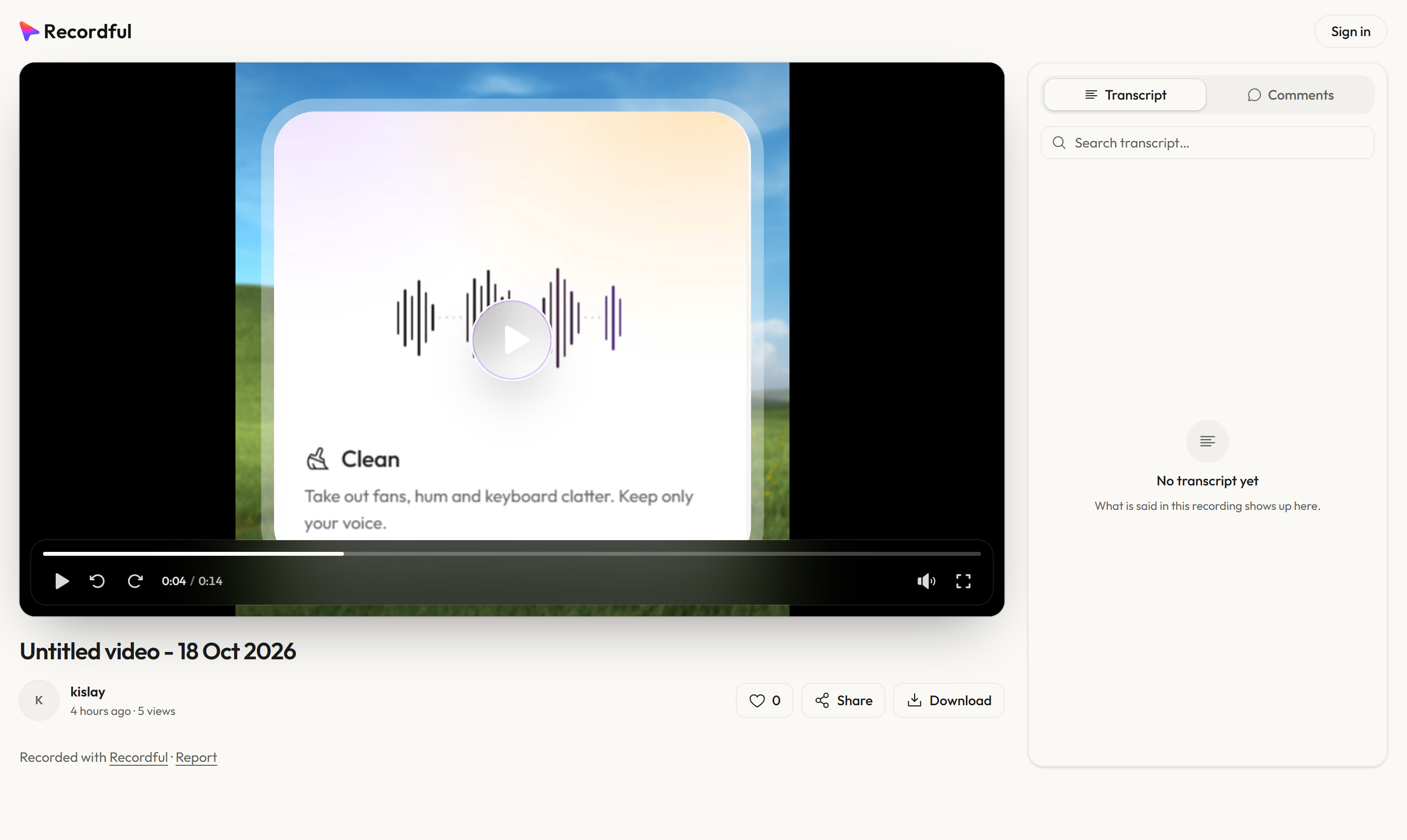
On the watch page the developer can:
- Read and search a transcript of what you said, and click a line to jump to it
- Leave a comment to ask a question
- Open the link at the exact second with
?t=and the time in seconds, for example?t=42
You choose who can watch: only you, your workspace, or anyone with the link. You can add a password and an expiry date, or invite one person by email. Recordful Pro is $19 a month, or $108 a year, for the whole workspace, with no per-seat price. See how to share a screen recording with a link.
What to put in the ticket next to the video
Copy this template:
Title: [What breaks] when [what you do] on [page]

Video: [link], bug at 0:42
Steps:
1. Go to …
2. Click …
3. …
Expected: …
Actual: …
Browser and OS: Chrome on Windows 11
Account or test data: …
The video shows the bug. The steps let someone reproduce it without watching. Both together save a round of questions.
Bug report video checklist
| Check | Why |
|---|---|
| Bug reproduced once before recording | You know the steps |
| Steps said out loud | The developer hears your intent |
| Expected vs actual said in one sentence | It's clear what "broken" means |
| Private data blurred | Safe to share in tickets |
| Marker at the moment it breaks | Nobody scrubs to find it |
| Under 2 minutes | It gets watched |
| Link or MP4 in the ticket, with the time of the bug | It's easy to find later |
Let an AI agent record the bug
If you use Claude Code, Cursor or another AI coding app, Recordful's MCP server lets the agent drive the page and record it. Ask it to "record the bug where Save doesn't close the dialog" and it walks through the steps while Recordful records, and can add a marker at the moment the bug appears. It's off until you turn it on. See how to let AI record a browser demo.
Frequently asked questions
How do I record a bug report video for free? Install the Recordful Chrome extension, record the tab while you reproduce the bug and narrate, then trim it and export an MP4 to attach to the ticket. Recording, blur, markers, editing and export are free and need no account.
How long should a bug report video be? Usually 30 seconds to 2 minutes. Show the steps once, the bug, and stop.
How do I hide private information in a bug report video? Click blur on Recordful's recording toolbar and click the parts of the page to hide, such as an email or a name. They stay blurred while you stay on that page.
How do I point the developer to the exact moment? Click the flag on the toolbar when the bug appears to drop a marker. When you share a link, add ?t= and the time in seconds so it opens at that moment.
Can I send a bug report video as a link? Yes, with Recordful Pro. Instant Mode uploads while you record and copies the link when you stop. Viewers don't need an account, and you can lock the link with a password.
Should the bug report video have sound? Yes. Say each step and what you expected. A silent video shows clicks but not what should have happened.