By Kislay, creator of Recordful. Last updated November 25, 2026.
Short answer: Install the free Recordful Chrome extension, pick your camera in its popup, and a camera bubble appears over the page. Record a tab, your screen, a window or an area, and stop when you're done. Your camera is recorded as its own track, so in the editor you can move it to any corner, put it beside your screen, show only the camera, or hide it, at any point in the video. It's free, with no account and no time limit.
Can the built-in screen recorders record my webcam?
It depends on your computer. Checked on November 25, 2026:
- Windows: Microsoft's Snipping Tool article and its Xbox Game Bar recording article list no camera option.
- Mac: Apple's "How to record the screen on Mac" lists options for a microphone, mouse clicks, a timer and the save location, and no camera.
- Chromebook: yes. ChromeOS Screen capture has a Front Camera switch in its Settings. See how to screen record on a Chromebook.
When the built-in tool does add your camera, it's drawn into the video where it sat while you recorded. To change where it sits later, you need the camera on its own track.
How do I record my screen and webcam with Recordful?
Recordful runs in Chrome 110 or newer, Edge and Brave, on Windows, macOS, ChromeOS and Linux.
- Open the Recordful page on the Chrome Web Store, click Add to Chrome, and pin Recordful next to the address bar.
- Go to the page you want to show and click the Recordful icon.
- Choose what to record: a tab, your screen or a window, an area, or just your camera.
- Pick your camera and microphone in the dropdowns. The first time, Chrome asks to allow them: click Allow.
- Check the camera bubble that appears over the page. Turn on Flip camera if it's mirrored the wrong way, and Background effects to blur your background.
- Click record. Talk as you go. There's no time limit.
- Stop. The editor opens with your screen and your camera on separate tracks.
If the camera bubble doesn't show on a page, that site may block extensions from using the camera. Start the recording from another tab, then switch back once it has begun.
Where should the webcam go? Camera layouts in the editor
Open Camera in the editor and pick a layout:
| Layout | What it looks like | Good for |
|---|---|---|
| Bottom right, bottom left | A bubble in a lower corner | Most tutorials and demos |
| Top right, top left | A smaller bubble in an upper corner | Pages with buttons along the bottom |
| Right side, left side | A tall camera beside your screen, at full height | Talks, pitches, explaining slides |
| Camera only | Your camera fills the video | An intro or a closing line |
| No camera | Screen only | Parts where your face distracts |
Then make it yours:
- Shape: circle, square, wide or tall.
- Size, and a separate size during zoom, so the camera shrinks out of the way when the video zooms in on a click.
- Rounded corners and shadow.
- Mirror the camera.
Change the layout partway through. Split the camera track to show it only where you want, or to start with camera only, switch to a corner for the demo and hide it at the end.
How do I make a screen and webcam video look good?
- Look at the camera when you start and finish. Viewers connect with the face; the middle can be all screen.
- Keep the bubble off the action. If you click near the bottom right, put the camera top left.
- Use auto-zoom. Recordful zooms in where you click, which keeps small text readable with the camera on screen. Add your own zooms or remove any.
- Add a background. Padding and a background around the screen give the camera room, and make the video look finished.
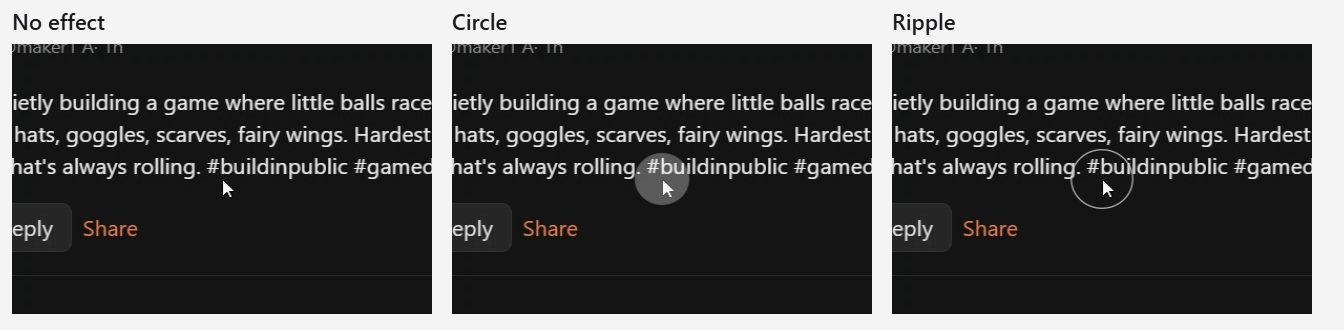
- Show your clicks. Click effects and click sounds make every click easy to follow.
More in how to make a screen recording look professional.
How do I export or share it?
Export an MP4 or WebM at 720p, 1080p, 2K or 4K, at 30 or 60 FPS. The video is made on your computer and nothing is uploaded. A small Recordful mark is on new recordings; turn it off for free in the editor.
To send a link instead of a file, Recordful Pro uploads the video to a watch page with a transcript, captions, comments and view counts. Viewers need no account. Pro is $19 a month or $108 a year ($9 a month) for the whole workspace, with a 14-day free trial. See how to share a screen recording with a link.
Frequently asked questions
How do I record my screen and face at the same time for free? Install the Recordful Chrome extension, pick your camera in the popup, and record. Your camera shows in a bubble, and you can move it after you stop. It's free with no account.
Can I move the webcam after recording? Yes. Recordful records the camera as its own track, so you can change its corner, shape and size, put it beside the screen, or hide it in the editor.
Can I record only my webcam? Yes. Choose camera-only recording in the popup, or pick the Camera only layout in the editor for part of a screen recording.
Can I blur my background on the webcam? Yes. Turn on Background effects in the Recordful popup before you record.
Can I record my screen and webcam on a Mac? Yes. Recordful works in Chrome on macOS. Apple's built-in Screenshot app doesn't list a camera option.
Can I record my screen and webcam on Windows? Yes, in Chrome, Edge or Brave with Recordful. See how to screen record on Windows.
Why is my webcam bubble not showing? Some websites block extensions from using the camera. Start recording from another tab and switch back, or check that Chrome is allowed to use your camera (click the camera icon in the address bar).
Do I need an account? No. Recording, editing and exporting are free with no account.
See Recordful Screen Recorder and the editor.