

By Kislay, creator of Recordful. Last updated November 7, 2026.
Short answer: OBS Studio is free, open source software "for video recording and live streaming," built around scenes, sources and a mixer. It has no video editor, so a raw OBS recording goes into a second app before you can send it. Recordful is a screen recorder that starts in two clicks from your browser and opens a free editor the moment you stop, with auto-zoom on clicks, click effects, backgrounds, trimming and camera layouts. Recording, editing and export up to 4K need no account. Recordful Pro adds share links for $19 a month or $108 a year for the whole workspace.
What is OBS Studio built for?
From obsproject.com on November 7, 2026, OBS Studio describes itself as "Free and open source software for video recording and live streaming." Its headline features are:
- "High performance real time video/audio capturing and mixing"
- "an unlimited number of scenes you can switch between seamlessly via custom transitions"
- "Studio Mode lets you preview your scenes and sources before pushing them live"
- An audio mixer with per-source filters
That's a production studio for streamers. It's powerful, and it's a lot to set up when all you want is a two-minute walkthrough of a bug or a feature.
How many steps does a first OBS recording take?
From OBS's Quick Start Guide on November 7, 2026:
- Run the Auto-Configuration Wizard, which "shows the first time you run OBS Studio."
- Add a source to your scene. A new scene starts blank, so you click + in the Sources dock and add a Display Capture source (Windows and Linux) or a macOS Screen Capture source.
- Check the Audio Mixer meters, and pick your devices in Settings → Audio if they don't move.
- Confirm your settings in Settings → Output, then click Start Recording.
The guide also "strongly" encourages a test recording of a few minutes before you record for real.
In Recordful, you click the icon, pick what to record and click Start. That's it.
Does OBS have a video editor?
No. OBS's site lists recording, streaming, scenes and mixing, and no editing. On the OBS forum, asked whether OBS is meant to edit videos, the reply is "No it is not," and users point each other to separate editors.
So with OBS, the work after you stop is: find the file, open a video editor, import it, cut it, export it again.
Recordful's editor opens with your recording as soon as you stop. It's free and runs in your browser, and the recording stays on your computer:
- Auto-zoom on clicks. Every click gets a smooth zoom, already placed on the timeline. Add your own zooms or remove any.
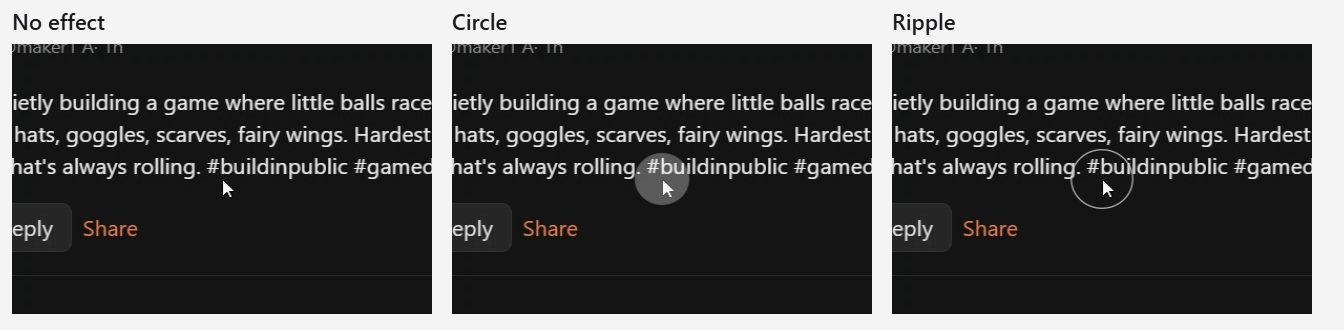
- Click effects and click sounds, so viewers see and hear each click.
- Backgrounds and framing. Padding, rounded corners, a shadow and a background behind your screen.
- Trim, cut and speed. Remove mistakes and speed up typing or loading.
- Camera layouts. Pick where your camera bubble sits, its shape and size, and hide it where you don't need it.
- Your own watermark, or turn off the Recordful mark for free.
Export MP4, WebM or GIF up to 4K. See the editor.
OBS vs Recordful for a quick screen recording
| OBS Studio (built in) | Recordful | |
|---|---|---|
| Built for | Live streaming, scenes and recording | Recording and sharing screen videos |
| Start a recording | Wizard, then add a capture source to a scene | Click the icon, pick tab, area, window, screen or camera, press Start |
| Video editor | None built in | Built in and free |
| Auto-zoom on clicks | No | Yes, free |
| Click effects | No | Yes, free |
| Runs on | Windows, macOS, Linux | Chrome, Edge and Brave on Windows, macOS, ChromeOS and Linux |
| Share link | No | On Pro, with transcript and comments |
OBS platform list from obsproject.com on November 7, 2026. Recordful's extension runs on Chromebooks, which OBS's download page doesn't list.
Can I share a recording as a link instead of a file?
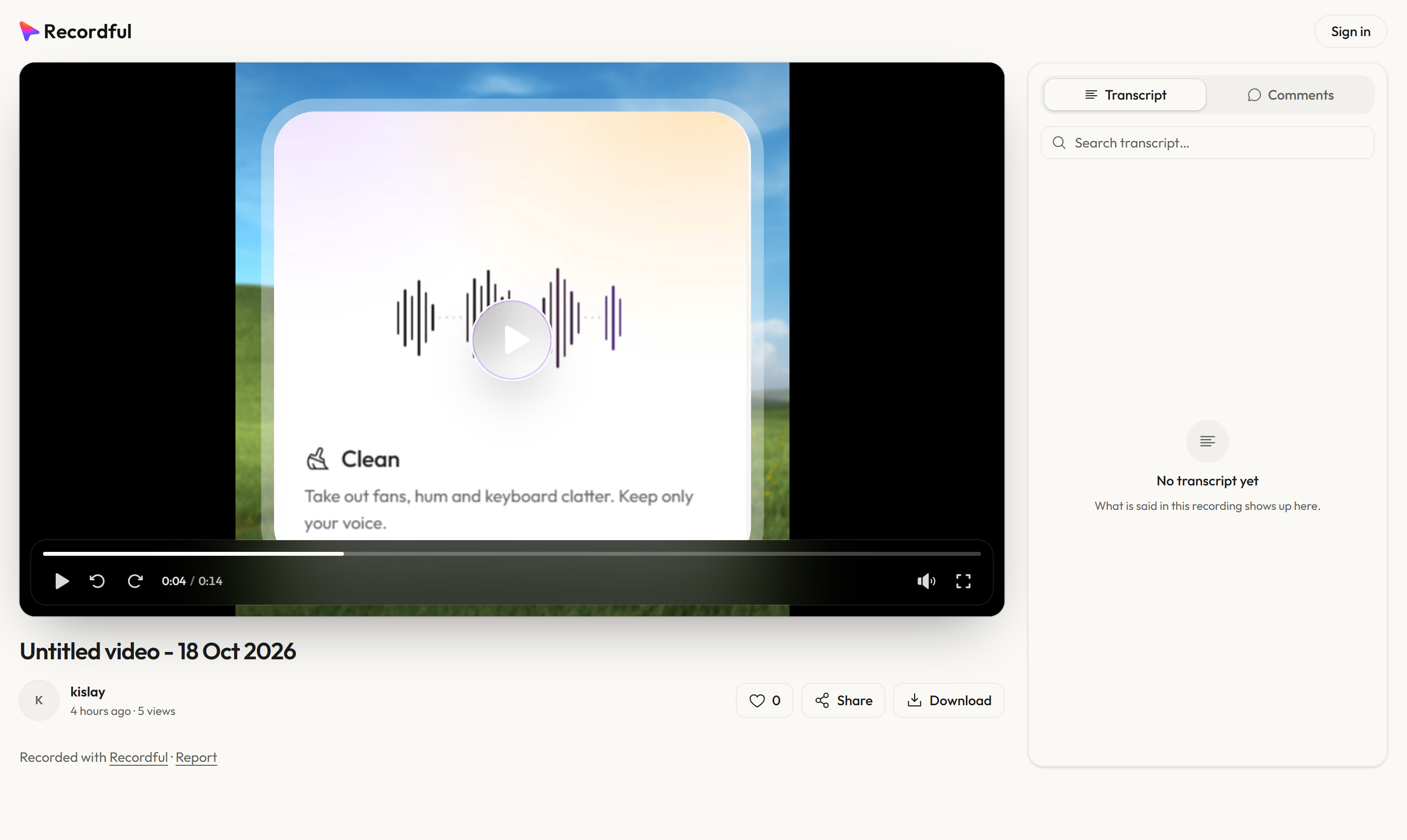
Yes, with Recordful Pro. Instead of uploading a file somewhere, you get a link to a watch page with:
- A searchable transcript and captions
- Comments and likes
- View counts, so you know it was watched
You choose who can watch: only you, your workspace, or anyone with the link, and you can add a password and an expiry date. Instant Mode uploads while you record and copies the link when you stop. See Instant Mode.
Recordful Pro is $19 a month, or $108 a year ($9 a month), for the whole workspace. Invite your team at no extra cost per person. It has a 14-day free trial and you can cancel anytime. See Recordful Pro.
What else does Recordful do while you record?
- Teleprompter: a floating script to read from while you record.
- Drawing and blur: mark up the screen or hide private details live.
- Screenshots of an area, the visible page, the full page or the screen, with an editor. See screen capture.
- AI agents that record for you: Claude Code, Cursor, Codex, VS Code, Windsurf and Gemini CLI can drive a browser demo and record it through Recordful's MCP server. See Recordful Agents.
How to switch from OBS to Recordful for screen recordings
- Install Recordful from the Chrome Web Store.
- Click the Recordful icon and choose a tab, an area, a window, the whole screen or camera only.
- Pick your microphone and camera, and press Start.
- Stop when you're done. The editor opens with click zooms and click effects already added.
- Trim, add a background and set your camera layout.
- Export an MP4, WebM or GIF up to 4K, or on Pro, share a link.
Keep OBS for streaming. Use Recordful when you need a clean recording fast.
Frequently asked questions
What is an easier alternative to OBS for screen recording? Recordful. It records from a browser extension in two clicks, with no scenes or sources to set up, and opens a free editor with auto-zoom and click effects when you stop.
Does OBS have a built-in video editor? No. OBS Studio is "Free and open source software for video recording and live streaming." You edit its recordings in a separate app.
Is Recordful free like OBS? Yes. Recording, editing and export up to 4K are free with no account, and there's no time limit. The extension is open source under GPLv3. Recordful Pro ($19 a month or $108 a year per workspace) adds share links.
Can OBS add zoom on clicks? OBS's own feature list doesn't include it. Recordful adds a zoom on every click automatically, for free.
Does Recordful work on a Chromebook? Yes. The Chrome extension runs on ChromeOS, as well as Windows, macOS and Linux. OBS Studio's download page lists Windows, macOS and Linux.
Can I share an OBS recording as a link? OBS saves a file. With Recordful Pro you get a link to a watch page with a transcript, captions and comments, and Instant Mode copies it the moment you stop.
More reading: free screen recorder with auto zoom, how to make a screen recording look professional, open source Loom alternative, Descript alternative for screen recording. Features: Screen Recorder, the editor.