

By Kislay, creator of Recordful. Last updated November 13, 2026.
Short answer: Screen Studio and Recordful both turn a screen recording into a polished video with automatic zoom on your clicks. Screen Studio is a Mac app that costs $29 a month, or $9 a month billed yearly, and without a plan you can't export a video. Recordful records, edits and exports up to 4K for free, with no account, on Windows, macOS, ChromeOS and Linux. Recordful Pro adds share links for $19 a month, or $108 a year, and that one price covers your whole workspace.
What is the difference between Recordful and Screen Studio?
Both make the same kind of video: a product demo or tutorial with smooth zooms, click effects and a clean background, instead of raw screen footage.
- Screen Studio is a native macOS app. Everything sits behind one subscription, and exporting needs an active plan.
- Recordful is a Chrome extension (also Edge and Brave) and a desktop app for macOS, Windows and Linux. Recording, the editor and export are free. You pay only for cloud share links and the AI and audio extras, once for the workspace.
The extension is open source under GPLv3, on GitHub.
How much does Screen Studio cost in 2026?
From Screen Studio's pricing on screen.studio on November 13, 2026:
| Plan | Price |
|---|---|
| Screen Studio Monthly | $29 a month |
| Screen Studio Yearly | $9 a month, billed yearly ("Save 69%") |
| Recordful Free | $0: record, edit and export up to 4K |
| Recordful Pro | $19 a month, or $108 a year ($9 a month), for the whole workspace |
Screen Studio's FAQ says one-time licenses "are no longer sold". Older ones stay valid. Students and educators get 40% off.
Over a year on monthly billing, Screen Studio is $348 and Recordful Pro is $228. If you only need to record, edit and export files, Recordful costs nothing.
Is Screen Studio free?
No. Screen Studio's download page, checked November 13, 2026, says: "If you don't have an active plan, you can still use all the features except for exporting video files." You can try the editor, but you need a plan to get your video out.
Recordful's free plan works the other way round. With no account and no card you get:
- Recording of a tab, an area, a window, the full screen or your camera, with no time limit and no cap on how many videos you make
- The full editor: trim, cut, speed, auto-zoom on clicks and manual zoom, click effects and click sounds, backgrounds and padding, camera layouts, add clips, record a voiceover
- Recordful Motion: animated titles, lower thirds, callouts, blur and spotlight masks
- Export to MP4, WebM or GIF, up to 4K, saved on your computer
A small Recordful mark is on by default. You can turn off the Recordful mark for free, or swap in your own logo. See how to watermark a screen recording.
Does Screen Studio work on Windows, Linux or a Chromebook?
No. Screen Studio's FAQ, checked November 13, 2026, says: "there are no near-future plans to add Windows support. Currently, Screen Studio only supports macOS." Its system requirements page lists macOS Ventura 13.1 or later, an Apple M1 or later (or an Intel MacBook Pro 2018 or later, or MacBook Air 2020 or later), and 8 GB of RAM.
Recordful runs on:
- Chrome extension: Chrome 110+ and Chromium browsers like Edge and Brave, on Windows, macOS, ChromeOS and Linux
- Desktop app: macOS 14+ (Apple silicon and Intel), Windows 10 and 11, and Linux as an AppImage
So a team with Macs, Windows laptops and Chromebooks can all make the same kind of video. More in Screen Studio alternative for Windows, for Linux and for Chromebook.
Recordful vs Screen Studio at a glance
From screen.studio on November 13, 2026, and Recordful's own plans:
| Screen Studio | Recordful | |
|---|---|---|
| Price | $29 a month, or $9 a month billed yearly | Free to record, edit and export. Pro: $19 a month or $108 a year |
| Export without paying | No, exporting needs an active plan | Yes, up to 4K |
| Windows | No | Yes, extension and desktop app |
| Linux | No | Yes, extension and AppImage |
| ChromeOS | No | Yes, extension |
| Auto-zoom on clicks | Yes | Yes, free |
| Team pricing | Two plans listed, Monthly and Yearly | One Pro price for the whole workspace |
Which one has the better auto-zoom and editor?
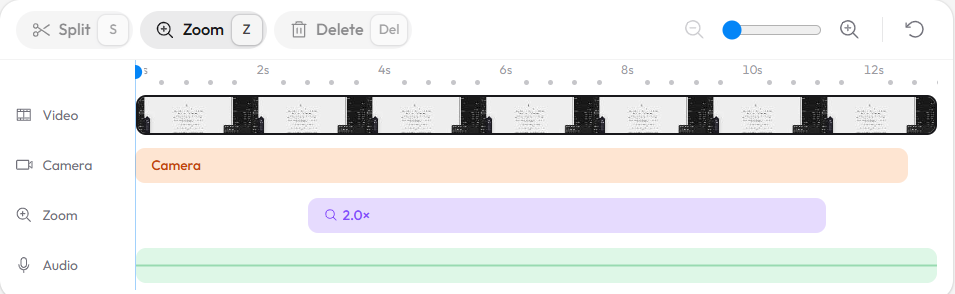
Both zoom in on your clicks for you, and both let you add your own zooms. In Recordful, the editor opens after you stop, with auto-zoom already placed on the bursts of clicks. You can change the zoom level, move it, or delete it, and add more by hand. See free screen recorder with auto zoom.
Recordful's editor is free and runs on your computer:
- Trim, cut and speed changes
- Auto-zoom on clicks, plus manual zooms
- Click effects (circle, ripple, pressure) and click sounds
- Backgrounds, padding and camera layouts
- Add clips and record a voiceover
- Recordful Motion for titles, lower thirds, callouts and masks
- Your own watermark
- Teleprompter, drawing and blur while you record
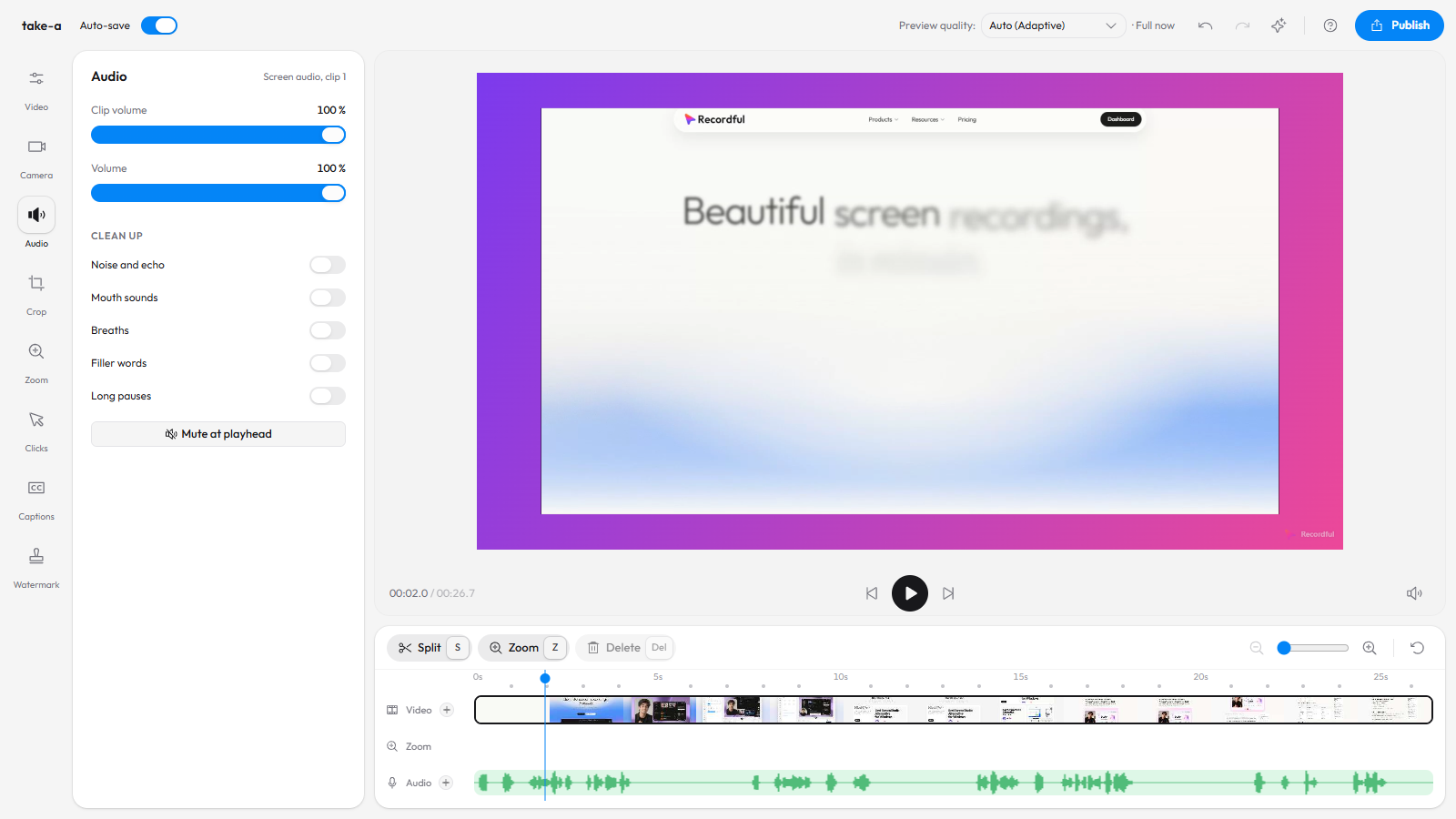
On Pro you also get audio cleanup that removes background noise, echo, mouth sounds, breaths, filler words and long pauses, captions in 10 languages, a 3D zoom perspective, and the Recordful Agent, which edits your video when you tell it what to change in a chat. See the editor.
How does sharing compare?
Screen Studio's paid plans include shareable links. Its pricing section says: "Links in 1080p at 60 fps. For videos up to 30 minutes."
Recordful Pro gives every video a watch page with:
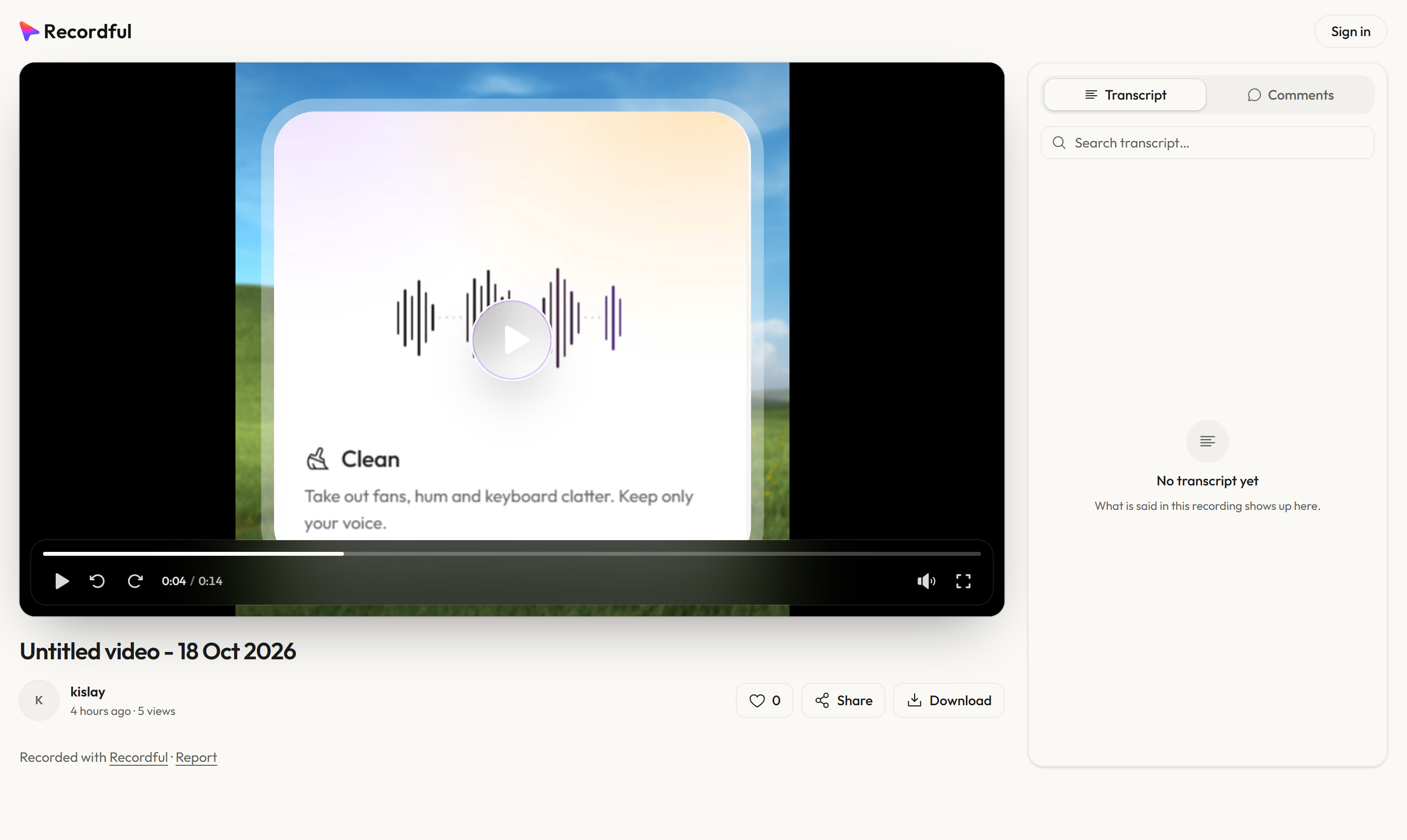
- A clickable, searchable transcript
- Captions, comments and likes
- An AI summary and chapters
- View analytics, so you see who watched
- Who can watch: only you, your workspace, or anyone with the link, plus a password and an expiry date
Instant Mode uploads while you record and copies the link the moment you stop. See how to share a screen recording with a link and Instant Mode.
Which is better for a team?
Screen Studio's pricing lists two plans, Monthly and Yearly, and lets you send an editable project to a teammate.
Recordful Pro is one price per workspace. Invite your team and it stays $19 a month, or $108 a year, with 50 GB of storage and 4,500 Recordful Agent credits shared by the workspace. Everyone can record on the computer they already have, whether it's a Mac, a Windows laptop, a Linux desktop or a Chromebook. Pro has a 14-day free trial, and you can cancel anytime.
What else can Recordful do?
- Record with no account. Install and record. See no sign-up recorder.
- Screenshots of an area, the visible page, the full page or the screen, with an editor. See screen capture.
- AI agents that record for you. Claude Code, Cursor, Codex, VS Code, Windsurf and Gemini CLI can record browser demos and take screenshots through Recordful's MCP server. See Recordful Agents and record a browser demo with Claude Code.
How to switch from Screen Studio to Recordful
- Install Recordful from the Chrome Web Store, or download the desktop app.
- Click the Recordful icon and pick a tab, area, window, the whole screen or camera only.
- Record your demo and click as you normally would.
- Stop. The editor opens with auto-zoom already on your clicks. Adjust the zooms, pick a background and add a title.
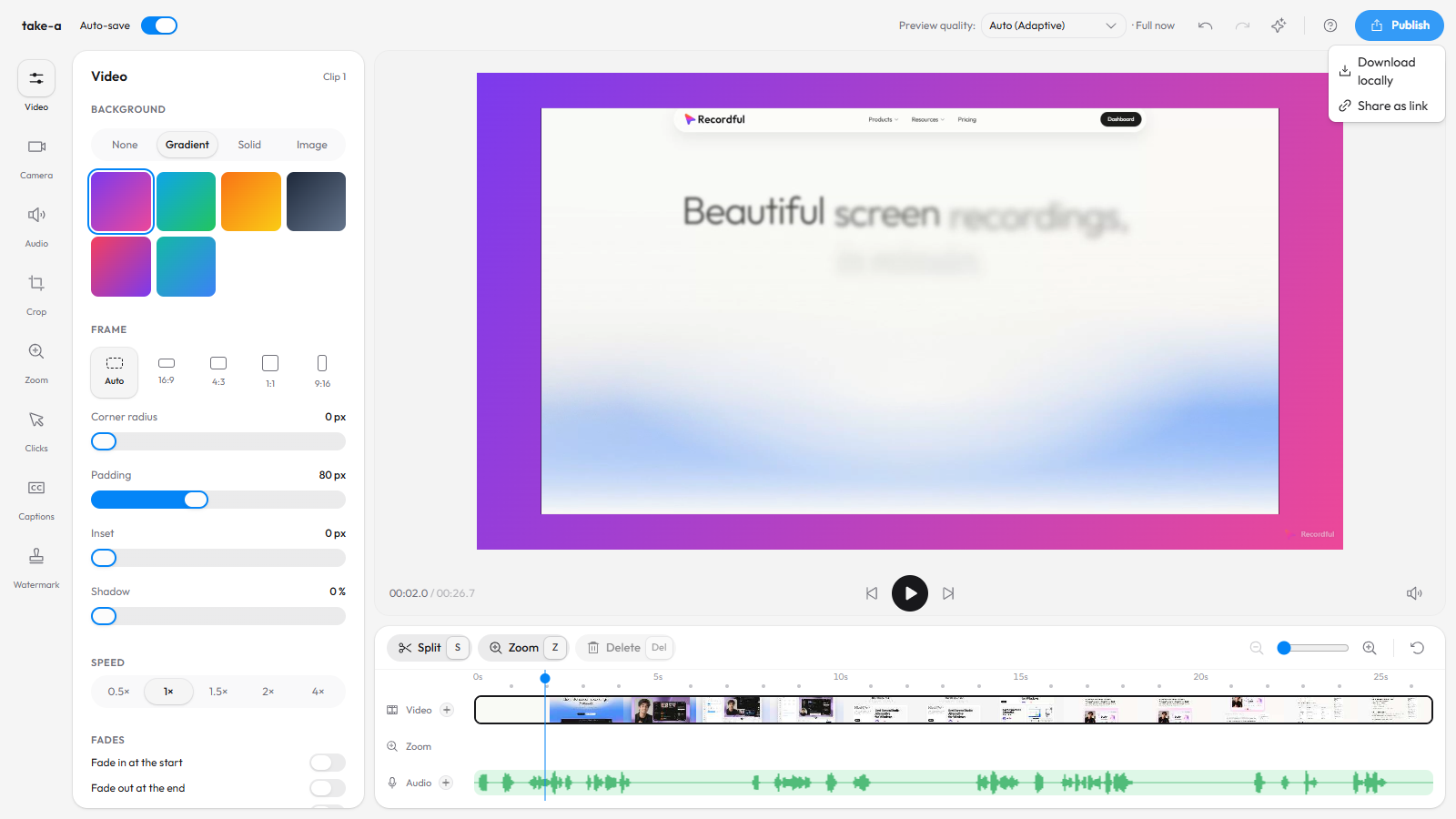
- Click Publish, then Download locally to export MP4, WebM or GIF up to 4K for free.
- For a link with a watch page, start Recordful Pro and pick Share as link, then invite your team at no extra cost per person.
Frequently asked questions
Is Recordful better than Screen Studio? For price and platforms, yes. Recordful records, edits and exports up to 4K for free on Windows, macOS, ChromeOS and Linux. Screen Studio is Mac only, and exporting needs a paid plan.
Is Screen Studio free? No. Screen Studio says that without an active plan "you can still use all the features except for exporting video files." Recordful's free plan includes export up to 4K.
How much does Screen Studio cost in 2026? From screen.studio on November 13, 2026: $29 a month, or $9 a month billed yearly. One-time licenses are no longer sold.
How much does Recordful cost? Recording, the editor and export are free. Recordful Pro is $19 a month, or $108 a year ($9 a month), for the whole workspace, with a 14-day free trial.
Does Screen Studio work on Windows? No. Screen Studio's FAQ says it only supports macOS and there are no near-future plans for Windows. Recordful works on Windows as a Chrome extension and a desktop app.
Does Recordful have auto-zoom like Screen Studio? Yes. Recordful places auto-zoom on your clicks when the editor opens, and you can add manual zooms. It's free.
Can my whole team use one Recordful plan? Yes. Recordful Pro is priced per workspace. Invite your teammates and the price stays the same.
Is Recordful open source? Yes. The Chrome extension is open source under GPLv3.
More on this topic: free Screen Studio alternatives, Screen Studio alternatives for Windows and how to make screen recordings look professional.