By Kislay, creator of Recordful. Last updated November 16, 2026.
Short answer: The best Chrome extension screen recorder in 2026 is Recordful. It records a tab, an area, a window, the whole screen or your camera with no time limit and no account, then opens a free editor with auto-zoom on clicks, click effects, backgrounds and camera layouts, and exports up to 4K on your computer. Loom's free plan stops at 5 minutes and 25 videos at 720p, Screencastify's at 10 videos with a watermark, and Cap's free plan is for personal use only. Screenity's extension is free too, but its editor is paid.
What should a Chrome screen recorder extension do?
An extension is the quickest way to record: no installer, it works on Windows, macOS, ChromeOS and Linux, and it's one click from the page you want to show. A good one should:
- Record a tab, part of the screen, a window or the whole screen, with your camera and microphone.
- Let you record as long as you need.
- Let you edit before you share: cut the mistakes, zoom into what matters.
- Save the video to your computer, not only to someone's cloud.
- Not lock your first export behind a sign-up.
Chrome screen recorder extensions compared
From each vendor's pricing page on November 16, 2026:
| Extension | Free plan | Paid price |
|---|---|---|
| Recordful | No time limit, no video cap, no account, free editor, export up to 4K | $19 a month or $108 a year per workspace |
| Loom | 25 videos, 5 minutes per recording, up to 720p | $18 per user a month |
| Screencastify | Up to 10 videos, 30 minutes each, Castify watermark | $7 per user a month billed yearly, $18 monthly |
| Screenity | Free recording on your device; sharing and the editor are paid | $10 a month or $120 a year |
| Cap | Personal use only; 25 share links a month, up to 5 minutes each | $12 per user a month, $8.16 billed yearly |
1. Recordful
Recordful is a free Chrome extension for Chrome 110+, Edge and Brave, on Windows, macOS, ChromeOS and Linux. It's open source under GPLv3, and it records with no account.
Recording:
- Five modes: tab, area, window, whole screen, or camera only.
- No time limit and no cap on videos. Recordings are saved on your computer.
- While you record: a floating teleprompter, drawing and blur, click effects and click sounds, and a camera preview that stays out of the video.
- Up to 4K. The extension defaults to 1080p. 4K needs a screen of at least 3840x2160 and 8 GB of RAM.
Editing, free:
- Trim, cut and speed changes, up to 24x for the boring parts.
- Auto-zoom on clicks, plus manual zooms that follow the cursor or hold on a point.
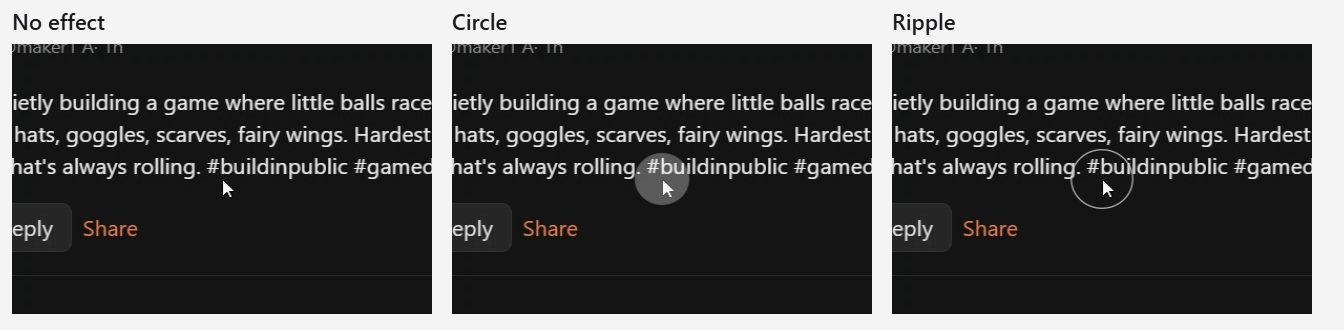
- Click effects and eight click sounds.
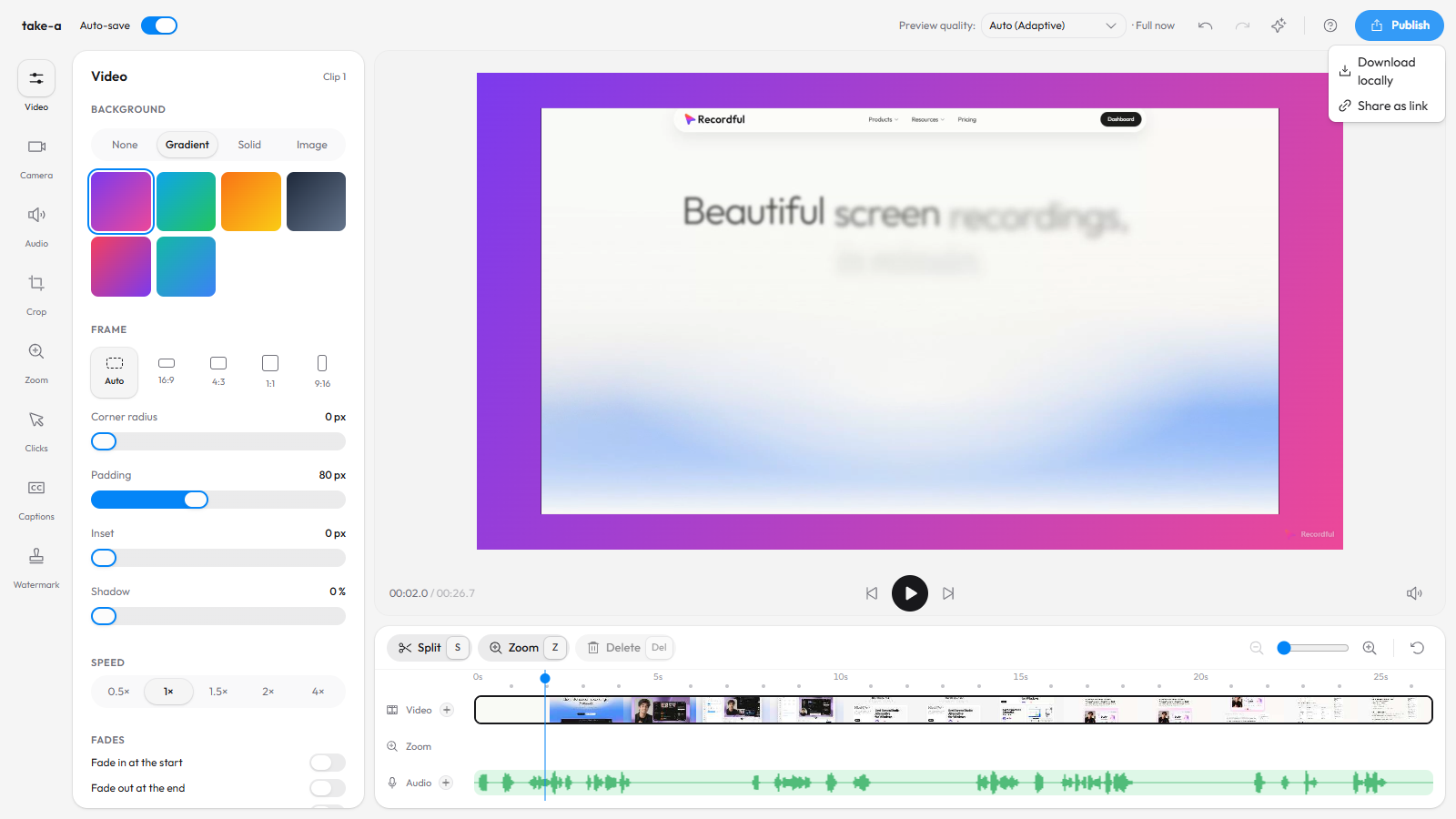
- Backgrounds, padding, rounded corners and shadows.
- Camera layouts: position, shape, size, mirror, hide.
- Fades and a music track.
- Export MP4 or WebM, saved on your computer.
Screenshots, free: an area, the visible page, the full page (scrolled and stitched) or the screen, with an editor for backgrounds, arrows, text, blur and one-click redaction. See screen capture.
AI agents, free: Claude Code, Cursor, Codex, VS Code, Windsurf and Gemini CLI can drive the page and record a browser demo through Recordful's MCP server. See Recordful Agents and record a browser demo with Claude Code.
Recordful Pro, $19 a month or $108 a year for the whole workspace: share links to a recording page with a clickable, searchable transcript, captions, comments and likes; Instant Mode, which uploads while you record and copies the link when you stop; audio cleanup that removes noise, echo, filler words and long pauses; captions in 10 languages; and 3D zoom. Invite your team at no extra cost per person. 14-day free trial.
More: free screen recorder with auto zoom for Chrome.
2. Loom
From Loom's pricing page on November 16, 2026, the free Starter plan allows 25 videos, 5 minutes per recording and video quality up to 720p. Business is $18 per user a month, and Business + AI is $24 per user a month.
Loom's extension uploads to Loom's cloud and gives you a link. See Recordful vs Loom, the free Loom alternative with no time limit and Loom alternative with no sign-up.
3. Screencastify
From Screencastify's pricing page on November 16, 2026, the free plan lets you "Create or upload up to 10 videos" and "Record up to 30 minutes," and free videos carry a Castify watermark. Starter is $7 per user a month billed yearly, or $18 monthly. Pro is $10 billed yearly, or $24 monthly.
See Recordful vs Screencastify.
4. Screenity
From screenity.io/pricing on November 16, 2026: "The Chrome extension is free and stays free." It records your screen, camera and microphone, with drawing, blur, click highlights and push-to-talk, and the recording stays on your device with no account. Screenity's FAQ says sharing needs a paid account and the editor is "the paid part". Pro is $10 a month, or $120 billed yearly.
Recordful began as a fork of Screenity and kept the editor free. See Recordful vs Screenity.
5. Cap
From Cap's extension changelog, Cap released a Chrome extension (version 1.0.0) on June 19, 2026. It records your screen, a window, the current tab or camera only, and uploads while you record. From cap.so/pricing on November 16, 2026, "The free version is for personal use only," with 25 shareable links a month of up to 5 minutes each. Cap Pro is $12 per user a month, or $8.16 billed yearly.
See Recordful vs Cap.
Which Chrome screen recorder should you pick?
- Free, no limits, with an editor: Recordful.
- For a Chromebook: Recordful works on ChromeOS. See Loom alternative for Chromebook and how to screen record on a Chromebook.
- For a product demo: Recordful's auto-zoom and click effects. See how to record a product demo video.
- For a team that shares links: Recordful Pro, one price for the workspace. See Loom pricing for teams.
How to record your screen with the Recordful Chrome extension
- Install Recordful from the Chrome Web Store and pin it to the toolbar.
- Click the Recordful icon and choose tab, area, window, screen or camera only.
- Pick your microphone and camera, then click Start recording.
- Click Stop when you're done. The editor opens with zooms on your clicks.
- Trim, add a background, and set the camera layout.
- Click Publish and Download locally for an MP4, or, on Pro, Share as link.
Frequently asked questions
What is the best Chrome extension to record your screen? Recordful. It records with no account and no time limit, includes a free editor with auto-zoom on clicks, and exports up to 4K on your computer.
Is there a free Chrome screen recorder with no time limit? Yes. Recordful has no time limit and no cap on how many videos you record.
Can a Chrome extension record the whole screen, not just a tab? Yes. Recordful records a tab, an area, a window, the whole screen, or your camera only.
Does Recordful work in Edge and Brave? Yes. It runs in Chrome 110+ and Chromium browsers like Edge and Brave.
Do I need an account to use Recordful? No. Recording, editing and export work with no account.
Is Screenity free? From screenity.io/pricing on November 16, 2026, the Screenity extension is free, but sharing needs a paid account and the editor is part of Screenity Pro at $10 a month.
Is Recordful open source? Yes. The extension is open source under GPLv3 on GitHub.
More: Recordful Screen Recorder, the editor, Instant Mode, screen capture.