

By Kislay, creator of Recordful. Last updated November 1, 2026.
Short answer: Recordful and Tella both record your screen and camera, add zooms and backgrounds, and give you a link to share. Recordful has a free plan with no account and no time limit, and exports up to 4K on your computer. Tella has no free plan: you get a 7-day trial with HD 30 FPS exports, and after that recording, editing and exporting are locked until you pay. Tella Pro is $26 per user a month ($13 billed yearly). Recordful Pro is $19 a month or $108 a year for the whole workspace.
What is the difference between Recordful and Tella?
Both are tools for polished screen recordings: product demos, tutorials, onboarding videos and async updates. The difference is what you pay for.
- Tella is a paid product with a 7-day trial. Every Owner and Member in a Tella workspace is a paid seat.
- Recordful keeps recording, editing and export free and local, with no account. You pay only for cloud links, and you pay once for the workspace, not once per person.
Recordful runs as a Chrome extension (also Edge and Brave) and as a desktop app for macOS, Windows and Linux. The extension is open source under GPLv3.
Does Tella have a free plan?
No. Tella's help article "How does the 7-day free trial work?", checked November 1, 2026, says: "Tella is a paid product and there's no forever-free plan."
From Tella's help center on November 1, 2026:
- Every new workspace gets a 7-day trial of Pro, with no credit card.
- The trial starts when the workspace is created, not when you first record.
- During the trial, clips are capped at 2 hours and exports are HD at 30 FPS. 4K export needs a paid plan.
- Uploading existing videos and exporting raw recordings need a paid plan.
- When the trial ends, your videos stay viewable and shareable, but "Recording, editing, and exporting are locked until you subscribe."
Recordful's free plan doesn't end. Recording, the editor and exports up to 4K stay free, with no account.
| Tella (7-day trial) | Recordful Free | |
|---|---|---|
| Price | $0 for 7 days | $0, no end date |
| Account needed | Yes | No |
| Length per clip | 2 hours | No limit |
| Export quality | HD, 30 FPS | Up to 4K (MP4, WebM, GIF) |
| After the trial | Can't record, edit or export | Keeps working |
| Where videos are saved | Tella's cloud | On your computer |
See the free screen recorder with no time limit and free 4K screen recorder.
How much does Tella cost in 2026?
From Tella's pricing page and its help article "Plans and pricing" on November 1, 2026:
| Plan | Monthly | Billed yearly | How it's billed |
|---|---|---|---|
| Tella Pro | $26 a month | $13 a month ($156 a year) | Per user |
| Tella Premium | $39 a month | $19 a month ($228 a year) | Per user |
| Tella Enterprise | Custom | Custom | Per user |
| Recordful Pro | $19 a month | $9 a month ($108 a year) | One price per workspace |
Tella's billing help says "every Owner and Member is a paid seat and Viewers are free." Recordful Pro has a 14-day free trial and you can cancel anytime.
What a team pays each month, on monthly billing:
| Team size | Tella Pro | Tella Premium | Recordful Pro |
|---|---|---|---|
| 1 person | $26 | $39 | $19 |
| 5 people | $130 | $195 | $19 |
| 10 people | $260 | $390 | $19 |
The full breakdown by team size, including yearly billing, is in Tella pricing explained and a cheaper option for teams.
Can I remove the branding for free?
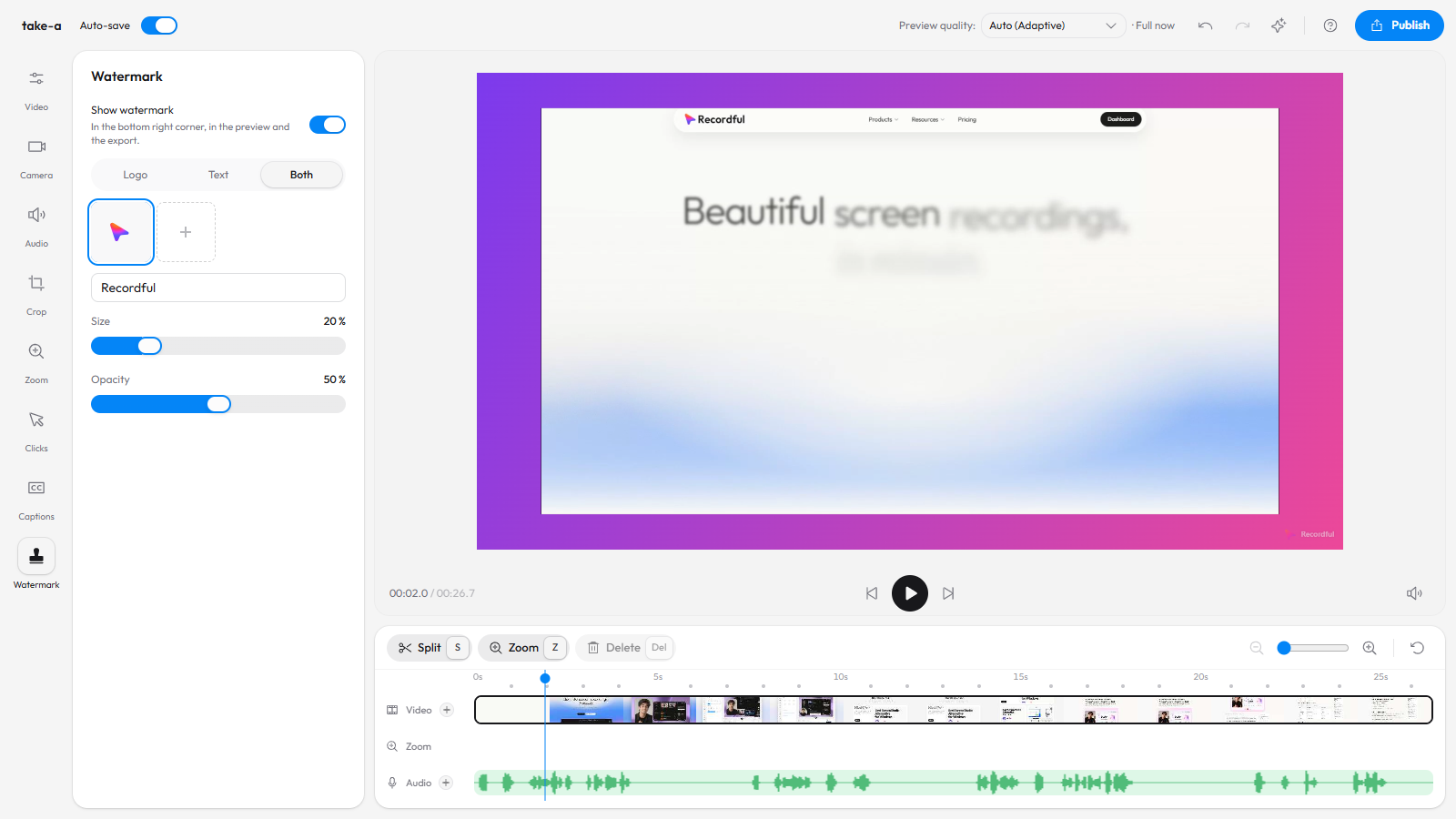
On Recordful, yes. A Recordful mark is on by default, and you can turn off the Recordful mark for free or swap in your own logo or text. See how to watermark a screen recording.
On Tella, removing Tella branding from video pages is a Premium feature, from Tella's pricing page on November 1, 2026. That's $39 per user a month, or $19 billed yearly.
Which one has the better free editor?
Recordful's editor is free and works on your computer, so edits never wait on an upload or a subscription. It includes:
- Trim, cut and speed changes
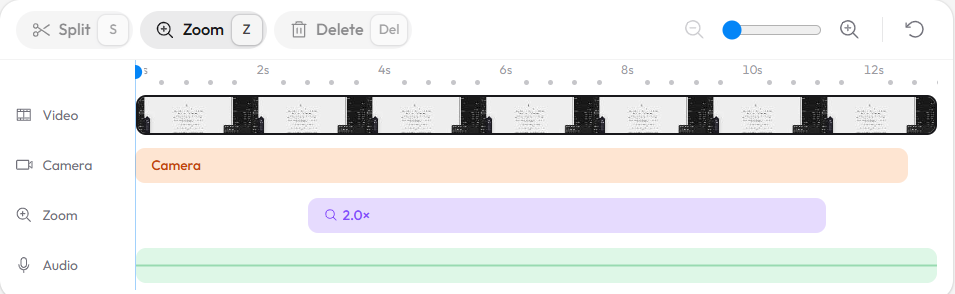
- Auto-zoom on clicks, plus manual zooms
- Click effects and click sounds
- Backgrounds, padding and camera layouts
- Add clips and record a voiceover
- Recordful Motion: animated charts, diagrams, icons, titles behind you, lower thirds, video effects, blur and spotlight masks
- Camera background removed, blurred or replaced with no green screen, worked out on your computer and free on every plan
- Your own watermark (logo or text)
Export to MP4, WebM or GIF, up to 4K. On Pro you also get audio cleanup that removes noise, echo, mouth sounds, breaths, filler words and long pauses, captions in 10 languages, a 3D zoom perspective, and the Recordful Agent, which edits your video from a chat. See the editor and free screen recorder with auto-zoom.
Which works on more computers?
From Tella's help article "What are Tella's minimum requirements?", checked November 1, 2026: "You can use Tella on Mac or Windows." It adds that people have used Tella on Linux in the past, "but there were issues with accessing the screen, camera, and mic." Tella's native apps are for macOS 13.1 or later and Windows 10 or later, and the Windows app is in beta.
Recordful runs on:
- Chrome extension: Chrome 110+ and Chromium browsers like Edge and Brave, on Windows, macOS, ChromeOS and Linux
- Desktop app: macOS 14+ (Apple silicon and Intel), Windows 10 and 11, and Linux as an AppImage
If anyone on your team uses Linux, Recordful has a native app for them. More in screen recorder for Linux and screen recorder for Chromebook.
What can Recordful do that Tella can't?
- Record with no account, forever. Install and record. See screen recorder with no sign-up.
- Keep recordings on your computer. On the free plan nothing is uploaded unless you choose to.
- Export up to 4K for free, where Tella's trial exports in HD and 4K needs a paid plan.
- No length limit per recording.
- One price for the whole team. Invite teammates to your workspace at no extra cost per person.
- Open source. The extension's code is on GitHub. See open source screen recorder.
- A native Linux app, as an AppImage.
- Turn off the Recordful mark for free, or use your own logo.
- Screenshots of an area, the visible page, the full page or the screen, with an editor. See screen capture.
Does Recordful have share links like Tella?
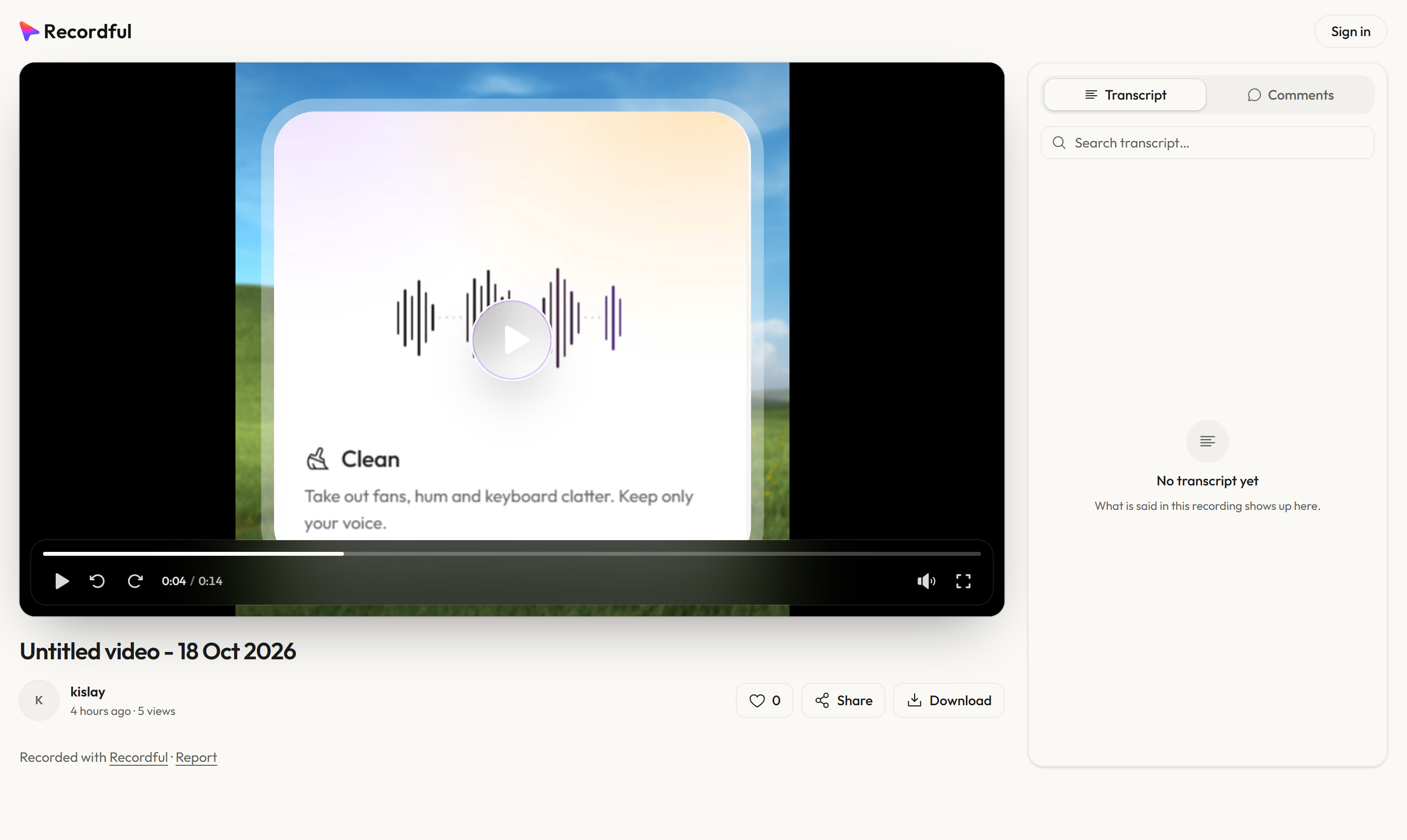
Yes, on Recordful Pro. A link opens a watch page with a searchable transcript, captions, comments, likes, an AI summary and chapters, and view analytics. You choose who can watch: only you, your workspace, or anyone with the link, and you can add a password and an expiry date.
Instant Mode uploads while you record and copies the link the moment you stop. See how to share a screen recording with a link and Instant Mode.
Can AI agents record demos with Recordful?
Yes, for free. Recordful's MCP server lets Claude Code, Cursor, Codex, VS Code, Windsurf and Gemini CLI drive a browser tab, record a product demo and take screenshots. The recording opens in Recordful's editor on your computer. See Recordful Agents and record a browser demo with Claude Code.
How to switch from Tella to Recordful
- Install Recordful from the Chrome Web Store, or download the desktop app for Mac, Windows or Linux.
- Click the Recordful icon and pick a tab, area, window, the whole screen or camera only.
- Record. No account and no trial clock.
- Stop. The editor opens with your recording. Add zooms, a background, titles or a voiceover.
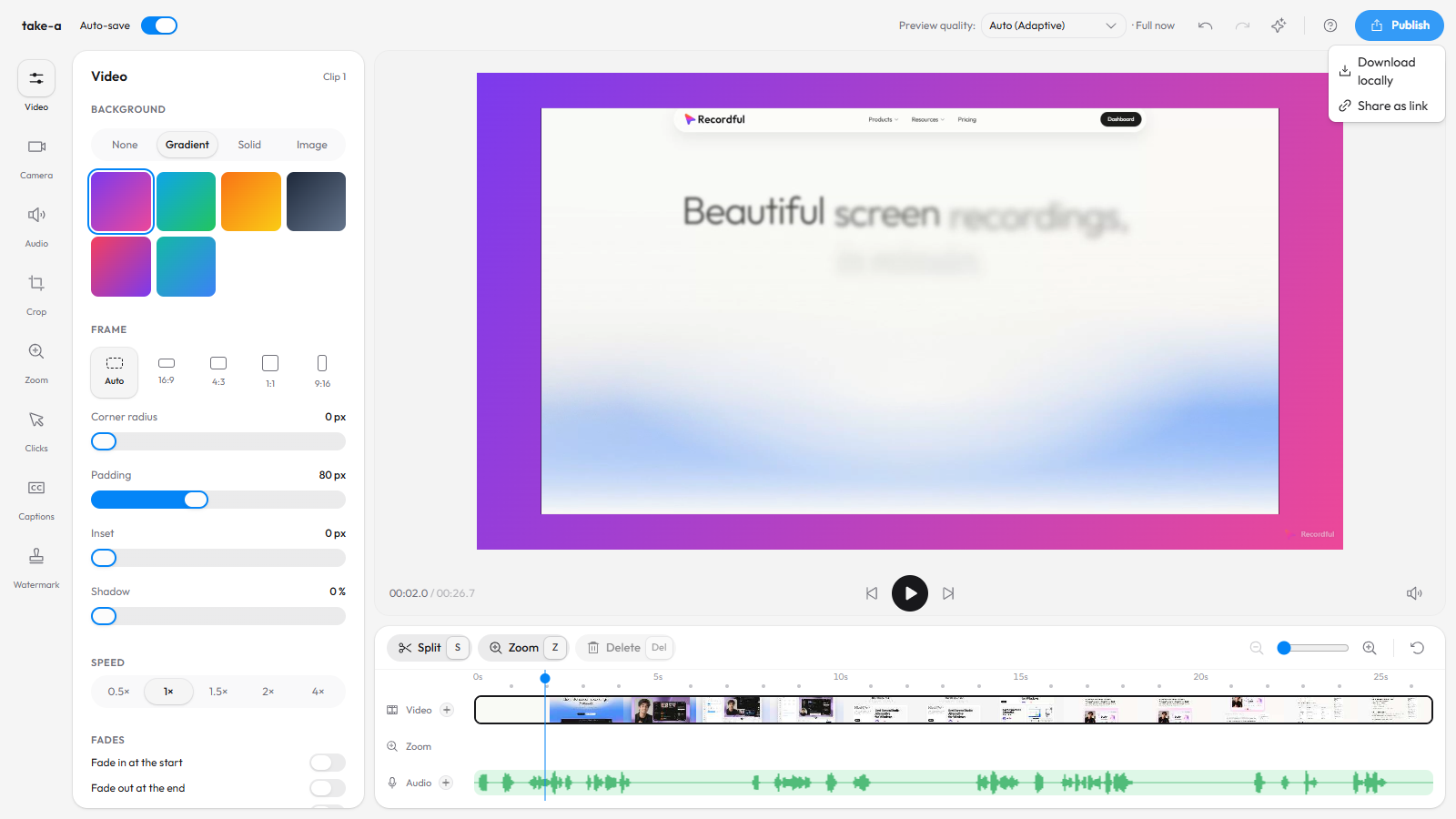
- Click Publish. Choose Download locally for a file up to 4K, or, on Pro, Share as link to get a watch page.
- Before your Tella subscription ends, export the Tella videos you want to keep as files.
Frequently asked questions
Is Recordful better than Tella? For recording, editing and exporting, Recordful is free with no account, no time limit and 4K export, where Tella is paid after a 7-day trial that exports in HD. For teams, Recordful Pro is one price for the workspace instead of a price per user.
Is Tella free? No. From Tella's help center on November 1, 2026, Tella has a 7-day free trial and no forever-free plan. After the trial you can view and share your videos, but you can't record, edit or export until you subscribe.
How much does Tella cost in 2026? From Tella's pricing page on November 1, 2026: Pro is $26 per user a month or $13 billed yearly, Premium is $39 per user a month or $19 billed yearly, and Enterprise is custom.
Is Recordful free? Yes. Recording, the editor and export up to 4K are free with no account. Recordful Pro ($19 a month or $108 a year) adds cloud share links, Instant Mode, 50 GB of storage, audio cleanup, captions and the Recordful Agent.
Does Tella work on Linux? Tella's help center says it supports Mac or Windows, and its native apps are for macOS and Windows. Recordful's Chrome extension works on Linux, and its desktop app ships as a Linux AppImage.
Can I remove the watermark for free? On Recordful, yes: turn off the Recordful mark in the editor, or use your own logo. On Tella, removing Tella branding from video pages needs the Premium plan.
Does Recordful have auto-zoom like Tella? Yes. Recordful zooms in on your clicks automatically, and you can add manual zooms. It's part of the free editor.
Can my whole team use one Recordful plan? Yes. Recordful Pro is priced per workspace. Invite your teammates and the price stays $19 a month, or $9 a month billed yearly.
See Recordful Screen Recorder, the editor, how to record a product demo video and make a screen recording look professional for more.