

By Kislay, creator of Recordful. Last updated October 30, 2026.
Short answer: VEED's screen recorder is free, but its free plan puts a VEED watermark on your videos, exports up to 720p and stops each export at 10 minutes. Recordings themselves stop at 60 minutes on every plan. Removing the watermark starts at $12.25 per user a month billed yearly (Creator), and 4K needs Pro at $22.08 per user a month billed yearly. Recordful is a free screen recorder with no time limit, no account and export up to 4K. Its small Recordful mark is on by default, and you can turn off the Recordful mark for free.
What are the limits of VEED's free plan?
From VEED's pricing page on October 30, 2026:
| VEED Free | Limit |
|---|---|
| Watermark | Yes. "The watermark is shown in the corner of videos that are created on the free plan" |
| Video export length | 10 minutes per project |
| Export quality | 720p |
| Storage | 2 GB |
| Upload file size | 1 GB |
| Auto subtitles | 10 minutes a month |
| Account | Needed ("Sign up, it's free") |
VEED's FAQ says that to remove the watermark "you can choose any of our paid plans."
Does VEED's screen recorder have a time limit?
Yes. VEED's help article "How to use VEED's Recorder" says recordings run "up to 60 minutes, on every plan."
On the free plan there's a second limit after that: the export. A free project exports at most 10 minutes of video. So you can record a 40-minute walkthrough on VEED Free, but you can't export all of it without upgrading.
The same help article warns that a recording isn't saved until you click Edit or Finish Recording, so closing the window first loses it.
Recordful has no time limit on a recording or an export. The recording is saved on your computer as you go.
How much does VEED cost in 2026?
From VEED's plans page on October 30, 2026, in US dollars:
| VEED plan | Billed monthly | Billed yearly | Watermark | Export quality |
|---|---|---|---|---|
| Free | $0 | $0 | Yes | 720p |
| Creator | $25 per user a month | $12.25 per user a month ($147 a year) | No | 1080p |
| Pro | $45 per user a month | $22.08 per user a month ($265 a year) | No | 4K |
| Studio | $79 per user a month | $38.75 per user a month ($465 a year) | No | 4K |
| Enterprise | Custom | Custom | No | 4K |
| Recordful Free | $0 | $0 | Turn off the Recordful mark for free | Up to 4K |
VEED's FAQ says plans are "charged on a 'per seat' basis so the amount of the plan is multiplied by the number of editors in your workspace." Prices are shown in your local currency where VEED has one.
How do I get a 4K screen recording without paying?
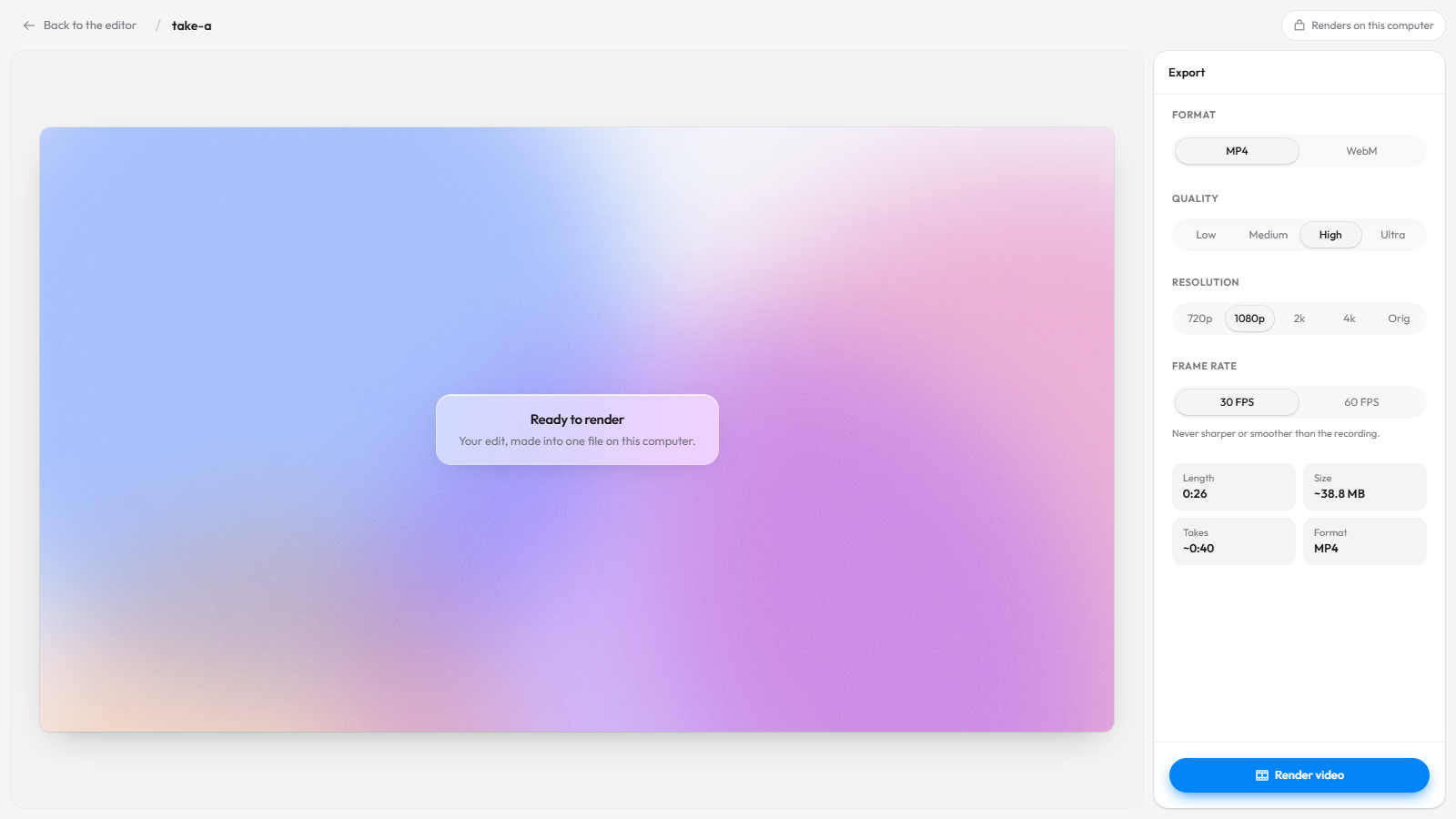
On VEED, 4K export starts with Pro. On Recordful, export up to 4K is part of the free plan, as MP4, WebM or GIF.
Recording in 4K needs a screen of at least 3840 x 2160 and 8 GB of RAM. The extension records in 1080p by default, and you can switch it up. See free 4K screen recorder.
What is a free alternative to VEED's screen recorder?
Recordful. It's a Chrome extension that also runs in Edge and Brave, on Windows, macOS, ChromeOS and Linux. The free plan has:
- No time limit on a recording or an export, and no cap on how many you make.
- No account. Install it and record. Your recordings are saved on your computer, not in a 2 GB cloud.
- Tab, area, window, full screen or camera only, with your camera on top of the screen.
- An editor made for screen recordings: trim, cut, speed, auto-zoom on your clicks, manual zooms, click effects and click sounds, backgrounds, padding and camera layouts.
- Export up to 4K as MP4, WebM or GIF.
- Drawing and blur while you record, so you can point at things and hide private details live.
- A watermark you control. A small Recordful mark is on by default. Turn off the Recordful mark for free.
The Chrome extension is open source under GPLv3, with the code on GitHub.

VEED Free vs Recordful Free
From VEED's pricing page and help center on October 30, 2026, and Recordful's own plans:
| VEED Free | Recordful Free | |
|---|---|---|
| Price | $0 | $0 |
| Account needed | Yes | No |
| Length per recording | Up to 60 minutes | No limit |
| Length per export | 10 minutes | No limit |
| Export quality | 720p | Up to 4K |
| Watermark | VEED watermark; paid plans remove it | Recordful mark on by default; turn it off for free |
| Where videos are kept | 2 GB of VEED storage | On your computer |
Why is Recordful cheaper for a team?
VEED is priced per editor. Recordful's paid plan is one price for the whole workspace.
Recordful Pro is $19 a month, or $108 a year ($9 a month). Invite your team and the price stays the same. Pro has a 14-day free trial, and you can cancel anytime.
| Team size | VEED Pro, billed yearly | Recordful Pro, billed yearly |
|---|---|---|
| 1 person | $265 a year | $108 a year |
| 3 people | $795 a year | $108 a year |
| 5 people | $1,325 a year | $108 a year |
VEED Pro at $265 per user a year, from VEED's plans page on October 30, 2026.
Pro adds the cloud to everything in the free plan:
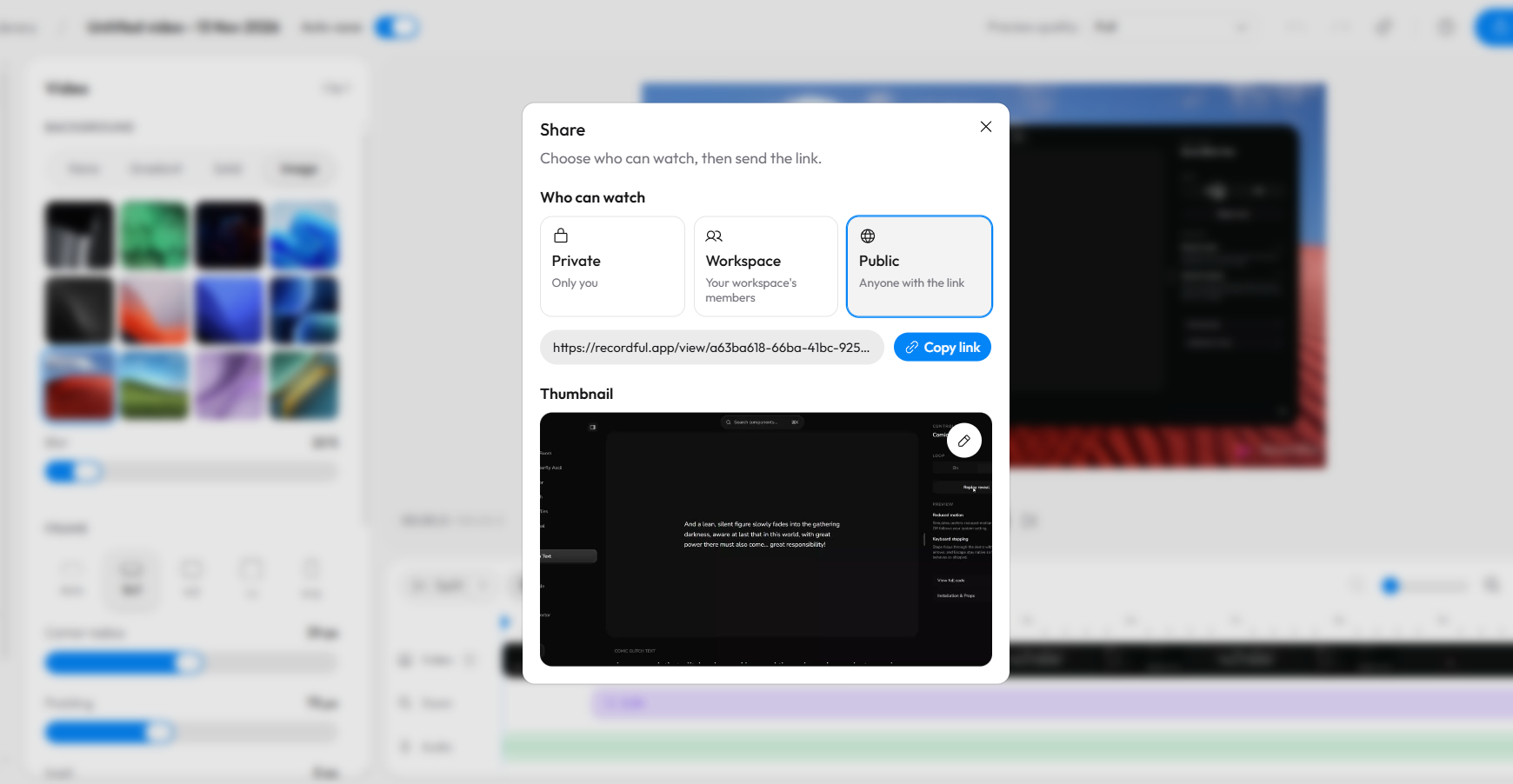
- Share links to a watch page with a searchable transcript, captions, comments and likes
- Instant Mode: the video uploads while you record, and the link is copied when you stop
- Privacy controls: only you, your workspace or anyone with the link
- 50 GB of storage for the workspace
- Audio cleanup that removes noise, echo, mouth sounds, breaths, filler words and long pauses
- Captions in 10 languages
See how to share a screen recording with a link.
What else does Recordful do?
- Screenshots of an area, the visible page, the full page or the screen, with an editor. See screen capture.
- AI agents that record for you. Claude Code, Cursor, Codex, VS Code, Windsurf and Gemini CLI can record a browser demo through Recordful's MCP server. See Recordful Agents and record a browser demo with Claude Code.
- Zooms you don't have to place. Each click gets a zoom when you stop. See free screen recorder with auto zoom.
How to switch from VEED to Recordful
- Install Recordful from the Chrome Web Store. No account is needed.
- Click the Recordful icon and pick a tab, an area, a window, the whole screen or camera only.
- Record as long as you need. There's no 60-minute stop.
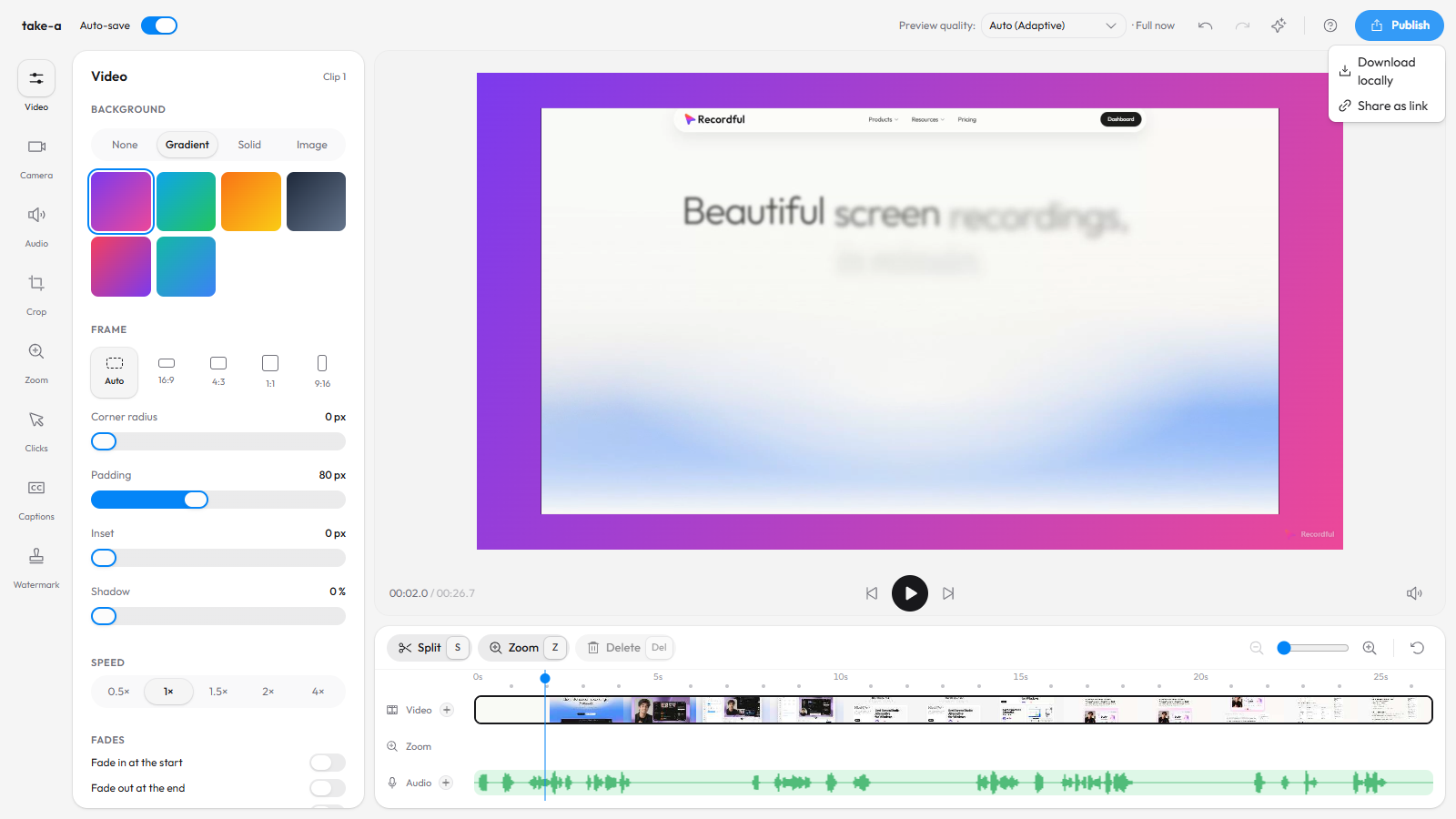
- Stop. The editor opens with your recording and a zoom on each click.
- Trim it, add click effects and a background. To hide the Recordful mark, turn it off in the editor.
- Click Publish, then Download locally, and export an MP4 up to 4K.
Frequently asked questions
Does VEED's free plan have a watermark? Yes. From VEED's pricing page on October 30, 2026, videos made on the free plan show a watermark in the corner, and removing it needs a paid plan.
How long can you record on VEED? Up to 60 minutes per recording, on every plan, from VEED's help center. On the free plan, an export is capped at 10 minutes.
What resolution does VEED Free export? 720p. Creator exports 1080p, and Pro and Studio export 4K.
How much is VEED without a watermark? Creator, the cheapest plan without a watermark, is $12.25 per user a month billed yearly ($147 a year), or $25 per user month to month, from VEED's plans page on October 30, 2026.
Is VEED priced per user? Yes. VEED says the plan price "is multiplied by the number of editors in your workspace."
What is the best free alternative to VEED's screen recorder? Recordful. It has no time limit, no account, auto-zoom on clicks, click effects and export up to 4K, all free. Its Recordful mark is on by default, and you can turn it off for free.
Can I remove the Recordful watermark for free? Yes. The Recordful mark is on by default, and turning it off is free.
Does Recordful work on Mac, Windows and Chromebook? Yes. The Chrome extension works on Windows, macOS, ChromeOS and Linux.
More reading: Clipchamp screen recorder limits, free Loom alternative with no time limit, Loom alternative with no sign-up, how to make a screen recording look professional. Features: Screen Recorder, the editor, Instant Mode, screen capture.