By Kislay, creator of Recordful. Last updated November 16, 2026.
Short answer: Open the recording in Recordful's editor and click Transcript at the top. Click Make transcript the first time, and everything you said appears as text beside the preview. Select the words you want gone and press Delete: they are cut from the video. To cut a phrase everywhere, type it in Find words and click Remove all. Click a struck-through word to bring it back. Editing by transcript is part of Recordful Pro.
Why edit a video by its words?
On a timeline, a fumbled sentence is a squiggle in a waveform. You scrub back and forth to find where it starts, split, scrub again, split, delete, and listen to check you didn't clip a word.
In a transcript, it's a sentence. You read it, select it, delete it. For a talking demo or a tutorial, that is the fastest way to tighten a take.
How do I edit a screen recording by transcript?
- Open the recording in the editor. Stopping a Recordful recording opens it there. For a video made elsewhere, open recordful.app/editor and drop in an MP4, WebM or MOV file.
- Click Transcript at the top of the editor, next to Agent. It opens on the right, beside the preview.
- Click Make transcript the first time. Only the sound is sent to be transcribed, and it is deleted once heard. Next time you open the recording, the transcript is already there.
- Read it through. Click any word to play the video from that moment. The word being played is marked as the video plays.
- Select what to cut. Drag across words, or click one word and Shift-click another.
- Press Delete, or click Delete words. The words show struck through, and that part is gone from the video.
- Watch it back, then export as usual.
Where does the cut land?
This is the part that makes or breaks transcript editing. A cut in the middle of a breath, or a hair into the next word, sounds wrong.
Recordful looks at the sound between the words and cuts at the quietest point, leaving a few hundredths of a second around the words you keep, so nothing sounds clipped. When you delete words across a long pause, the pause is shortened, not removed whole, so the edit still sounds like natural speech.
How do I remove every "you know" at once?
- Type the word or phrase in Find words at the top of the transcript.
- Every place you said it is highlighted, with a count ("4 found").
- Click Remove all. Each one is cut, the same careful way.
Good uses:
- A verbal tic: "you know", "basically", "so yeah"
- A product name you said wrong, before you corrected yourself
- A sentence you said twice, to drop the first try
If some matches are already cut, the count says so ("4 found, 1 already cut") and Remove all only cuts the rest.
What about ums and uhs?
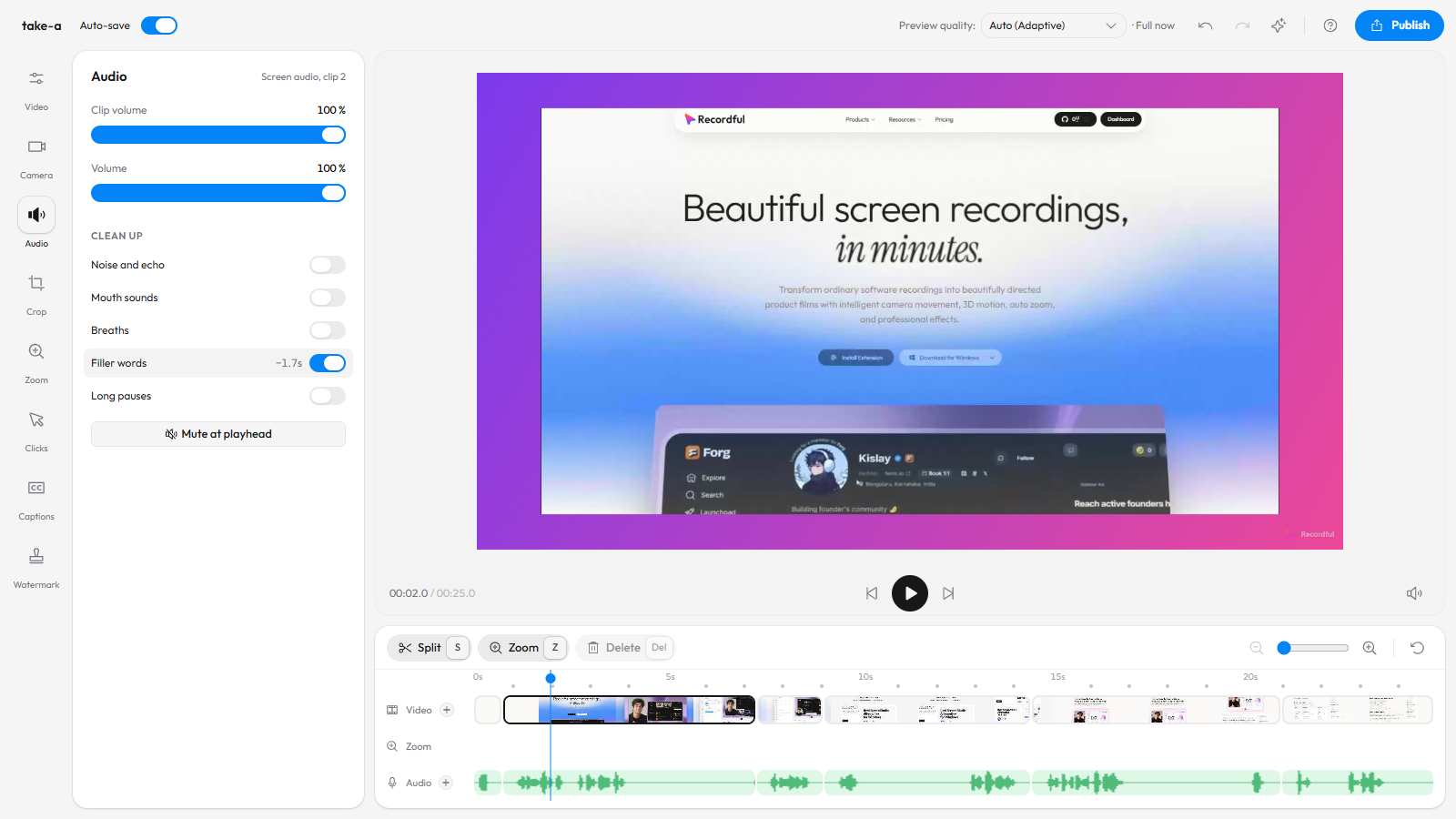
Open Audio in the left rail and turn on Filler words under Clean up. It finds the ums, uhs and empty "likes" and cuts them the same way, so they show struck through in the transcript too. "It looks like a chart" keeps its "like"; "it was, like, fine" loses it. Turning the switch off brings them all back. More in how to remove filler words, long pauses and background noise.
Can I undo a cut?
Yes, three ways:
- Click a struck-through word to bring it back.
- Press Ctrl + Z to undo the last edit, whether you made it in the transcript or on the timeline.
- Turn off Filler words to bring back every filler it cut.
The original recording is never changed. Every cut is part of the edit, so nothing is lost until you export, and not even then.
Do timeline cuts and transcript cuts stay in sync?
Yes. A cut you make on the timeline shows as struck-through words in the transcript, and a cut in the transcript shows on the timeline. Use whichever is quicker: words for talking, the timeline for silent parts like a page loading.
Can I edit by transcript for free?
Editing by transcript is part of Recordful Pro ($19 a month, or $108 a year, one price for the whole workspace, with a 14-day free trial). Without Pro, the timeline does the same job by hand, for free: move the playhead, press S to split, select the part and press Delete. Q and W cut the clip before or after the playhead in one key.
Tips for a cleaner edit by transcript
- Talk in full sentences, and pause before a retake. A clear pause gives the cut a clean place to land.
- Delete whole sentences, not half of one. Cutting mid-sentence can leave a change in tone that sounds odd.
- Use Find words for repeated slips. One search is quicker than ten selections.
- Watch the screen, not just the words. A cut in the speech is also a cut in the video, so check the picture doesn't jump mid-click.
Want the editor to do even more for you? The Recordful Agent edits from chat, for example "cut the filler words and add captions": see the AI screen recording editor. Everything else new in this release is in Recordful 4.9.
Frequently asked questions
Does editing by transcript change my original recording? No. Every cut is part of the edit and the export. Click a word to bring it back at any time.
Is my video uploaded to make the transcript? No. Only the sound is sent to be transcribed, and it is deleted once heard.
Can I edit a video I didn't record with Recordful by its transcript? Yes. Open recordful.app/editor, drop in an MP4, WebM or MOV file, and click Transcript.
What's the difference between Find words and Filler words? Filler words finds ums, uhs and empty "likes" for you. Find words cuts any word or phrase you type, every place you said it.
Why won't a word come back? If the words sat between two clips that you later moved apart, they can't be restored in place. Undo the move, then click the word.