By Kislay, creator of Recordful. Last updated November 24, 2026.
Short answer: Recordful has an MCP server, recordful-mcp, that lets AI apps such as Claude Code, Claude Desktop, Cursor, Codex, VS Code, Windsurf, opencode, Gemini CLI and Antigravity use a real screen recorder. Your AI opens a Chrome tab, clicks and types with a visible cursor while Recordful records, and the video opens in Recordful's editor. It can also take screenshots, and with the desktop app, screenshots of any window or screen. Recording and screenshots are free. There's a second, hosted connector at https://recordful.app/mcp that lets Claude, ChatGPT and other AI apps read your Recordful library with nothing to install, and with Pro edit your videos too.
What is a screen recorder MCP server?
MCP (Model Context Protocol) is the standard way AI apps call outside tools. A screen recorder MCP server gives your AI tools like start_recording, click, type and stop_recording, so instead of you recording a demo by hand, you ask:
Record a demo of signing up on localhost:3000.
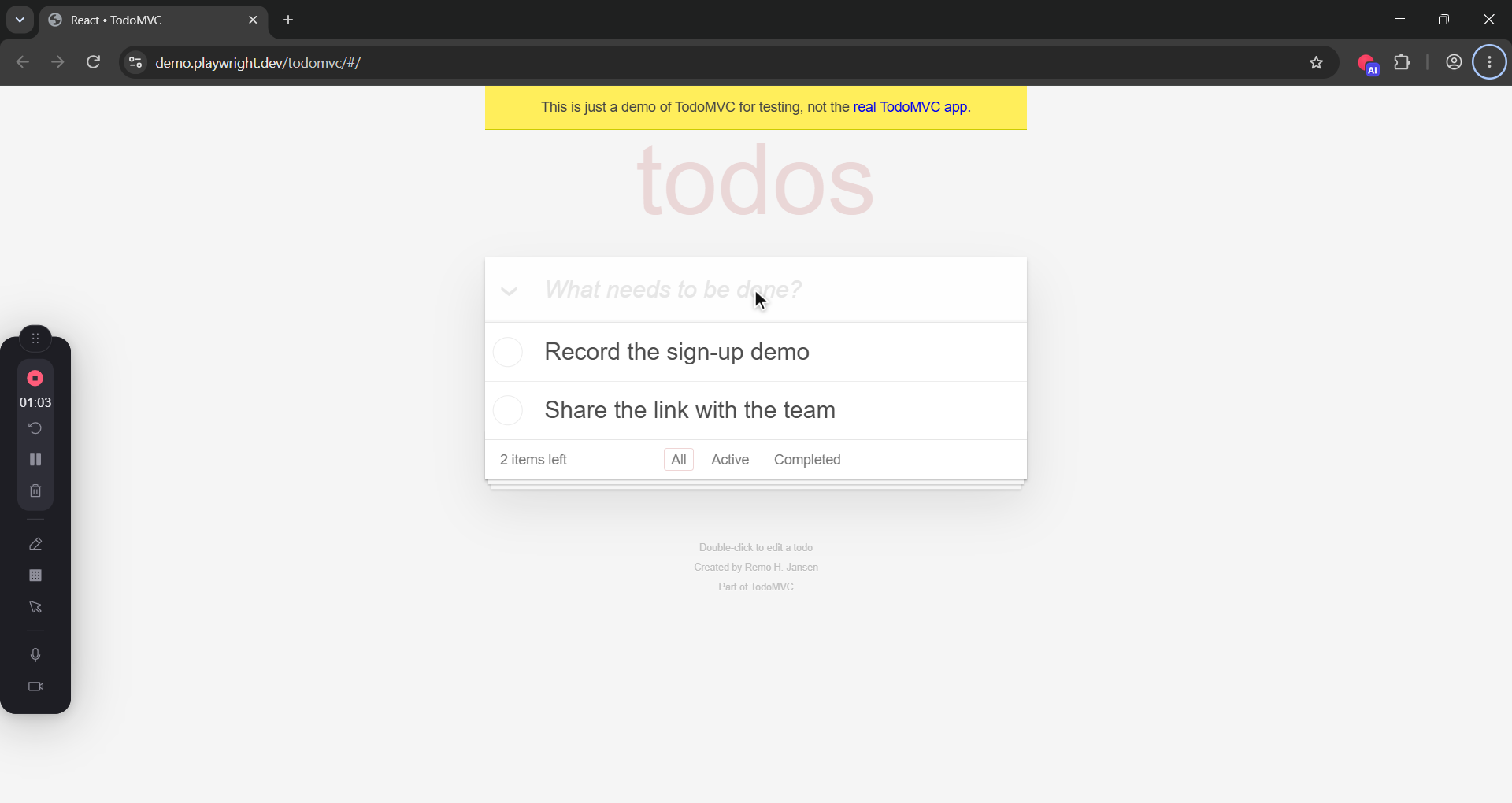
The AI plans the walkthrough, opens the page, starts recording, does each step with a smooth on-screen cursor, pauses while it thinks so the video has no dead air, and stops. You get a video that looks like a person used the app.
What can an AI agent do with Recordful?
From Recordful's AI agents docs:
| Your AI can | Plan |
|---|---|
| Record a feature end to end: start, pause, resume, stop | Free |
| Drive the page: navigate, read it, click, type, press keys, scroll, wait | Free |
| Add a marker at a moment worth finding again | Free |
| Take a screenshot of the tab, the visible part or the whole page | Free |
| Screenshot your whole screen, one window or an area (desktop app) | Free |
| Upload a recording and hand you the share link | Pro |
| Read back the transcript, as text or VTT | Pro |
| List, rename, organise, share and delete your videos | Pro |
| Read views, likes and comments, and comment as you | Pro |
On the free plan your AI records as usual, tells you once that links and transcripts come with Pro, and never fails because of it.
A screenshot opens in Recordful's screenshot editor on a wallpaper picked to match its colours. Ask for "a 3D screenshot" and it's tilted for you. The picture never goes back to the AI, so it costs only a few tokens.
Which AI apps work with Recordful's MCP server?
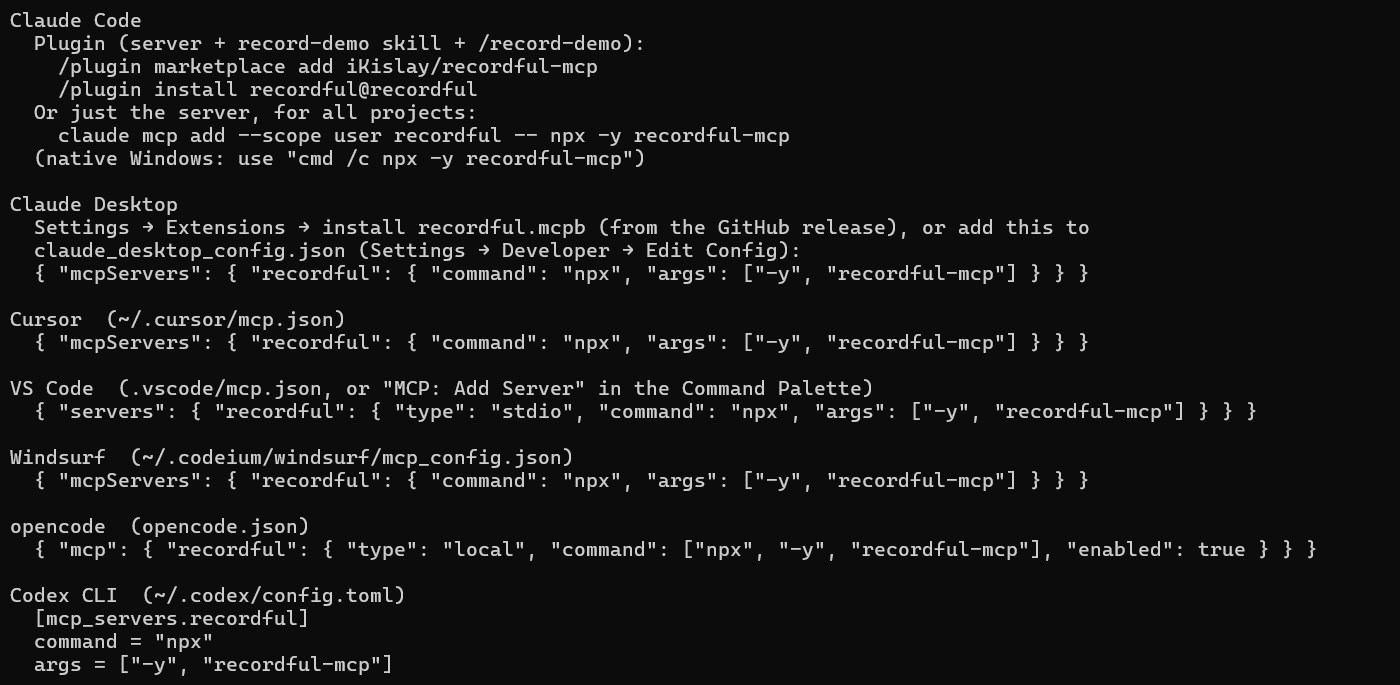
Any app that supports MCP. Recordful's setup command writes the config for you in these:
| App | Set up with |
|---|---|
| Claude Code | npx -y recordful-mcp install --target claude --yes, or claude mcp add --scope user recordful -- npx -y recordful-mcp |
| Claude Desktop | Install recordful.mcpb from the latest release in Settings → Extensions |
| Cursor | --target cursor |
| Codex | --target codex |
| VS Code | --target vscode |
| Windsurf | --target windsurf |
| Gemini CLI | --target gemini |
| opencode | --target opencode |
| Antigravity | --target antigravity |
For any other MCP app, add this entry to its config:
{ "mcpServers": { "recordful": { "command": "npx", "args": ["-y", "recordful-mcp"] } } }
Anything with a shell can also use the same tools from the command line: recordful-mcp start, stop, screenshot, upload and transcript, with --json for output a script can read.
How do I set it up?
- Install Recordful from the Chrome Web Store. You also need Node.js 20.10 or newer (not for Claude Desktop, whose bundle includes it).
- Run
npx -y recordful-mcp install --target <your app> --yes, then restart the app. - In Recordful's popup, open More → AI agents and turn on Let AI apps control Recordful. Chrome asks to allow screen recording once. Click Allow.
- Ask your AI to record something. The first time, Recordful shows a 4-digit code naming your AI app. If it matches the one your AI shows, click Allow.
It runs on your computer: nothing to host, no account and no API key. The full walkthrough with a screenshot for every step is in how to make Claude Code, Cursor or Codex record a browser demo.
Does my AI need its own browser?
No. Recordful's page tools do the clicking, so the AI never needs a separate browser automation tool. It works in a tab of its own, or a tab you hand it, and never touches your other tabs.
One step stays with you: Chrome only lets an extension record a tab after a person clicks its icon on that tab. So when your AI wants to record a tab, it asks you to click the Recordful icon once. Browsing, clicking, typing and screenshots need no click from you, and screen recording needs no icon click either.
Can my AI take screenshots outside Chrome?
Yes, with the Recordful desktop app for macOS, Windows and Linux. Open its Settings → AI agents and turn on Let AI agents take screenshots. Then ask for "a screenshot of the Figma window" or "a screenshot of my second monitor". Each one shows a notification naming the AI that took it, and opens in the app's editor.
What is the hosted MCP connector?
The local server records: it drives a tab, clicks and takes screenshots. The hosted connector works on videos you already have. Add https://recordful.app/mcp as a custom connector (a "remote MCP server") in Claude, ChatGPT, Cursor, VS Code or any app that takes one, sign in at recordful.app and approve. Then ask:
- "Find the video where I demo the billing page."
- "Cut the silences and ums out of yesterday's demo."
- "Add captions and zoom in on every click."
- "Which of my videos got the most views this month?"
| What it does | Plan |
|---|---|
| Find, search and read your videos, transcripts and summaries | Every plan |
| Edit: cuts, silences, filler words, zooms, captions, look, audio, shapes, blurs and motion graphics | Pro |
| Look at a video first: storyboards, single frames, clicks | Pro |
| Organise and share: folders, privacy, password, expiry, call to action | Pro |
| Views and analytics | Basic views on every plan, the rest Pro |
You approve reading and changing separately, so an app you only allow to read can't edit anything. Edits change how the video plays, never the recording itself, and everything an AI does shows up in Recordful's editor, where you can change or undo it. It sees only what you can see in your workspace. Remove an app at any time in Settings → Connected AI apps, and its next request is refused. Recordful Pro is $19 a month or $108 a year for the whole workspace. See connect an AI app with no install.
Is it safe to let an AI control a screen recorder?
Recordful keeps the AI on a short lead:
- You pair it once. An AI app can't connect until you approve its 4-digit code.
- It stays in its own tabs. Page tools act only on the AI's own tab, a tab you handed over, or the tab being recorded.
- You can stop it. A Stop chip on the page ends the AI's control at once.
- Screenshots of your desktop are opt-in. They're off until you turn them on in the desktop app, and each one shows a notification.
- Editing is a separate permission. A connected app can change your videos only if you approved that, and every edit can be undone in the editor.
Use test data when your AI records, never your real passwords.
Frequently asked questions
Is there an MCP server for screen recording? Yes. recordful-mcp connects AI apps to Recordful, so they can record browser demos, drive the page, add markers and take screenshots. Install it with npx -y recordful-mcp install --target <app>.
Does Claude Code work with Recordful? Yes. Run npx -y recordful-mcp install --target claude --yes, or install the plugin with /plugin marketplace add iKislay/recordful-mcp and /plugin install recordful@recordful.
Is Recordful's MCP server free? Yes. Recording, page control and screenshots are free. Uploading, share links, transcripts and managing your cloud library need Recordful Pro.
Does it need an API key? No. The local server runs on your computer and pairs with the Chrome extension with a 4-digit code.
What's the difference between the MCP server and the hosted connector? The MCP server runs on your computer and does things: it records, clicks, types and takes screenshots. The hosted connector at https://recordful.app/mcp needs no install and works on your Recordful library: it reads videos, transcripts, summaries and views on every plan, and with Pro it edits, organises and shares them. It doesn't record.
Can an AI agent take a screenshot of a whole web page? Yes. Ask for a full-page screenshot and Recordful scrolls and stitches the page, then opens it in the screenshot editor.
Which AI apps are supported? Claude Code, Claude Desktop, Cursor, Codex, VS Code, Windsurf, opencode, Gemini CLI, Antigravity and any app that supports MCP. The hosted connector works in Claude, ChatGPT and any app that connects to a remote MCP server.
See Recordful for AI agents and how to record a product demo video.