

By Kislay, creator of Recordful. Last updated November 9, 2026.
Short answer: Cap Pro is priced per user. From Cap's pricing page on November 9, 2026, Cap Pro is $12 per user a month, or $8.16 per user a month billed annually, so a team of 10 pays $120 a month. Recordful Pro is one price for the whole workspace: $19 a month, or $108 a year, however many teammates you invite. It includes a shared workspace, folders, private, workspace or public access, passwords and expiry on links, and comments on every video.
How much does Cap cost for a team in 2026?
From Cap's pricing page on November 9, 2026:
| Cap plan | Price | What it's for |
|---|---|---|
| Free | $0 | Personal use only, 25 share links a month up to 5 minutes each |
| Desktop License | $29 per year or $58 once, per user | Commercial use of the desktop app, local recording and editing |
| Cap Pro | $12 per user a month, or $8.16 per user a month billed annually | Cloud sharing, AI, team workspaces |
| Enterprise | Cap Pro price plus add-ons | SAML SSO $199 a month, SCIM $200 a month, signed BAA $99 a month |
Cap's FAQ says: "Cap Pro includes team workspaces where you can organize recordings, manage permissions, and collaborate." The Pro card has a "Users" selector, and the price goes up with each user you add.
Cap's free plan is also for personal use only, so a team that records for work needs a paid plan for each person. More on that in free Cap alternative you can use for work.
What a team of 3, 5, 10 or 25 pays
Cap Pro's per-user price times the team size, from Cap's pricing page on November 9, 2026, next to Recordful Pro:
| Team size | Cap Pro, monthly | Cap Pro, billed annually | Recordful Pro, monthly | Recordful Pro, billed yearly |
|---|---|---|---|---|
| 3 people | $36 a month | $24.48 a month | $19 a month | $9 a month |
| 5 people | $60 a month | $40.80 a month | $19 a month | $9 a month |
| 10 people | $120 a month | $81.60 a month | $19 a month | $9 a month |
| 25 people | $300 a month | $204 a month | $19 a month | $9 a month |
And per year:
| Team size | Cap Pro, a year billed monthly | Cap Pro, a year billed annually | Recordful Pro, billed yearly |
|---|---|---|---|
| 3 people | $432 | $293.76 | $108 |
| 5 people | $720 | $489.60 | $108 |
| 10 people | $1,440 | $979.20 | $108 |
| 25 people | $3,600 | $2,448 | $108 |
At 3 people, a year of Recordful Pro is $108 against $293.76 on Cap Pro billed annually. At 25 people, it is still $108 against $2,448.
Why is Recordful one price for the team?
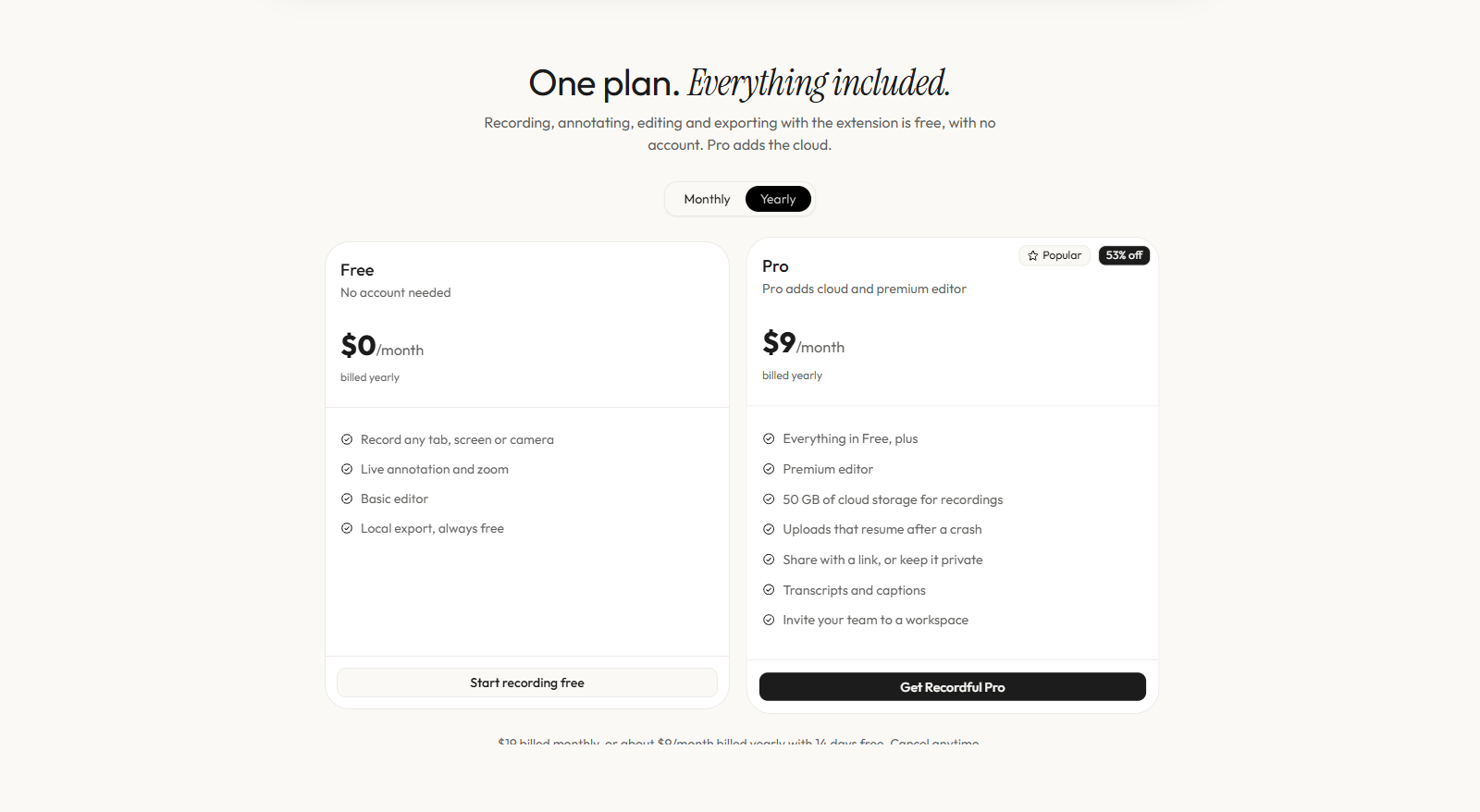
Recordful Pro is sold per workspace, not per seat. You pay $19 a month (or $9 a month billed yearly), invite your teammates, and the price stays the same whether the workspace has 2 people or 25.
Recording and editing are free too. The Chrome extension records, edits and exports up to 4K with no account, the desktop app does the same with a free account, and you can use both for work. Pro adds the cloud. So a teammate who only records local videos, edits or exports doesn't need a paid plan at all.
What does a team get in a Recordful workspace?
Everything in the free plan, plus:
- One shared workspace. Invite teammates and everyone's cloud recordings live in the same place.
- Folders. Sort recordings into folders and subfolders, and move them between folders.
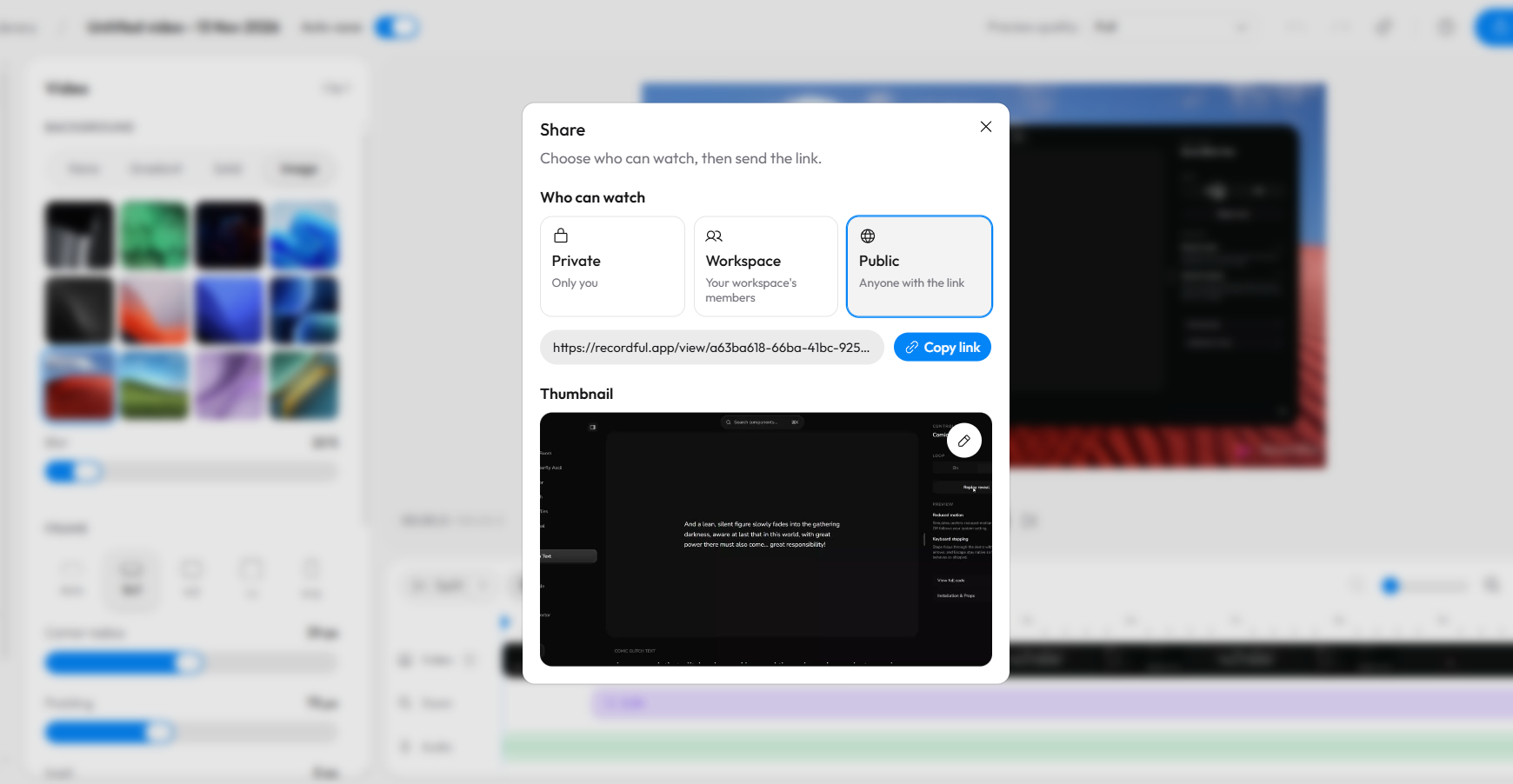
- Privacy on every video and folder. Private (only you), Workspace (everyone in your workspace) or Public (anyone with the link). A folder's setting changes only the folder; each recording inside keeps its own.
- Password and expiry on share links.
- Comments and likes on the watch page, next to a clickable transcript, captions, an AI summary and chapters.
- View analytics on each video.
- Instant Mode: the video uploads while you record and the link is copied when you stop.
- 50 GB of cloud storage for the workspace.
- Audio cleanup: noise, echo, mouth sounds, breaths, filler words and long pauses.
- Captions in 10 languages: English, Hindi, Spanish, French, German, Portuguese, Italian, Dutch, Japanese and Russian.
- The Recordful Agent, which edits a video when you ask in a chat, with 4,500 AI credits for the workspace.
Viewers watch a public link in their browser without an account, so the people you send videos to never need a seat. Signing in is only needed to comment or like.
How do comments and the watch page work?
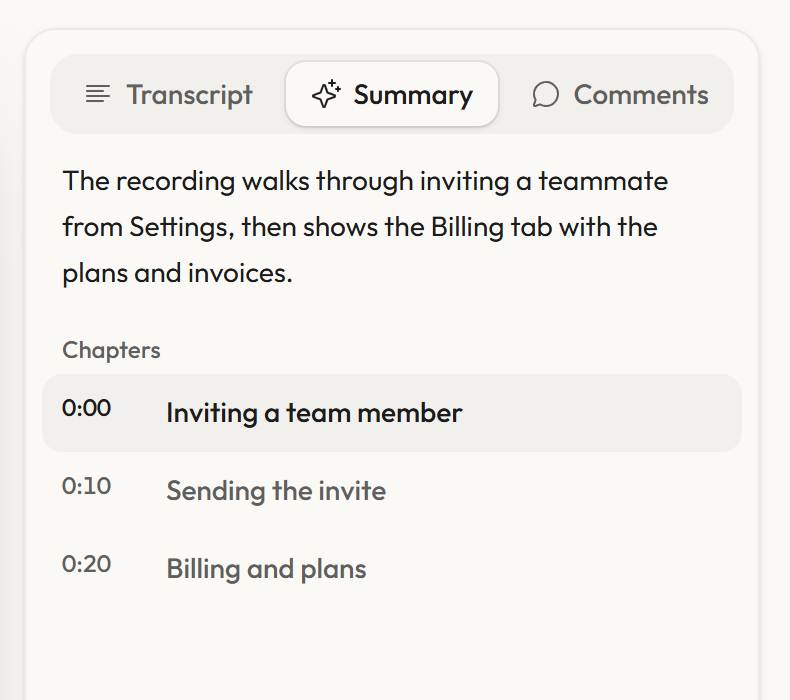
Each shared video has a watch page with three tabs beside the player: Transcript, Summary and Comments. Teammates read the AI summary, jump to a chapter, click any line of the transcript to go to that moment, and leave a comment, without booking a meeting.
Where does your team edit?
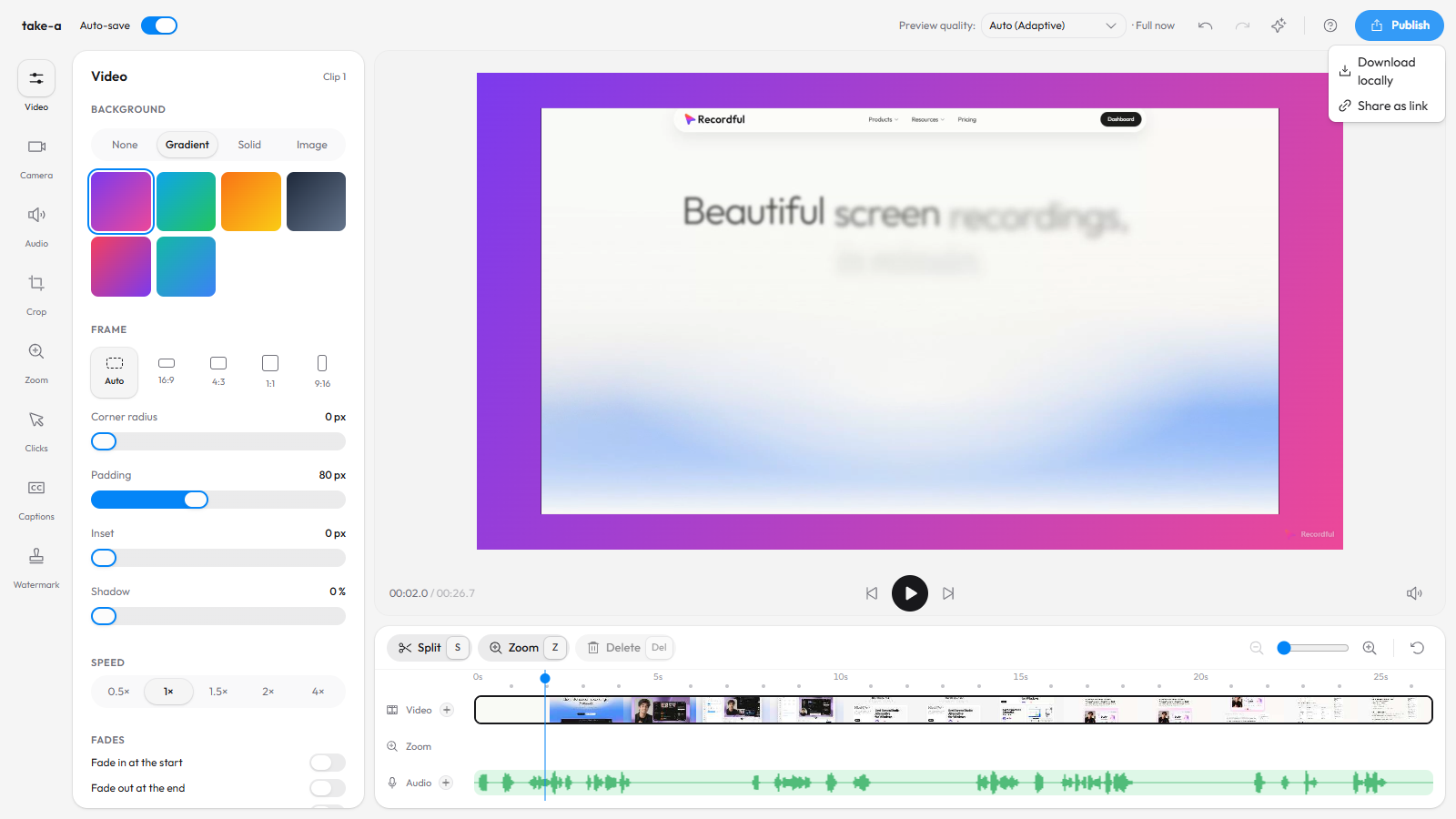
Cap's Studio Mode editor, with auto-zoom and backgrounds, is in the Cap desktop app. Recordful's editor opens in a browser tab right after you record with the Chrome extension, and the desktop app for Mac, Windows and Linux has one too. So everyone on the team gets the same editor, including people on Chromebooks or locked-down work laptops where they can add a Chrome extension but not an app.
The free editor has trim, cut, speed, auto-zoom on clicks, click effects, backgrounds, camera layouts, added clips and voiceover, and Recordful Motion for animated titles, lower thirds, callouts and blur masks. See Cap alternative as a Chrome extension for the side-by-side.
Recordful Pro vs Cap Pro for a team, side by side
| Cap Pro | Recordful Pro | |
|---|---|---|
| Price for 10 people, monthly | $120 a month | $19 a month |
| Price for 10 people, yearly | $979.20 a year | $108 a year |
| Billing | Per user | Per workspace |
| Free plan for work use | No, personal use only | Yes, record, edit and export for work |
| Team workspace | Yes | Yes, with folders and subfolders |
| Password on links | Yes | Yes, plus link expiry |
| Viewer analytics | Yes | Yes |
| Editor in the browser | Desktop app | Browser and desktop app |
Cap data from cap.so/pricing on November 9, 2026. For the full head-to-head, see Recordful vs Cap.
How to move your team from Cap to Recordful
- Install Recordful from the Chrome Web Store, or download the desktop app for Mac, Windows or Linux.
- Record something to try it. No account is needed for recording, editing or export.
- Sign in and start the 14-day Pro trial to create your workspace.
- Invite your teammates. The price doesn't change as you add people.
- Make folders for each team or project, and set each one to Private, Workspace or Public.
- Turn on Instant Mode so each recording becomes a link the moment you stop.
Frequently asked questions
How much is Cap Pro per user in 2026? From Cap's pricing page on November 9, 2026: $12 per user a month, or $8.16 per user a month billed annually.
What does Cap cost for a team of 10? $120 a month, or $979.20 a year billed annually, at Cap Pro's per-user price on November 9, 2026. Recordful Pro is $19 a month or $108 a year for the whole workspace.
Is Recordful Pro really one price for everyone? Yes. Pro is priced per workspace. You invite your team and pay $19 a month, or $9 a month billed yearly.
Can I organise team recordings into folders? Yes. Recordful Pro has folders and subfolders, and each folder can be Private, Workspace or Public.
Can teammates comment on a video? Yes. Every shared video has a watch page with comments, likes, a clickable transcript, an AI summary and chapters.
Do people I send a video to need to pay? No. Anyone with a public link watches in the browser without an account.
Can my team use Recordful's free plan for work? Yes. Recording, editing and export up to 4K are free for work, with no account and no license key.
Does Recordful have a free trial? Yes, 14 days of Pro. You can cancel anytime.
More reading: Recordful vs Cap, free Cap alternative you can use for work, Cap alternative as a Chrome extension, Loom pricing for teams. Features: Instant Mode, the editor, Recordful Motion, Recordful Agents.