
By Kislay, creator of Recordful. November 23, 2026.
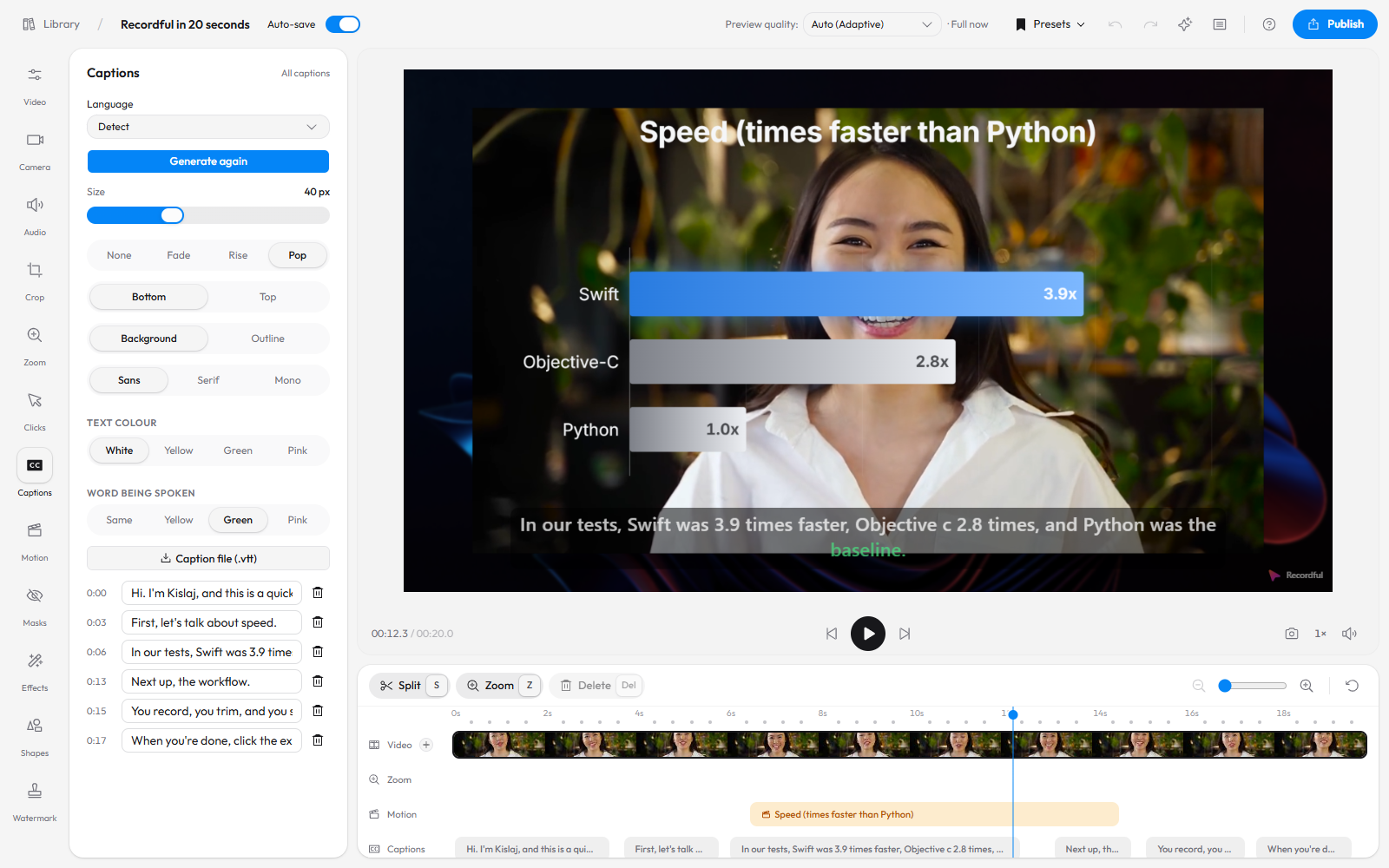
Until now, an AI app connected to Recordful could find your videos and read what was said in them. With Recordful 4.10 it can edit them. Ask for the edit in Claude, ChatGPT, Cursor or Claude Code, and the change shows up in Recordful's editor, where you can keep it, tweak it or undo it.
The video above was edited this way. Captions, the green highlight on the word being spoken, the chart that lands each bar as its language is named, and the background picture were each one call to the hosted connector. Nobody touched the editor.
What's new
- Edit from any AI app. "Cut the silences and the ums." "Zoom in on every click." "Add captions, the green style." Learn more
- 114 tools. Cuts and clips (split, reorder, speed, transitions, cut by the words said), long pauses and filler words, zooms, background, frame and canvas shape, camera layout, click effects, captions and chapters, volumes and voice clean-up, arrows, blurs and spotlights, and the watermark.
- Motion graphics. Titles, lower thirds, callouts, charts and diagrams, timed to the word they belong to, plus video effects and what shows behind you on camera.
- It looks first. A storyboard of the whole video, any single frame, and where the pointer moved and clicked, so the AI finds the moment to cut or zoom instead of guessing.
- Organise and share. Search what was said, tag, file, rename, duplicate, upload a file as a video, set who may watch, a password or an expiry, and read views by day, source and country.
- Webhooks. A signed POST to your URL when a video is ready, viewed, transcribed or commented on.
- recordful-mcp 2.0. The local server that records your browser now offers every hosted tool too, plus skills like remove-mistakes and make-short.
Add it in a minute
The address is the same in every app:
https://recordful.app/mcp
- Claude: Settings → Connectors → Add custom connector, paste the address.
- Claude Code:
claude mcp add --transport http recordful https://recordful.app/mcp - ChatGPT: Settings → Connectors → Create, paste the address (developer mode).
- Cursor, VS Code and others: add a remote (Streamable HTTP) MCP server with the address.
Your app sends you to recordful.app to sign in. It asks to read your videos and, separately, to change them. Approve only what you want it to do.
Edits you can trust
An AI editing your videos should never cost you a take, so:
- The recording never changes. Edits change how the video plays. Everything shows in the editor, where undo works as usual.
- No editing over you. The AI reads the video's version first, and its edit applies only to that version. If you changed something meanwhile, nothing is applied and it reads again.
- All or nothing. A batch of up to 200 changes applies together or not at all.
- You stay in charge of access. Under Connected AI apps in Settings you see each app, what it may do and when it was last used, and remove it in one click.
Free and Pro
Reading your library, transcripts and basic views works on every plan. Editing, motion graphics, sharing settings, analytics in depth and webhooks are part of Recordful Pro.
For developers
Every tool documents its answer and returns typed errors that say whether a retry can help. Retries with the same idempotency key are safe for 24 hours. The full reference, generated from the server itself, is at help.recordful.app/docs/ai-agents/tools. To have an AI record your browser as well as edit, see how to make your AI record a browser demo.