By Kislay, creator of Recordful. Last updated November 21, 2026.
Short answer: The best free screen recorder for Mac is Recordful. It records your screen, a window or a browser tab with no time limit, then opens an editor with auto-zoom on clicks, backgrounds and camera layouts, and exports MP4 up to 4K, all for free. It comes as a Mac app (macOS 14 or later, Apple silicon and Intel) and as a Chrome extension that needs no account. For a quick recording with nothing to install, macOS has the Screenshot toolbar (Shift-Command-5) and QuickTime Player built in.
I built Recordful. Every fact about the other tools below comes from that tool's own website, checked on November 21, 2026.
What are the free screen recorders for Mac?
| Recordful | Screenshot toolbar | QuickTime Player | OBS Studio | |
|---|---|---|---|---|
| Price | Free | Free, built in | Free, built in | Free, open source |
| How to start | Click Record in the app or extension | Shift-Command-5 | File > New Screen Recording | Build a scene, then record |
| Editor with auto-zoom on clicks | Yes, free | Not on Apple's page | Not on Apple's page | Not listed on obsproject.com |
| Saved as | MP4 or WebM up to 4K (GIF in the desktop app) | .mov | .mov | Not listed on obsproject.com |
Apple facts from Apple Support's "How to record the screen on your Mac" on November 21, 2026. OBS facts from obsproject.com on the same day.
1. Recordful: the best free screen recorder for Mac
Recordful records and edits on your Mac. Recording, editing and export are free, with no time limit and no cap on how many videos you make.
Two ways to use it:
- The Mac app, for macOS 14 Sonoma or later, with one download for Apple silicon and one for Intel. Record any display or window, with your camera and microphone. It asks for a free account the first time.
- The Chrome extension, for Chrome 110 or newer, Edge and Brave. Record a tab, an area, a window, the whole screen or just your camera. No account at all.
The editor opens the moment you stop:
- Trim and cut the parts you don't want.
- Auto-zoom on clicks: the video zooms in where you clicked. Add your own zooms or remove any.
- Backgrounds and padding around your screen, with rounded corners and a shadow.
- Camera layouts: move, resize and reshape your webcam.
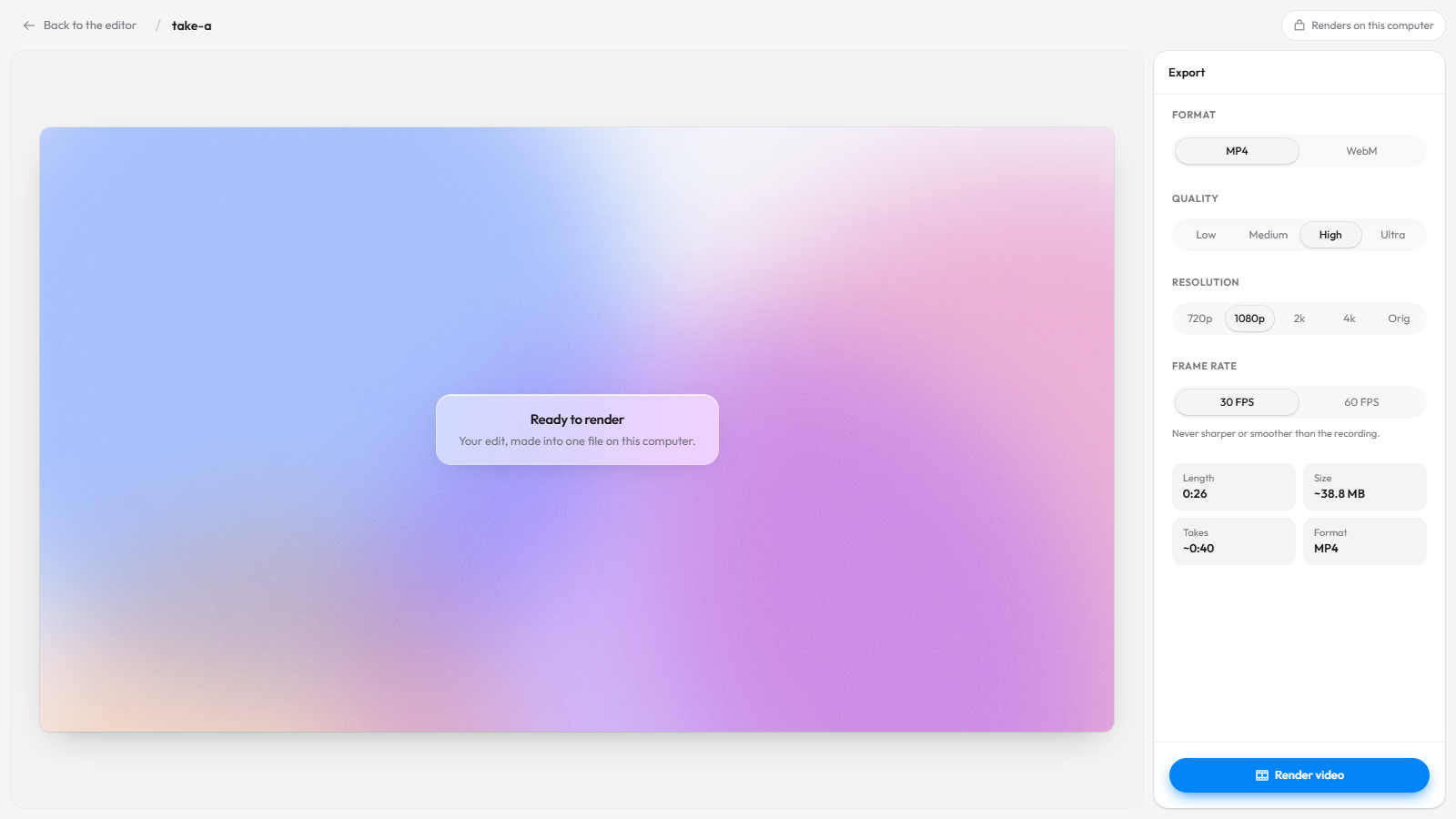
- Export as MP4 or WebM, up to 4K, made on your Mac.
A small Recordful mark is on new recordings. You can turn off the Recordful mark for free in the editor. 4K recording needs a screen of at least 3840x2160 and 8 GB of RAM; the default is 1080p.
Recordful Pro adds share links with a watch page, a clickable transcript and captions in 10 languages, plus Instant Mode, which uploads while you record and copies the link when you stop. Pro is $19 a month, or $108 a year ($9 a month), with a 14-day free trial. One price covers your whole workspace.
2. The macOS Screenshot toolbar
From Apple Support's "How to record the screen on your Mac" on November 21, 2026:
- Press Shift-Command-5 to open the toolbar.
- Choose Record Entire Screen, Record Selected Portion, or, on macOS Tahoe 26 or later, Record Selected Window.
- Click Options to pick a microphone, turn on Show Mouse Clicks, set a timer or change where the file is saved. The default is the Desktop.
- Click Record. Stop with the Stop button in the menu bar or Command-Control-Esc.
Apple's page says recordings are saved as "Screen Recording [date] at [time].mov", and that some apps, such as the Apple TV app, may not let you record their windows.
It's quick and needs no install. When you want auto-zoom, a background, or an MP4 to upload, record with Recordful.
3. QuickTime Player
QuickTime Player is the other built-in way. From the same Apple page:
- Open QuickTime Player and choose File > New Screen Recording (or press Control-Command-N).
- If the Screenshot toolbar appears, follow the steps above. If a Screen Recording window appears, click the arrow next to Record to choose a microphone and turn on Show Mouse Clicks in Recording.
- Click Record, then click to record the whole screen, or drag to select an area.
- Stop from the menu bar or with Command-Control-Esc. QuickTime opens the recording.
4. OBS Studio
From obsproject.com on November 21, 2026, OBS Studio is "Free and open source software for video recording and live streaming." It runs on macOS 13.0 or later, Windows 10 and 11, and Linux. You build scenes from sources such as window captures, webcams, images and text, with an audio mixer and hotkeys.
OBS is made for streaming setups. If you want a recording you can send in a few minutes, see the easy OBS alternative.
How do I pick a free screen recorder for my Mac?
| You want to | Use |
|---|---|
| Zoom in on clicks automatically | Recordful |
| Add a background and padding | Recordful |
| Record one browser tab only | Recordful extension |
| Get an MP4, up to 4K | Recordful |
| Record with no account | Recordful extension |
| Share a link with a transcript | Recordful Pro |
How to record your Mac screen with Recordful
- Download Recordful for Mac, or add the Chrome extension.
- In the Mac app, sign in with a free account and allow Screen & System Audio Recording in System Settings when asked.
- Pick a display or a window, and turn on your camera and microphone if you want them.
- Record. There's no time limit.
- Stop. The editor opens with your recording.
- Trim it, check the zooms, and export an MP4.
Frequently asked questions
What is the best free screen recorder for Mac? Recordful. It records with no time limit, and its free editor adds auto-zoom on clicks, backgrounds and camera layouts before you export an MP4 up to 4K.
How do I screen record on a Mac? Press Shift-Command-5, choose what to record, and click Record. Stop with the menu bar button or Command-Control-Esc.
Where do Mac screen recordings go? To the Desktop by default, as .mov files named "Screen Recording [date] at [time]". You can change the location under Options.
How do I get an MP4 from a Mac screen recording? Record with Recordful and choose MP4 when you export, up to 4K.
Does Recordful work on Apple silicon Macs? Yes. The Mac app has one download for Apple silicon (M1 or newer) and one for Intel, for macOS 14 or later.
Do I need an account to use Recordful on a Mac? Not with the Chrome extension. The Mac app asks for a free account.
Is Recordful open source? The Chrome extension is open source under GPLv3, on GitHub.
Best screen recorders for other systems: Windows, Linux and Chromebook. See also Recordful vs Screen Studio.
See Recordful Screen Recorder, the editor and the download page.