By Kislay, creator of Recordful. Last updated November 22, 2026.
Short answer: On Recordful's free plan, your recording is saved on your computer and is never uploaded. You record with the Chrome extension, edit in your browser and export an MP4 or WebM to your own disk, with no account. A video only goes to Recordful's servers when you choose to share it as a link, which is part of Recordful Pro. The extension is open source under GPLv3, so you can read the code and check this yourself.
Why does it matter where a screen recording goes?
A screen recording shows whatever was on your screen: a customer's record, an internal dashboard, a half-finished design, a password manager you forgot to close. Many recorders upload every take to their cloud as you record, because a share link is their main product. That's handy for sharing, but it means a copy of every take sits on someone else's server, even the ones you throw away.
If you record for yourself, for a bug report you'll attach to a ticket, or for a video you'll edit and post somewhere else, you don't need that copy. You need a recorder that keeps the file on your computer until you decide otherwise.
Does Recordful upload my recordings?
Not on the free plan. Here is where a recording goes, step by step:
- You record. The Recordful extension records a tab, part of a tab, your screen or your camera. The video is written to your browser's own storage on your computer as it records.
- You stop, and the editor opens. The editor is a page on recordful.app, but the recording travels from the extension to that page inside your browser. It is copied into the browser's private storage for that page, on your computer. It is not uploaded.
- You edit. Trimming, cuts, zooms, backgrounds and camera layouts all run in your browser. Your edits are saved next to the recording, on your computer.
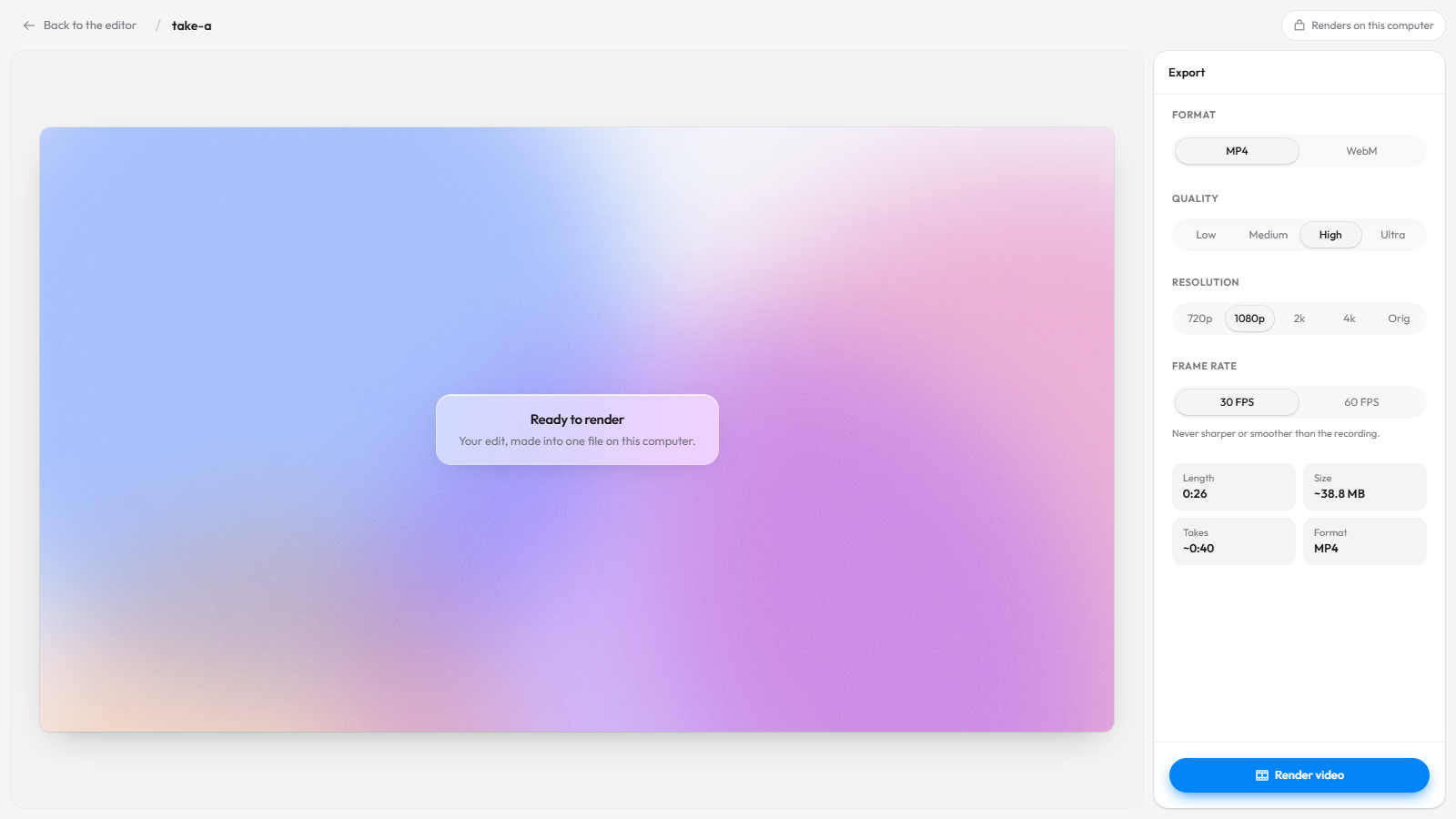
- You export. Pick Download locally and the MP4 or WebM is made on your computer and saved to your downloads.
No account is needed for any of it. See the editor and Recordful Screen Recorder for what you can do with a recording.
What does reach Recordful's servers, and when?
"Nothing ever leaves your computer" would be a nice line, but it isn't exactly true of any app that runs on the web, so here is the precise list.
| What | When | Does it include your video? |
|---|---|---|
| The editor page itself | Each time the editor opens, your browser loads it from recordful.app, which counts page views with Google Analytics | No |
| A few short status events | Only if you're signed in: when a recording starts, stalls or fails | No |
| Upload progress events | Only for cloud recordings (Pro) | No, they report on the upload |
| Your video | Only when you choose Share as link, or record with a cloud recording turned on (Pro) | Yes, because you asked to share it |
| A transcript or captions | Only when you request them on a cloud recording (Pro) | Made from the video you shared |
The status events help find recordings that fail on a certain browser or computer. They hold the recording's settings (mode, quality, frame rate, whether the camera and microphone are on), how many tabs and windows are open, the domain of the tab you record (for example github.com, not the page or its content), your browser, operating system and the extension's version. They never hold video, audio, a frame of your screen or anything you typed. Signed out, the extension doesn't send them at all.
How can I check it myself?
You don't have to take my word for it:
- Read the code. The extension is open source under GPLv3 at github.com/ikislay/recordful. The status events are built in one file,
emitRecordingTelemetry.js, so you can see every field. - Watch the network. Open Chrome's DevTools on the editor (press F12), go to the Network tab and record, edit and export a video. You'll see the page load, and no request carrying your video.
- Pull the plug mid-take. Turn your Wi-Fi off while you record. The recording carries on, because it is written to your computer, not streamed to a server.
Where are my recordings kept, and for how long?
On your computer, in your browser's storage. That has two practical sides:
- Only this browser sees them. Another browser, another Chrome profile or another computer doesn't have them. Nobody at Recordful can see them either, because we never get them.
- Clearing site data clears them. If you clear browsing data for recordful.app, or uninstall the extension, the copies in the browser go with it. For anything you want to keep, export it with Download locally and keep the file wherever you keep your other files.
What if I do want to share a link?
Then you upload it, on purpose. Recordful Pro adds cloud share links: you click Share as link and get a page where people can watch, read a transcript, turn on captions and comment. You choose who can open it: only you, your workspace, or anyone with the link.
Pro is $19 a month, or $108 a year ($9 a month), for the whole workspace, with a 14-day free trial. Recordings you don't share stay on your computer, on Pro too.
How to record your screen without uploading it
- Install Recordful from the Chrome Web Store. It works in Chrome, Edge and Brave on Windows, macOS, ChromeOS and Linux.
- Click the Recordful icon and choose what to record: a tab, an area, your screen or your camera.
- Record, then click stop. The editor opens with your recording.
- Trim it, cut the mistakes and add zooms if you like.
- Click Publish, then Download locally. Pick MP4 or WebM and the size, and the file is saved to your computer.
You don't need an account for any of these steps.
Frequently asked questions
Is there a screen recorder that doesn't upload to the cloud? Yes. Recordful's free plan saves recordings on your computer, edits them in your browser and exports them to your disk. A video only goes to the cloud when you choose to share it as a link with Recordful Pro.
Does Recordful need an account? No. Recording, editing and exporting with the Chrome extension work without an account.
Does Recordful see my recordings? No, not unless you share one. Local recordings never reach Recordful's servers, so nobody at Recordful can watch them.
Does Recordful send any data at all? The editor page loads from recordful.app, which counts page views. If you're signed in, the extension sends a few short status events when a recording starts, stalls or fails, with settings like quality and frame rate and the domain of the recorded tab. They never include video, audio or what's on your screen. Signed out, it doesn't send them.
Can I record my screen offline? Yes. Recording doesn't need an internet connection, because the video is written to your computer as you record.
Is Recordful open source? Yes. The Chrome extension is open source under GPLv3, so anyone can read exactly what it does.
What happens if I clear my browser data? Recordings kept in the browser are removed with it. Export anything you want to keep as an MP4 or WebM first.
See Recordful Screen Recorder and the editor for more.