
By Kislay, creator of Recordful. Last updated November 14, 2026.
Short answer: CleanShot X only runs on a Mac. Its pricing page says there is no Windows version and no plan to release one. If you're on Windows, Linux or a Chromebook, Recordful is a free alternative: it captures an area, a window, the whole screen or a full web page, then opens it in an editor with wallpapers, frames, 3D tilt, arrows, text and blur. Capturing, editing, copying and downloading are free with no account. CleanShot X costs $35 once, with updates after the first year at $19 a year.
Is there a CleanShot X for Windows?
No. From CleanShot's pricing page on November 14, 2026: "There's no Windows version and at the moment there are no plans on releasing one." CleanShot X requires macOS 13.0 or newer.
That leaves Windows users, Linux users and Chromebook users without it, and it splits mixed teams: the Mac people can use CleanShot, the rest can't.
Recordful runs on all of them:
- Chrome extension: Chrome 110+ and Chromium browsers like Edge and Brave, on Windows, macOS, ChromeOS and Linux
- Desktop app: Windows 10 and 11, macOS 14+ (Apple silicon and Intel), and Linux as an AppImage
How much does CleanShot X cost in 2026?
From CleanShot's pricing page on November 14, 2026:
| Plan | Price | What you get |
|---|---|---|
| CleanShot Basic | $35, one-time | The Mac app, one year of updates, Cloud with 1 GB of storage |
| Updates after year one | $19 a year (optional) | Keep getting new versions |
| CleanShot Pro | $10 per user a month, billed annually | The Mac app always up to date, unlimited Cloud storage, custom domain and branding, team features |
CleanShot has no free plan and no free trial of its own. It offers a 30-day money-back guarantee, and it's also part of the Setapp subscription.
Recordful's screenshots cost nothing:
| CleanShot X | Recordful | |
|---|---|---|
| Price to capture and edit | $35 one-time, $19 a year for updates | Free |
| Windows | No | Yes |
| Linux | No | Yes |
| ChromeOS | No | Yes, in Chrome |
| Free to start | No free plan or trial (30-day refund) | Yes, no account needed |
| Team cloud plan | $10 per user a month, billed annually | Recordful Pro: $19 a month or $108 a year for the whole workspace |
A team of 10 on CleanShot Pro pays $100 a month, billed for the year. On Recordful Pro the same team pays $19 a month, or $108 for the year, because the price is per workspace.
What can Recordful's screenshots do?
Four ways to capture
In Chrome, open Recordful and pick the Screenshot tab:
- Selected area: drag a box, or click an element on the page to take just that element
- Visible part: what's on screen right now
- Full page: Recordful scrolls the page and stitches it into one picture
- Entire screen or window: anything on your computer, not just the tab
Full page is built for real websites. A sticky header or cookie banner shows once at the top instead of repeating down the picture, and images that load as you scroll are loaded first.
In the desktop app on Windows, press Ctrl+Alt+S from anywhere (you can change the shortcut). The screen freezes first, so open menus and hover states stay in the shot. Click a window, click the desktop for the whole screen, or drag an area. It works across monitors. The picture is copied to your clipboard and saved as a PNG in Pictures/Recordful.
Make it look good
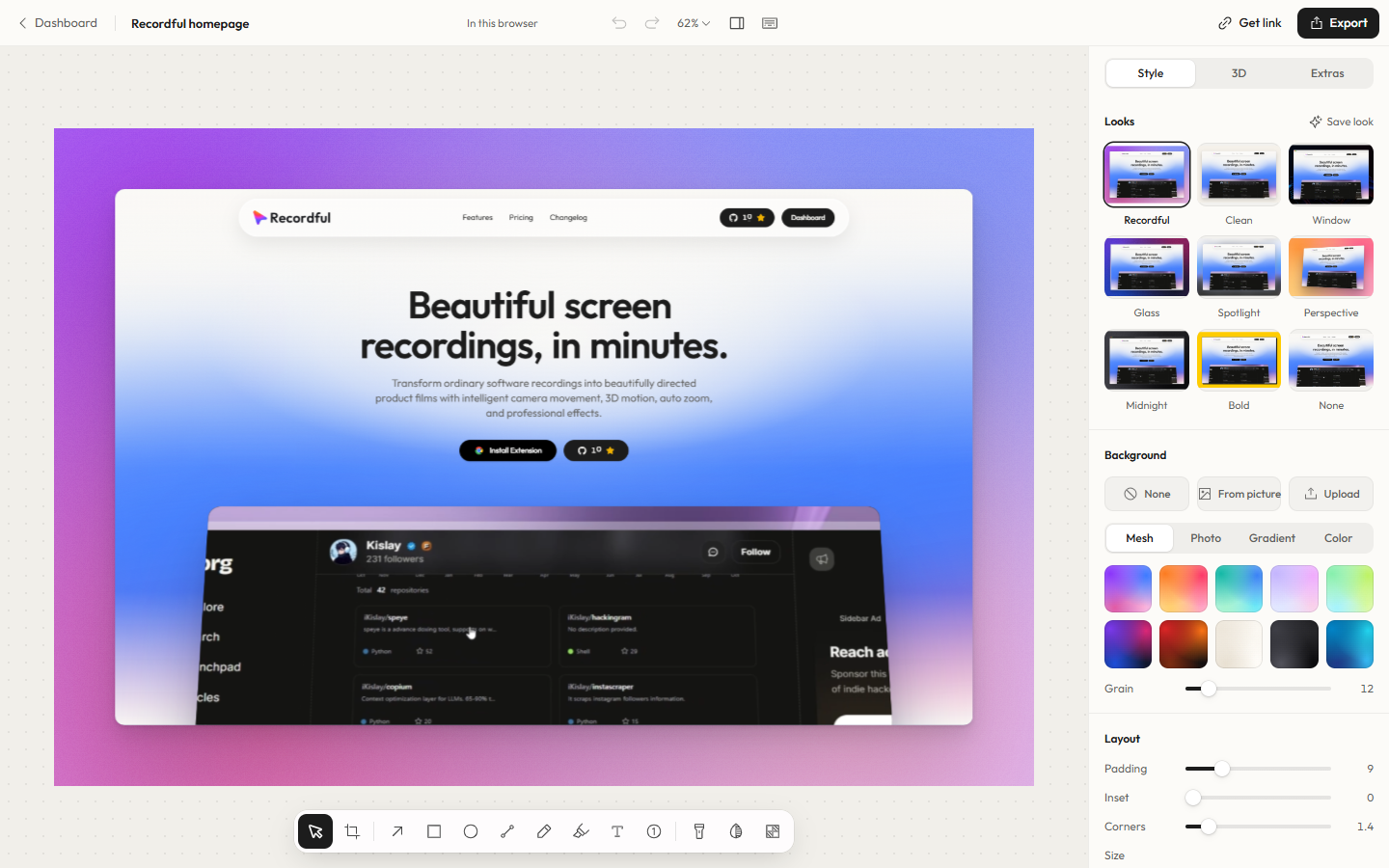
Every screenshot opens in the same editor, in Chrome or in the desktop app:
- A new screenshot starts on a wallpaper picked to match its colours
- Mesh, photo, gradient or colour backgrounds, or your own picture
- Padding, rounded corners, window frames, shadows and borders
- Sizes for X, Instagram, LinkedIn and stories
- Tilt, turn and skew the picture in 3D, or pick a ready-made angle
- Save a look and have new screenshots start with it
Mark it up
Arrows that bend, rectangles, ellipses, lines, a pen and a highlighter, text, numbered steps, a spotlight, blur and pixelate. Crop, rotate and flip. Undo goes back through all of it.
Hide private details in one click
When you capture a web page with the extension, Recordful reads it for emails, phone numbers, card numbers, keys and tokens, and offers to hide all of them in one click. Blur and pixelate throw the detail away, so it can't be brought back. You can also copy the page's words out of the screenshot as text, exactly as written.
Copy, download or post
Copy the picture, or download it as PNG, JPEG or WebP at 0.5× to 3×. Downloads don't carry a Recordful watermark; a watermark is only there if you add one. You can also open a post on X or Threads with the picture ready to go.
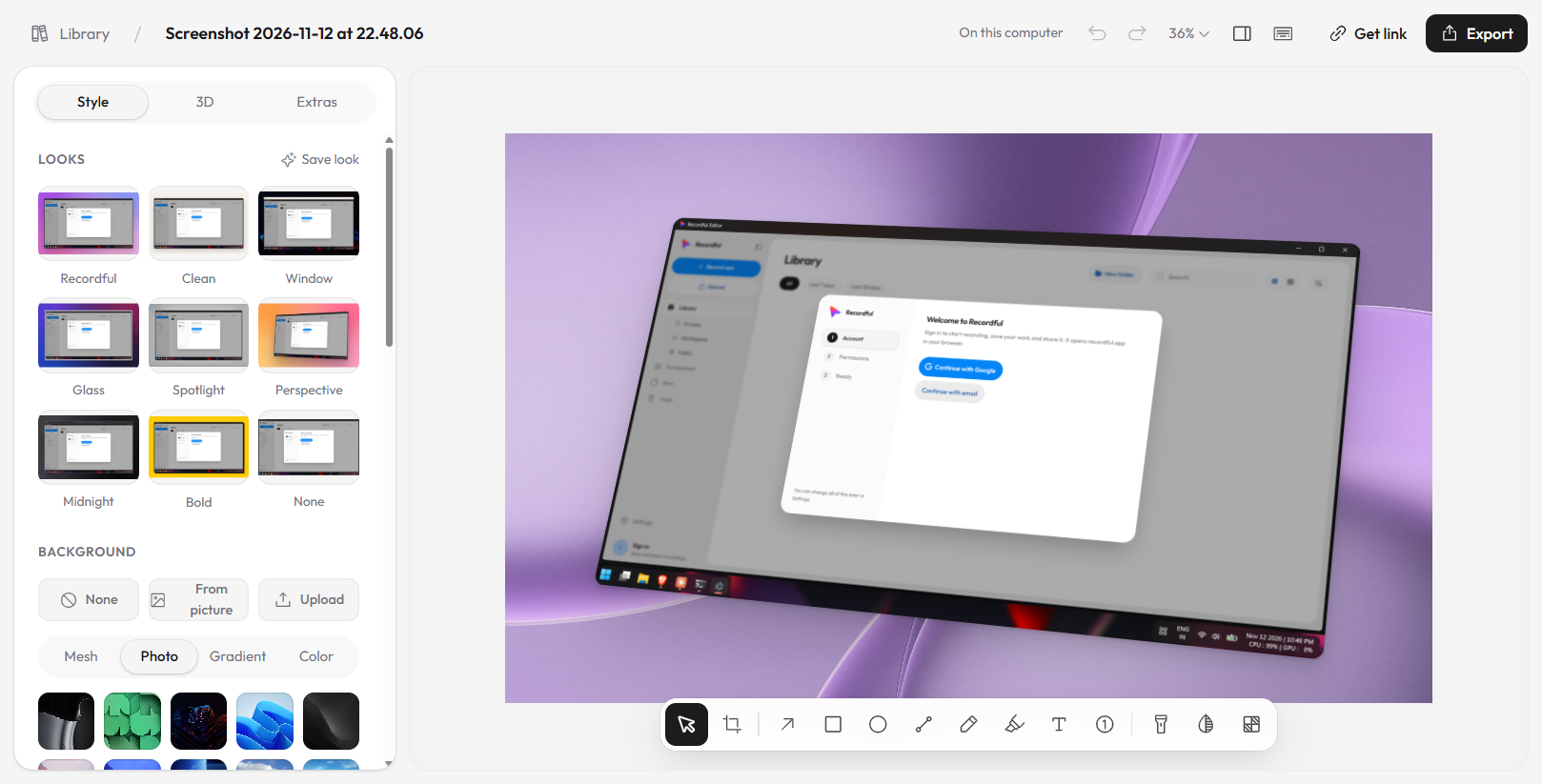
On the desktop app, your edits are saved as you go and the original PNG is never changed. Library → Screenshots keeps every screenshot as you edited it.
Can I share a screenshot with a link?
Yes, with Recordful Pro. Pro keeps your screenshots in a Screenshots folder on recordful.app, private until you share a link. A shared screenshot gets comments and likes, like a recording. Pro is $19 a month or $108 a year for the whole workspace, with a 14-day free trial.
Does Recordful record video too?
Yes, and that's free as well. Record a tab, an area, a window, the whole screen or your camera, with no time limit and no account. The free editor adds auto-zoom on clicks, click effects, backgrounds and camera layouts, and exports MP4, WebM or GIF up to 4K. See Recordful Screen Recorder and the editor.
Can AI agents take screenshots with Recordful?
Yes. Connect Claude Code, Cursor, Codex, VS Code, Windsurf or Gemini CLI to Recordful's MCP server and ask for a screenshot. It takes the Chrome tab, or, once you turn on Let AI agents take screenshots in the desktop app's settings, a screen, a window or an area. The screenshot opens in Recordful's editor. See Recordful Agents.
How to switch from CleanShot X to Recordful on Windows
- Download the Recordful desktop app for Windows, or install Recordful from the Chrome Web Store.
- In the desktop app, press Ctrl+Alt+S. In Chrome, click the Recordful icon and open the Screenshot tab.
- Click a window, the desktop, or drag an area. In Chrome you can also take the visible part or the full page.
- The editor opens. Pick a look, add arrows or text, and hide anything private.
- Copy it, or download a PNG, JPEG or WebP.
- To share links with your team, start a Recordful Pro trial and invite them to the workspace at no extra cost per person.
Frequently asked questions
Is CleanShot X available for Windows? No. CleanShot's pricing page says there's no Windows version and no plans to release one. It requires macOS 13.0 or newer.
What is the best CleanShot X alternative for Windows? Recordful takes area, window, full screen and full-page screenshots on Windows and edits them with wallpapers, frames, 3D tilt, arrows, text, blur and one-click redaction. It's free with no account.
How much does CleanShot X cost? From CleanShot's pricing page on November 14, 2026: Basic is $35 once with one year of updates and optional renewal at $19 a year. CleanShot Pro is $10 per user a month, billed annually.
Is Recordful's screenshot tool free? Yes. Capturing, editing, copying and downloading are free, with no account. Recordful Pro adds cloud storage and share links for $19 a month or $108 a year per workspace.
Does Recordful work on Linux and Chromebooks? Yes. The Chrome extension works on Linux and ChromeOS, and the desktop app ships as a Linux AppImage.
Can Recordful take a scrolling screenshot? Yes, of a web page in Chrome. Full page scrolls the page and stitches it into one picture, with sticky headers shown once. See free full-page screenshots.
Where are my screenshots saved? In Chrome they stay in your browser until you copy, download or share them. The desktop app saves each one as a PNG in Pictures/Recordful. With Pro they're also kept in a Screenshots folder on recordful.app.
See Recordful Screenshot, the Windows screen recorder comparison and Loom alternative for Linux for more.